Project Overview
Background
This project was created to build practical experience in IT Support and Service Desk operations using a controlled lab environment.
Rather than treating a ticketing system as simply an installation exercise, the project was designed around realistic support workflows. The goal was to simulate the responsibilities of a Level 1 IT Support technician handling incidents reported by end users.
The environment uses osTicket as the central service desk platform and a Windows workstation as the primary end user environment for troubleshooting.
Project Goal
The primary goal was to demonstrate the ability to manage technical support incidents from initial report through resolution.
The project focused on developing a repeatable troubleshooting approach:
Understand → Investigate → Diagnose → Resolve → Verify → Document → Communicate → Close
This approach helps ensure that a ticket is not closed simply because a technical change was made. The resolution must also be verified and properly documented.
Project Scope
The project covers the following areas:
Service Desk Operations
- Ticket creation and management
- Ticket assignment
- Department and team structure
- Priority management
- SLA configuration
- Help Topics
- Customer communication
- Internal technical notes
- Ticket closure
Knowledge Management
A Knowledge Base was configured to provide users with self service troubleshooting information.
FAQs were created for common Level 1 issues including:
- Windows performance problems
- Windows application issues
- Wi-Fi connectivity
- Internet access
- Password and login problems
- Locked accounts
- Keyboard and mouse problems
- Printer troubleshooting
The Knowledge Base demonstrates how recurring support issues can be documented so that users and support technicians have access to consistent troubleshooting guidance.
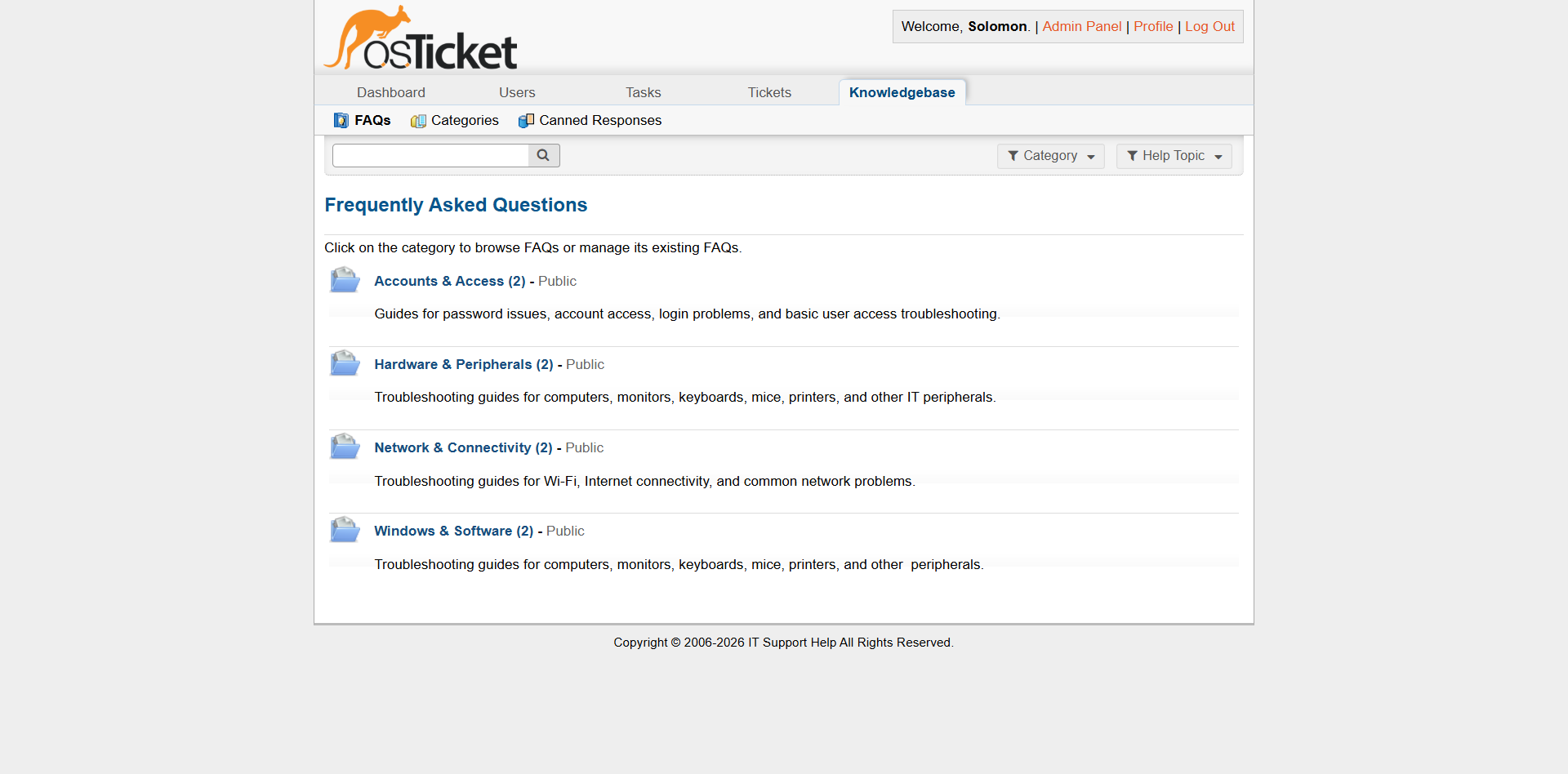
Knowledge Base FAQ listing showing the documented troubleshooting resources.
Technical Troubleshooting
The project includes five practical incident scenarios:
- Windows application not responding
- DNS related Internet access failure
- Black screen after Windows login
- Zoom microphone access problem
- Amharic keyboard and language configuration
The scenarios were selected because they could be reproduced and tested on an actual Windows workstation rather than relying entirely on fictional diagnostic results.
Troubleshooting Methodology
Each incident was approached using a structured troubleshooting methodology.
1. Identify the Symptoms
The reported problem was reviewed to understand what the user was experiencing.
2. Reproduce the Problem
Where practical, the issue was reproduced on the test workstation.
Reproducing an issue helps distinguish between assumptions and observable technical symptoms.
3. Gather Evidence
Relevant Windows settings, application behavior, network configuration, or other diagnostic information were examined.
4. Identify the Root Cause
The available evidence was used to determine the most likely cause of the problem.
5. Apply a Controlled Resolution
A targeted change was made to address the identified cause.
6. Verify Functionality
The original problem was tested again to confirm that the resolution worked.
7. Document the Incident
The investigation, findings, root cause, resolution, and verification were recorded in the ticket.
8. Communicate With the User
A customer facing response explained the resolution in clear, non technical language where appropriate.
9. Close the Ticket
The ticket was closed only after the issue had been resolved and verified.
Portfolio Focus
This project is intended to demonstrate practical IT Support capability.
The emphasis is on:
- Structured troubleshooting
- Logical diagnosis
- Reproducible testing
- Accurate technical documentation
- Clear user communication
- Ticket lifecycle management
- Knowledge Base development
- Service Desk workflow The environment is a controlled laboratory and does not represent a production corporate infrastructure.
Key Takeaway
The project demonstrates that effective IT Support is not only about knowing technical commands or fixing computers.
A support technician must also be able to:
Understand the user's problem, investigate systematically, identify the cause, apply an appropriate fix, verify the result, document the work, and communicate clearly.
That complete workflow is the central focus of this project.