Service Desk Workflow
Overview
The osTicket environment was used to simulate the complete lifecycle of an internal IT Support request.
The workflow was designed around a simple principle:
Every ticket should have clear ownership, evidence-based troubleshooting, documented actions, verified resolution, and an appropriate closure.
1. Ticket Submission
The support process begins when an end user submits a request through the web-based support portal.
The ticket contains information such as:
- User
- Email address
- Issue description
- Ticket number
- Creation date
- Source
- Help Topic
- Priority
- Department
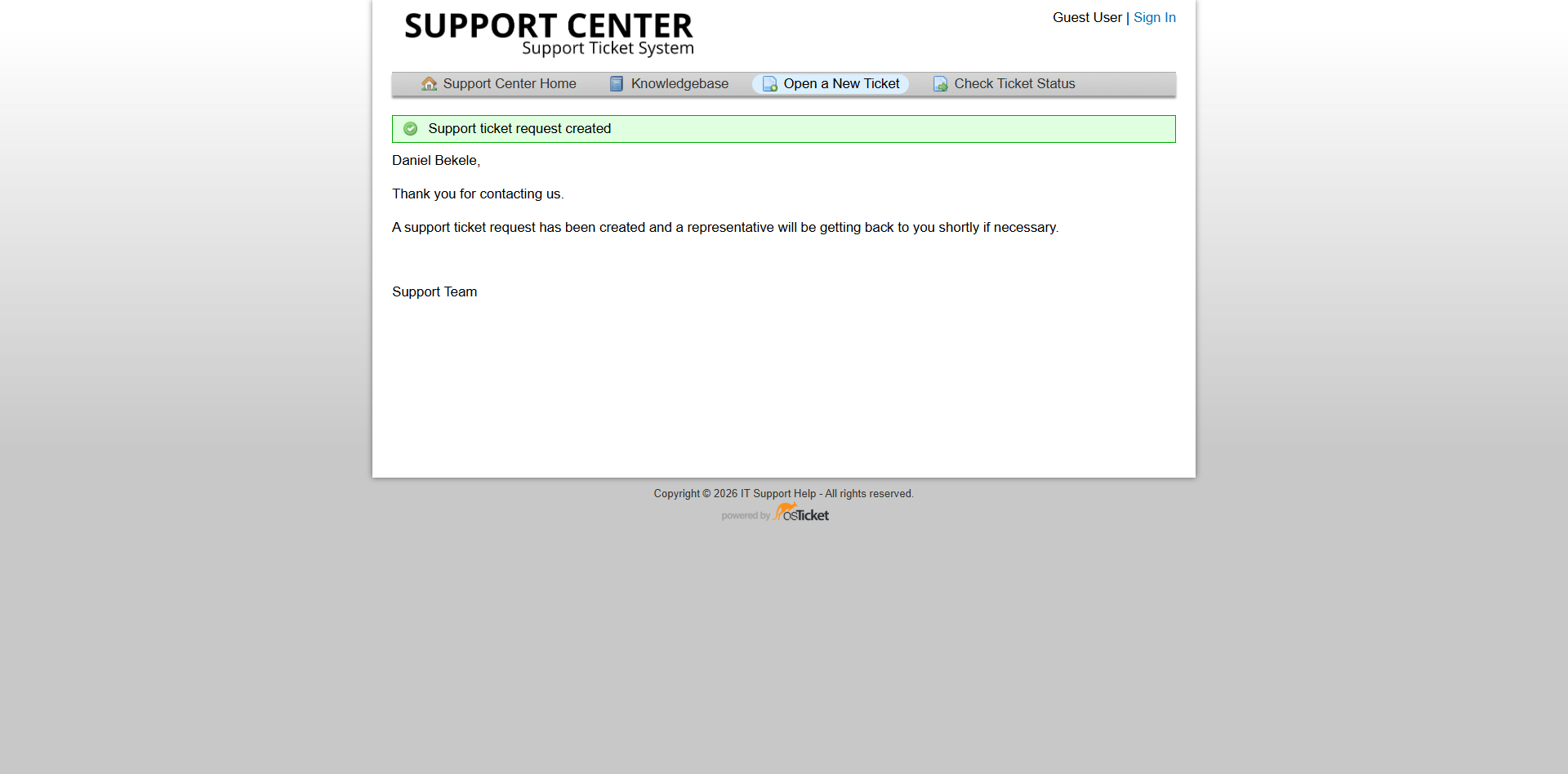
Newly created ticket showing the initial ticket information before investigation.
2. Initial Triage
The incoming ticket is reviewed to understand the reported problem and determine its general category and priority.
During triage, the technician considers:
- What is the user reporting?
- What system or service is affected?
- Is the issue reproducible?
- How many users are affected?
- Is there a potential business impact?
- Does the issue require immediate escalation?
The goal is to understand the incident before attempting a technical fix.
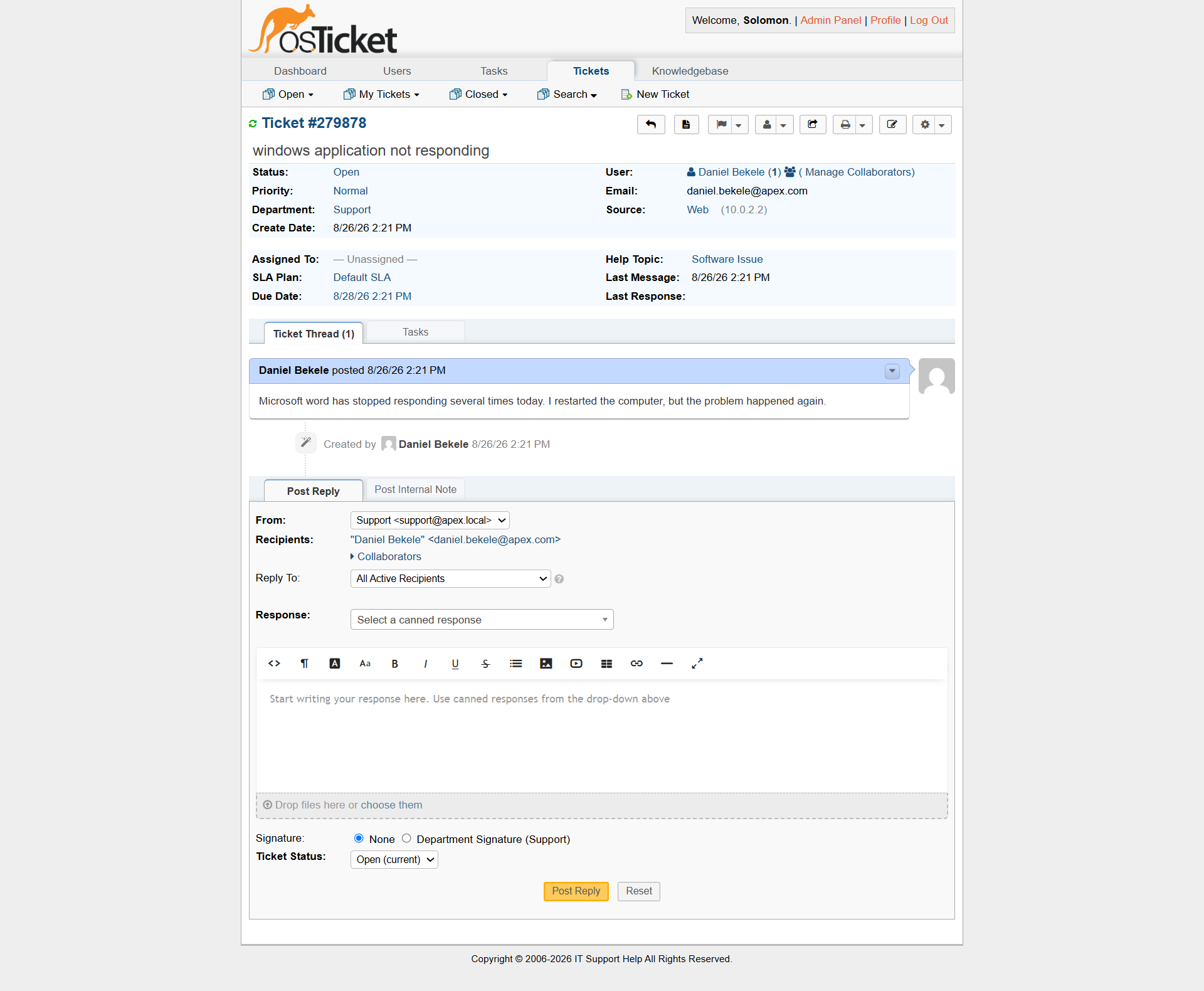
Ticket before triage and technical investigation.
3. Assignment
Ticket assignment is used when a specific technician needs to take ownership of an incident.
In this project, some tickets were manually assigned to Alex Morgan to demonstrate individual ownership and accountability during the troubleshooting process. However, manual assignment is not required for every ticket. Depending on the Service Desk configuration, a ticket may remain in a department or team queue until a technician takes ownership. Automatic routing can also direct tickets to an appropriate department or team without immediately assigning them to a specific technician.
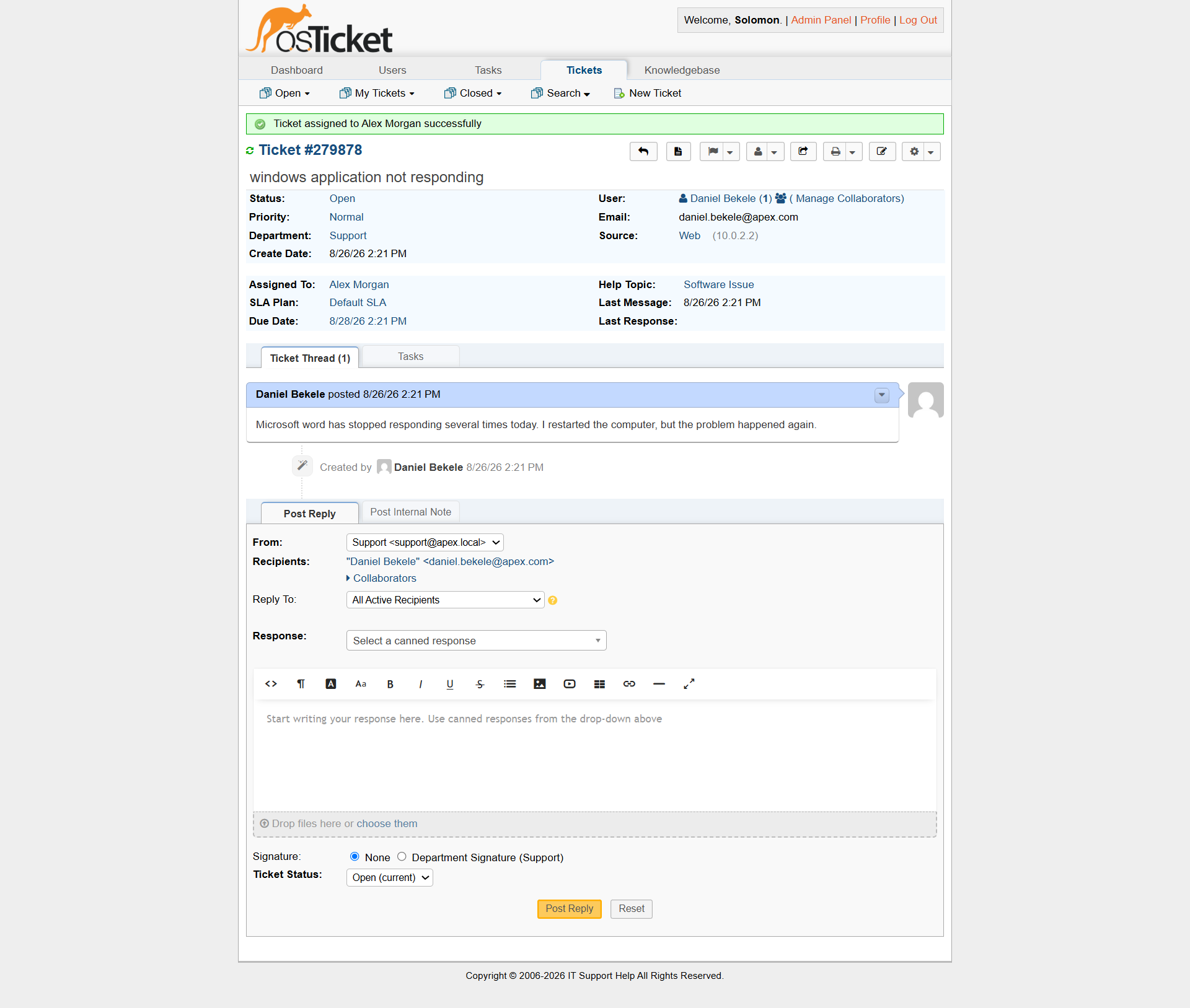
Ticket assigned to the support technician for investigation.
4. Investigation
The technician investigates the reported symptoms using appropriate troubleshooting methods.
The investigation depends on the type of incident.
Examples from this project include:
Incident| Investigation Application not responding| Safe Mode and Windows startup investigation Internet access| Wi-Fi, IP configuration, DNS and connectivity testing Black screen| Task Manager and Windows shell investigation Zoom microphone| Windows microphone privacy settings Amharic keyboard| Windows language and keyboard configuration
The technician avoids making unnecessary changes before enough evidence has been collected.
5. Diagnosis
The collected evidence is used to determine the most likely cause of the problem.
Diagnosis should be based on observable behavior rather than assumptions.
For example, the Internet-access investigation demonstrated that a user can report an Internet problem even when the workstation's network configuration and external connectivity are functioning during technician testing.
In such situations, the technician should document the findings rather than inventing a root cause or changing network settings without evidence.
6. Resolution
Once the cause or appropriate corrective action has been identified, the technician applies a controlled resolution.
Examples from the project include:
- Correcting a Windows startup conflict
- Restoring the Windows shell using "explorer.exe"
- Enabling microphone permissions
- Adding the Amharic language and keyboard configuration
The resolution should address the identified problem without introducing unnecessary changes.
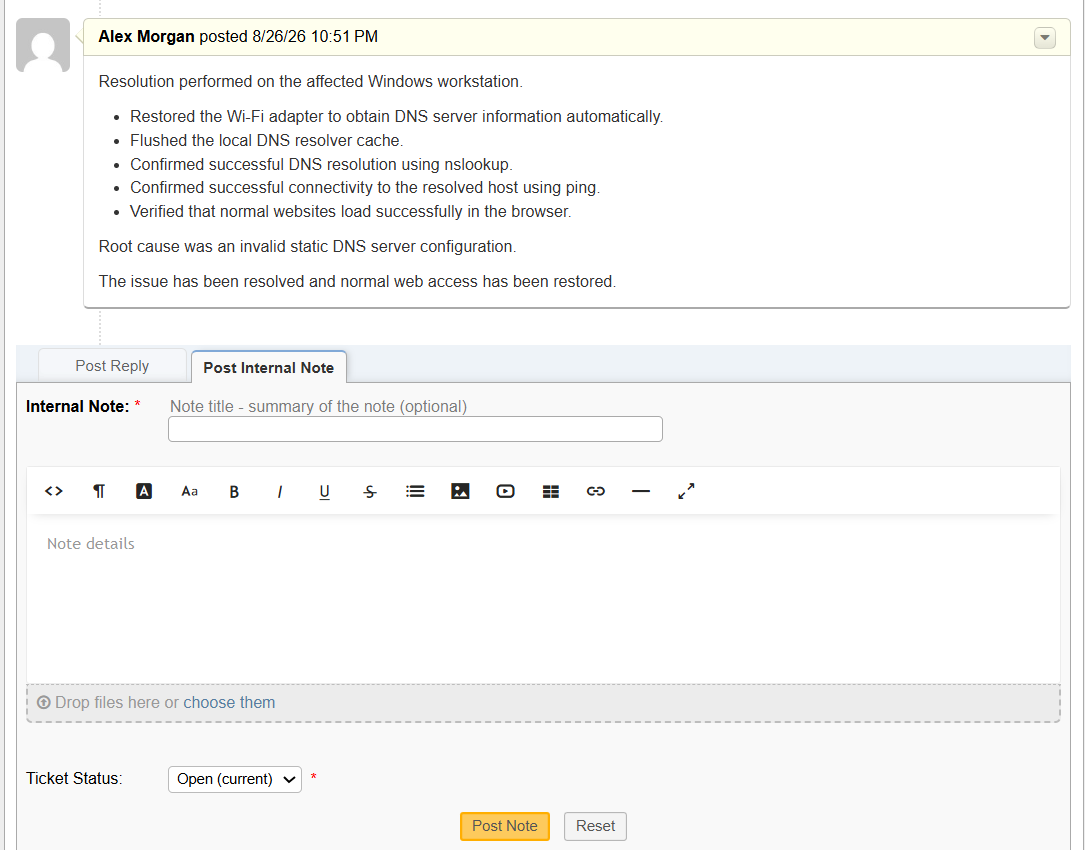
Internal ticket note documenting the resolution stage of the incident.
7. Verification
Verification is performed after the corrective action.
The technician tests the original symptom again to confirm that the issue has actually been resolved.
Examples include:
- Launching the affected application again
- Confirming Internet connectivity
- Confirming that the Windows desktop has returned
- Testing the microphone in Zoom
- Typing using the Amharic keyboard layout
Verification prevents tickets from being closed based solely on the assumption that a configuration change worked.
8. Internal Documentation
Technical investigation is recorded using internal notes.
A useful internal note should allow another technician to understand: - What the user reported - What was tested - What was discovered - What action was taken - What the result was
This creates a useful history of the incident and supports future troubleshooting if the problem returns.
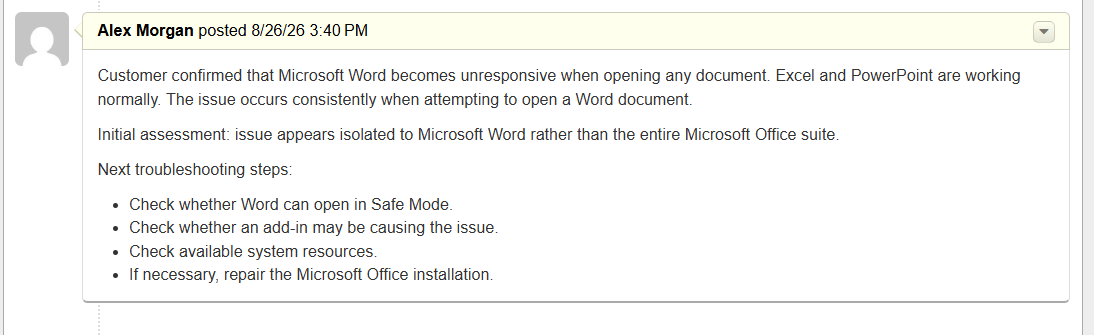
Internal note documenting the troubleshooting work and resolution.
9. Customer Communication
The user receives a customer-facing response after the issue has been resolved or the investigation has reached an appropriate conclusion.
The communication should:
- Clearly explain the outcome.
- Avoid unnecessary technical terminology.
- Confirm whether the problem is resolved.
- Provide any relevant instructions to the user.
- Explain whether further action is required.
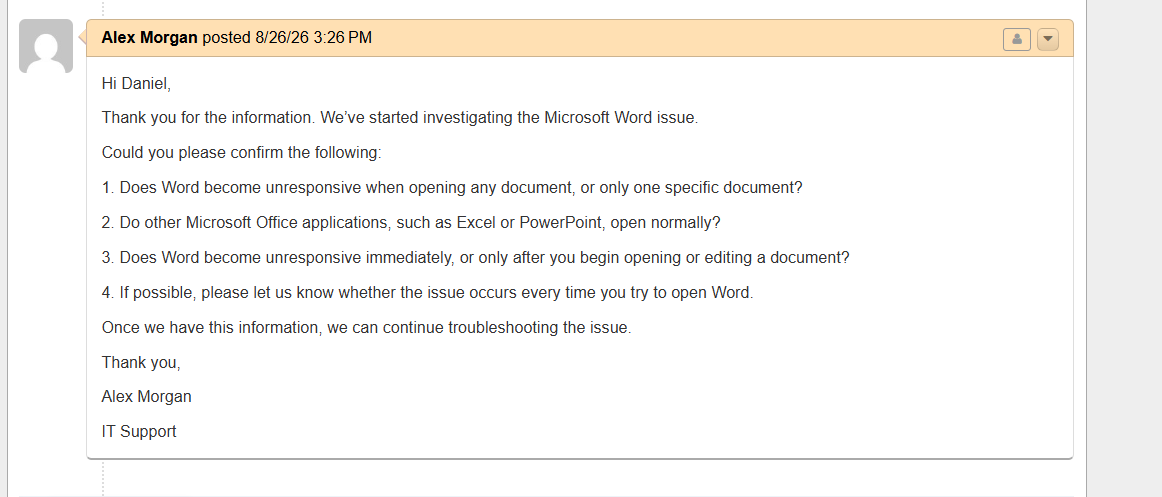
Customer-facing communication documenting the outcome of the support investigation.
10. Ticket Closure
The ticket is closed after the issue has been resolved and verified.
Closure provides a clear endpoint to the incident and ensures that completed requests do not remain unnecessarily open.
The final ticket should contain enough documentation for another technician to understand the work performed.
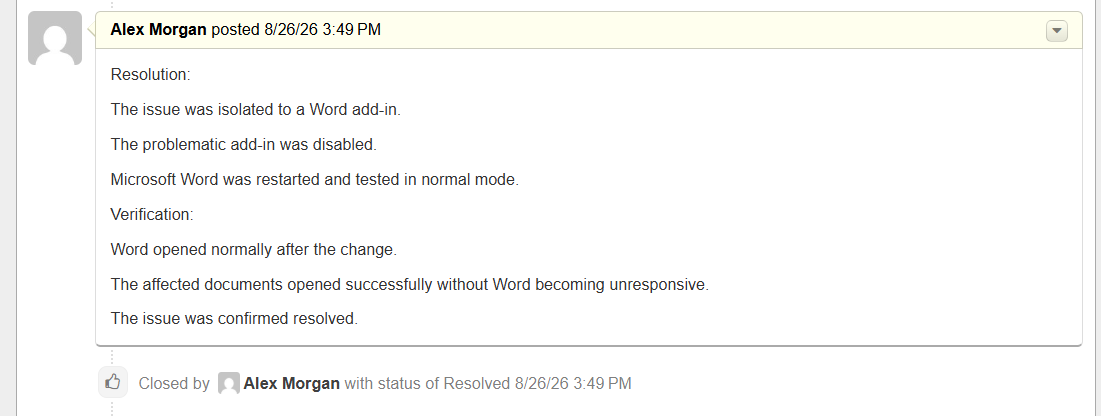
Completed ticket showing the final closure stage.
End-to-End Workflow
The complete workflow can be represented as:
User Reports Issue ↓ Ticket Created ↓ Initial Triage ↓ Ticket Assigned (if needed) ↓ Investigation ↓ Evidence Collected ↓ Diagnosis ↓ Resolution Applied ↓ Functionality Verified ↓ Internal Note Added ↓ Customer Updated ↓ Ticket Closed
Why Documentation Matters
Technical troubleshooting is only one part of effective Service Desk work.
A technically correct fix can still result in poor support if the technician fails to document what happened.
Good ticket documentation allows:
- Other technicians to understand previous work.
- Recurring problems to be identified.
- Support teams to avoid repeating unsuccessful troubleshooting.
- Managers to review incident history.
- Users to receive consistent communication.
- Knowledge Base articles to be developed from recurring issues.
Evidence Based Support
One of the main principles applied throughout this project was evidence-based troubleshooting.
The technician should not assume that the first apparent explanation is the correct one.
Instead:
Symptom → Test → Evidence → Diagnosis → Action → Verification
This approach was particularly demonstrated by the Internet-access incident, where diagnostic testing showed functioning DNS resolution and external connectivity despite the original reported problem.
Service Desk Principles Demonstrated
The completed workflow demonstrates several fundamental Service Desk practices:
- Clear ticket ownership
- Structured triage
- Appropriate prioritization
- Systematic troubleshooting
- Evidence collection
- Root-cause analysis
- Controlled resolution
- Post-resolution verification
- Technical documentation
- Customer communication
- Proper ticket closure
Outcome
The osTicket environment provided a practical platform for applying these principles to real, reproducible troubleshooting scenarios.
The project therefore demonstrates not only the ability to troubleshoot Windows problems, but also the ability to manage those problems within a structured Service Desk workflow from initial report through closure.