Ticket #506980 — Amharic Keyboard Layout Setup
Incident Summary
The user reported that they were unable to type using a secondary language and could not switch between keyboard input layouts.
The requested secondary language was Amharic.
The incident was investigated as a Windows language and keyboard configuration issue.
Status: Open Priority: Normal Department: Support Source: Web
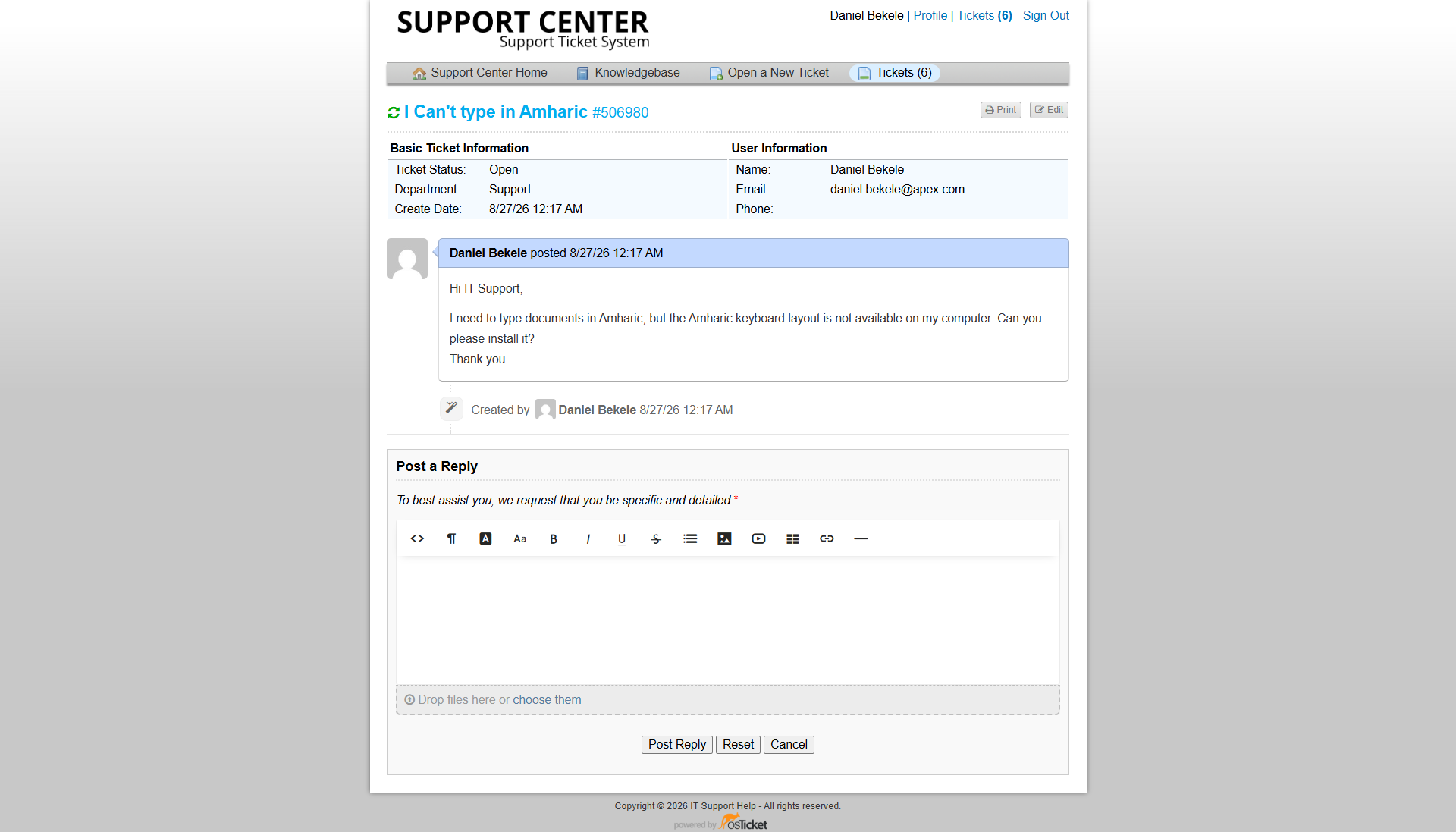
Ticket #506980 showing the reported Amharic keyboard configuration request.
Initial Assessment
The workstation's existing keyboard configuration did not provide the required Amharic input option.
The troubleshooting focused on:
- Checking the installed Windows language configuration.
- Adding Amharic as a language.
- Installing the required language components.
- Configuring the keyboard input method.
- Verifying that the user could switch between keyboard layouts.
Step 1 — Open Language Settings
Windows Settings was opened and the following path was used:
Settings → Time & Language → Language & Region
The installed languages and available language options were reviewed.
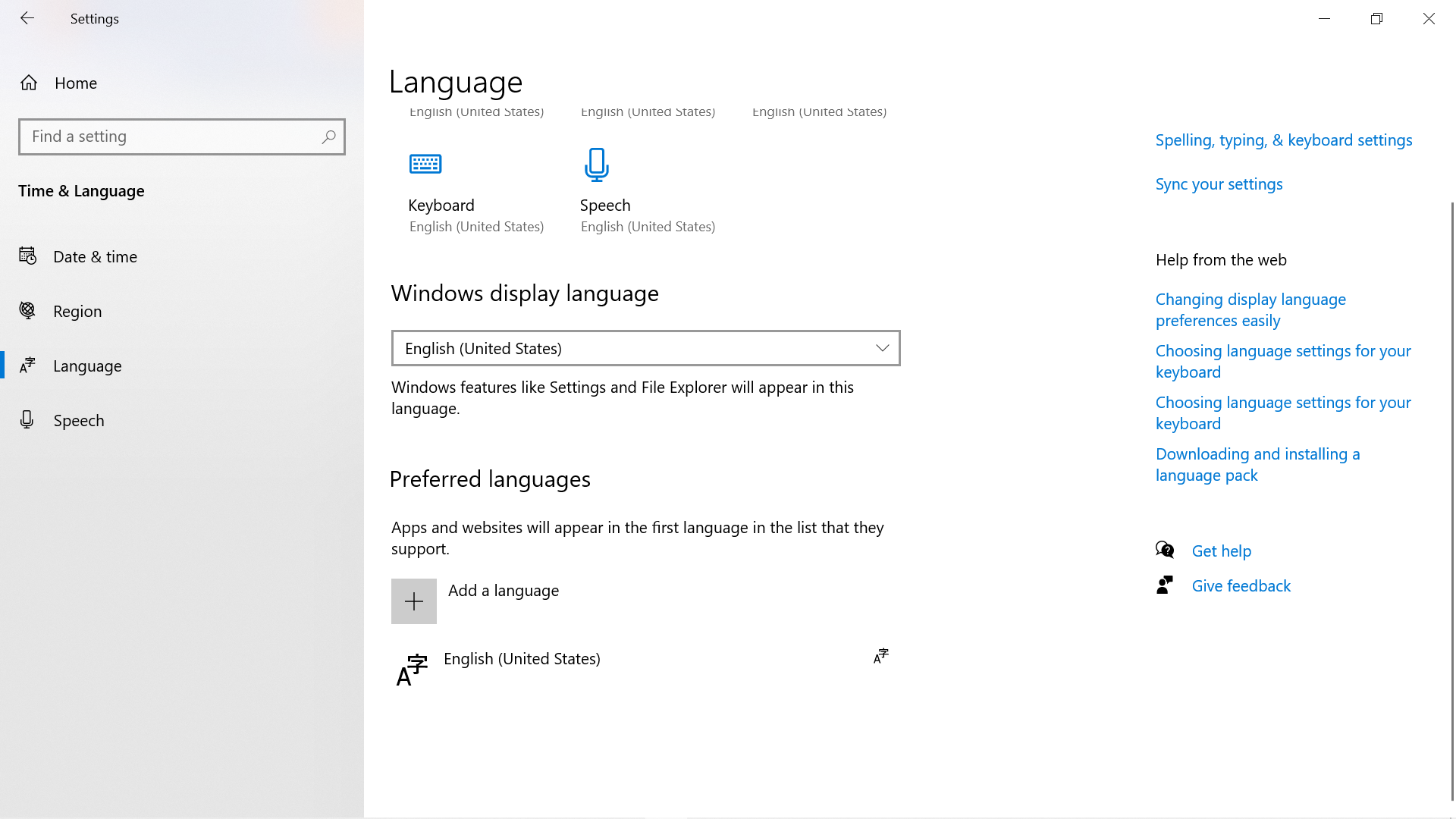
Windows language configuration before the Amharic input language was added.
Step 2 — Add Amharic
The Add a language option was selected.
Amharic was searched for and selected from the available language options.
The required language components were then installed.
Step 3 — Configure the Keyboard Layout
After Amharic was added, its language options were opened and the available keyboard/input configuration was reviewed.
The required keyboard layout was configured so that it could be selected from the Windows input language switcher.
Step 4 — Verify Language Switching
The Windows input language switcher was used to change between the existing keyboard layout and Amharic.
The Amharic input option appeared in the available keyboard layouts.
The user could therefore switch between the configured input languages when required.
Resolution
Amharic language support and the required keyboard input configuration were successfully added to the Windows workstation.
The user was able to switch between keyboard layouts and enter text using the Amharic input method.
No additional hardware or third-party software was required.
Verification
The configuration was tested after installation.
Result:
- Amharic was available as an input language.
- The keyboard layout could be selected from the Windows input switcher.
- The user could switch between input languages.
- Amharic text could be entered successfully.
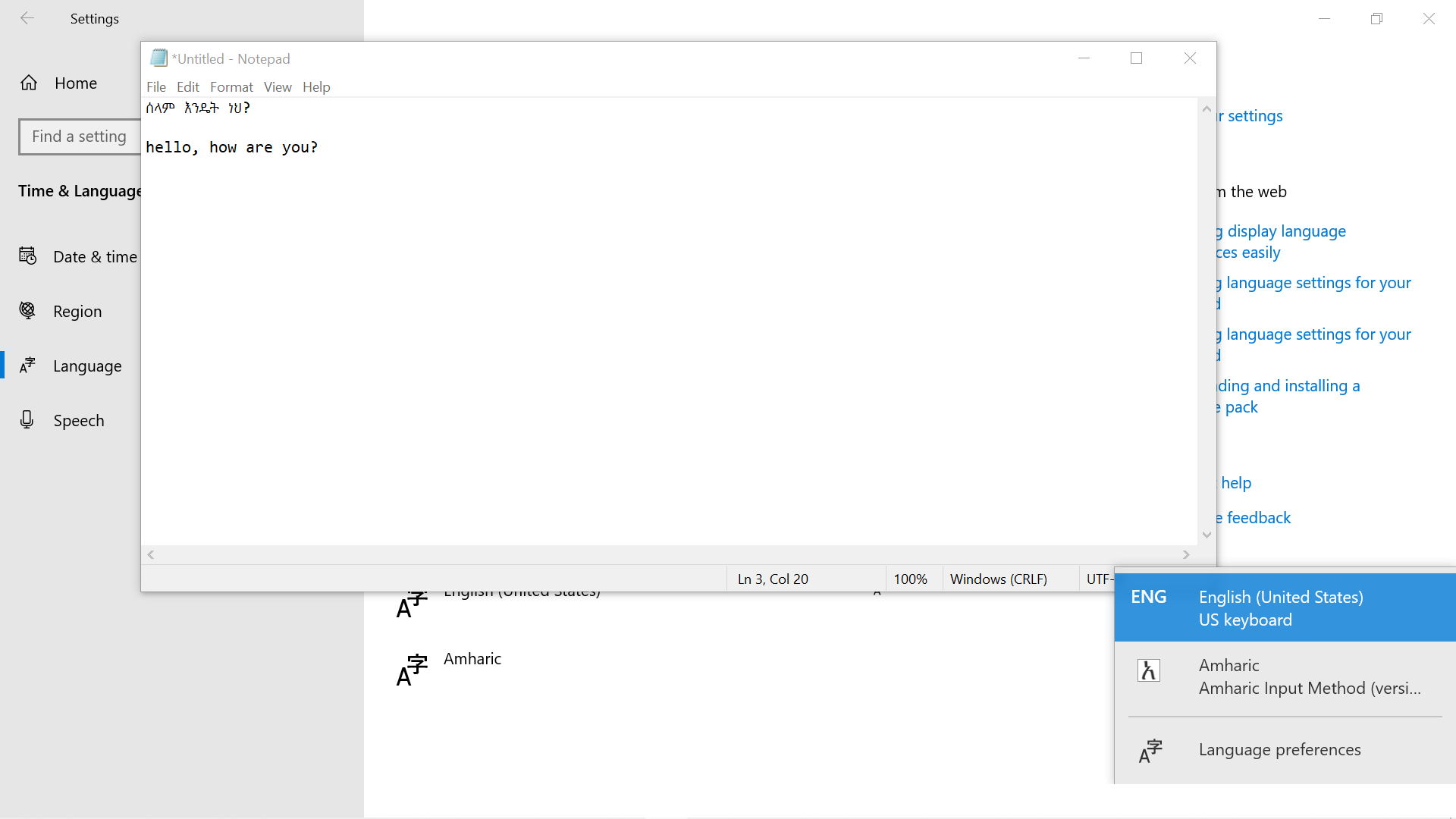
Amharic input successfully configured and available for use.
Internal Documentation
The troubleshooting and configuration steps were recorded in an internal ticket note.
The note documented that Amharic language support and the required keyboard input configuration had been added and verified.
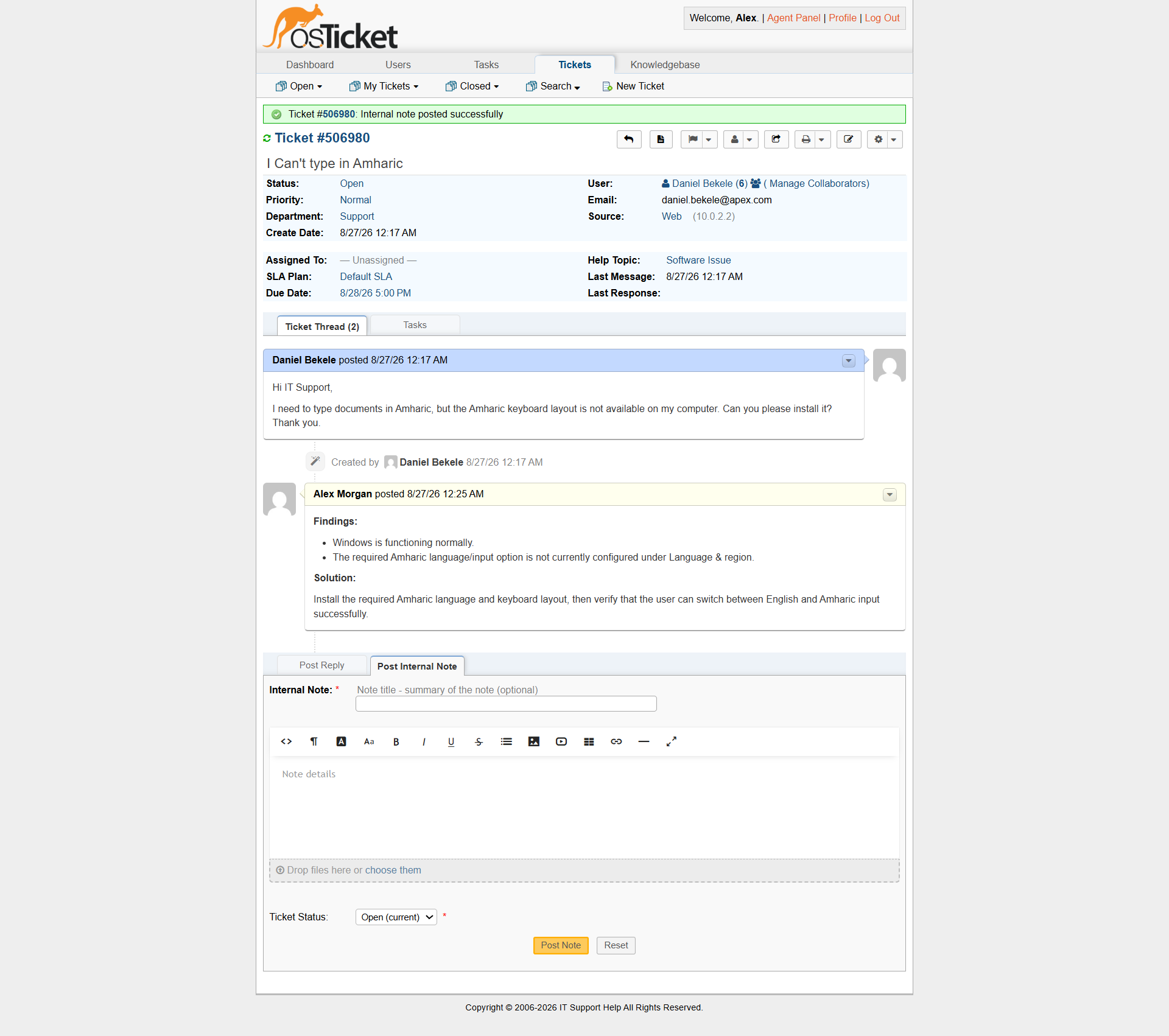
Internal note documenting the Amharic keyboard configuration and verification.
Customer Communication
A customer facing response was added to confirm that the Amharic keyboard configuration had been completed and tested successfully.
The response explained the outcome in user-friendly language and confirmed that the input language could now be switched when needed.
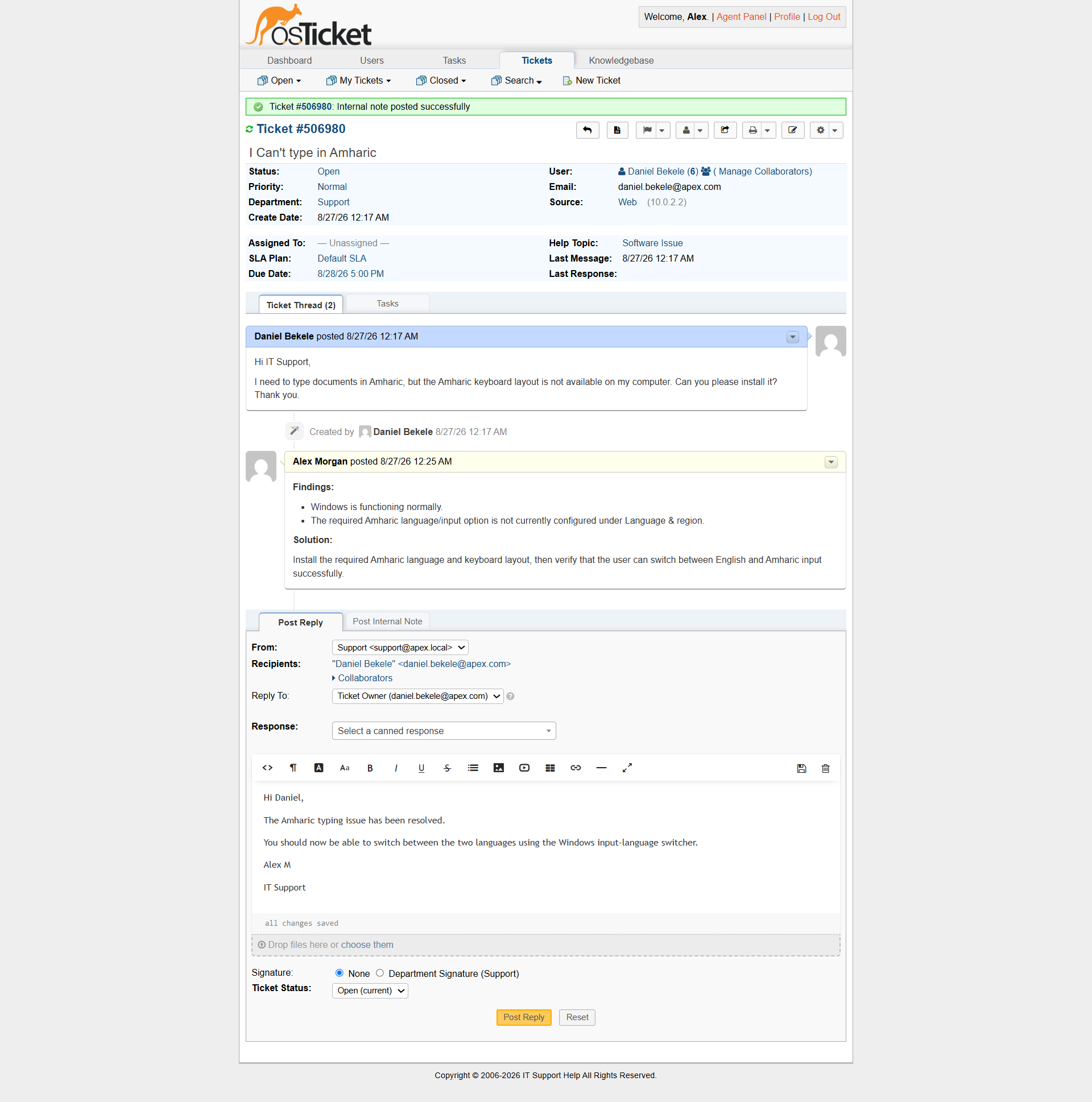
Customer-facing response confirming completion of the configuration.
Support Skills Demonstrated
This incident demonstrates:
- Windows Settings navigation
- Language and regional configuration
- Keyboard layout configuration
- Windows input-language switching
- User support
- Configuration verification
- Clear customer communication
- Ticket documentation
Key Lesson
Not every Service Desk ticket involves repairing a failure.
IT Support also involves configuring systems to meet user requirements.
In this case, the user's workstation was configured to support an additional language while maintaining the existing keyboard configuration.