Lab Architecture
The lab was built in VirtualBox to simulate a small Windows based organizational environment.
The final environment consists of a Windows Server 2022 domain controller and a Windows 10 domain joined workstation connected through a VirtualBox Host Only network. The server provides Active Directory Domain Services and DNS, while the client is used to test authentication, permissions, Group Policy, file shares, and user support scenarios.
Architecture Overview
The environment contains two virtual machines:
- AD-DC01 — Windows Server 2022 domain controller
- WIN10-CLIENT01 — Windows 10 domain joined workstation
The Active Directory domain is: "apextech.local"
The internal lab network is:
"192.168.56.0/24"
                     Host Laptop
                          │
                          │
              VirtualBox Host-Only Network
                     192.168.56.0/24
                          │
                ┌─────────┴─────────┐
                │                   │
                ▼                   ▼
             AD-DC01          WIN10-CLIENT01
         Windows Server 2022      Windows 10
          192.168.56.10         192.168.56.20
                │                   │
                │                   │
                └── apextech.local ┘
                       │
                  AD DS + DNS
This architecture provides the core infrastructure used throughout the project.
Virtual Machine Environment
The laboratory environment was built using VirtualBox.
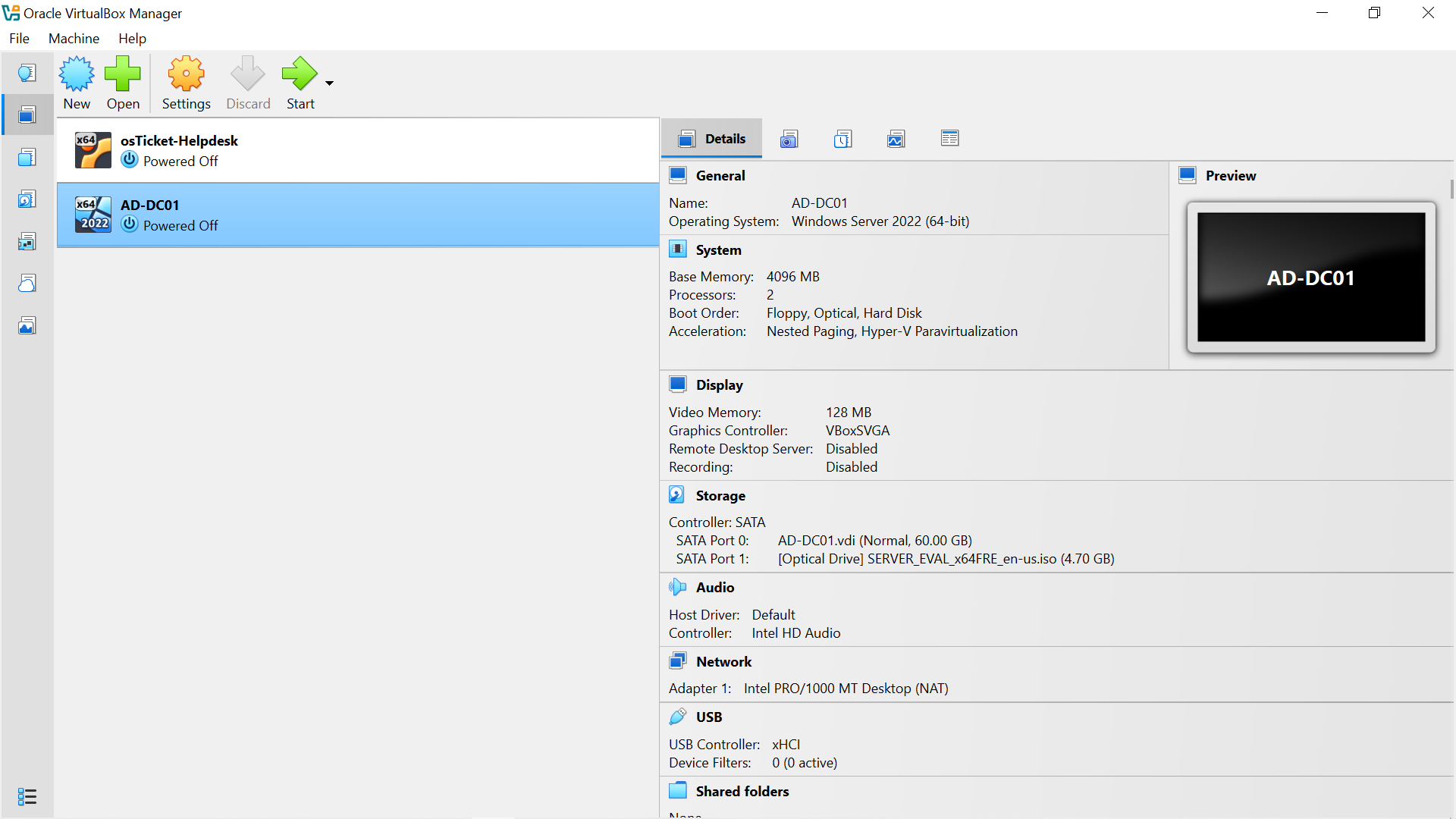
Figure 1: VirtualBox configuration used for the laboratory environment.
Host Only Network
A VirtualBox Host Only network was configured to provide private communication between the host system and the laboratory virtual machines.
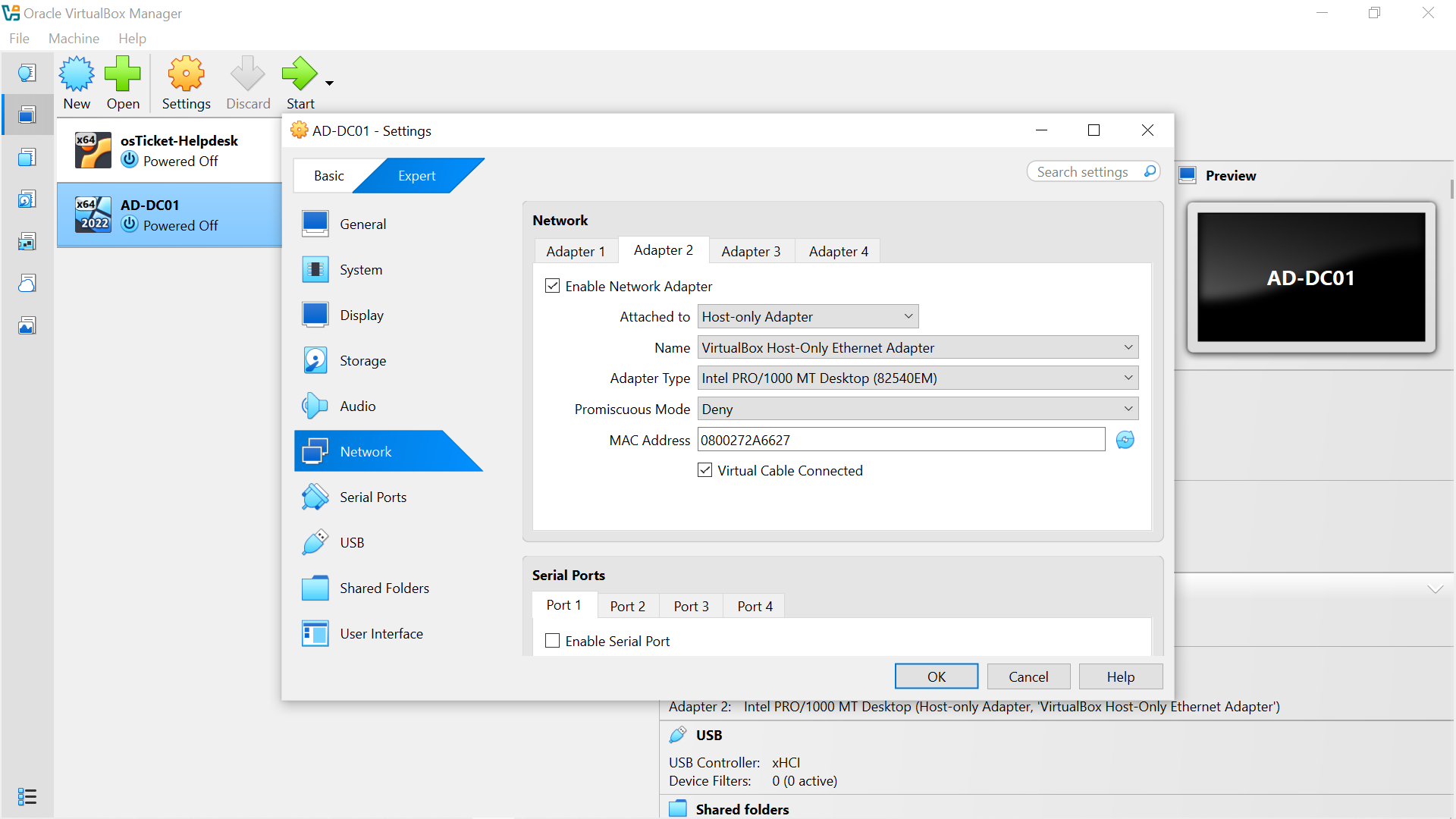
Figure 2: VirtualBox Host-Only network configuration.
The addressing used by the laboratory network is:
Component| Address
Host-Only adapter| "192.168.56.1"
AD-DC01| "192.168.56.10"
WIN10-CLIENT01| "192.168.56.20"
Network| "192.168.56.0/24"
The Host Only network provides the internal communication path between the domain controller and Windows client without depending on the host laptop's physical network connection.
Domain Controller
AD-DC01 runs Windows Server 2022 and serves as the domain controller for the "apextech.local" environment.
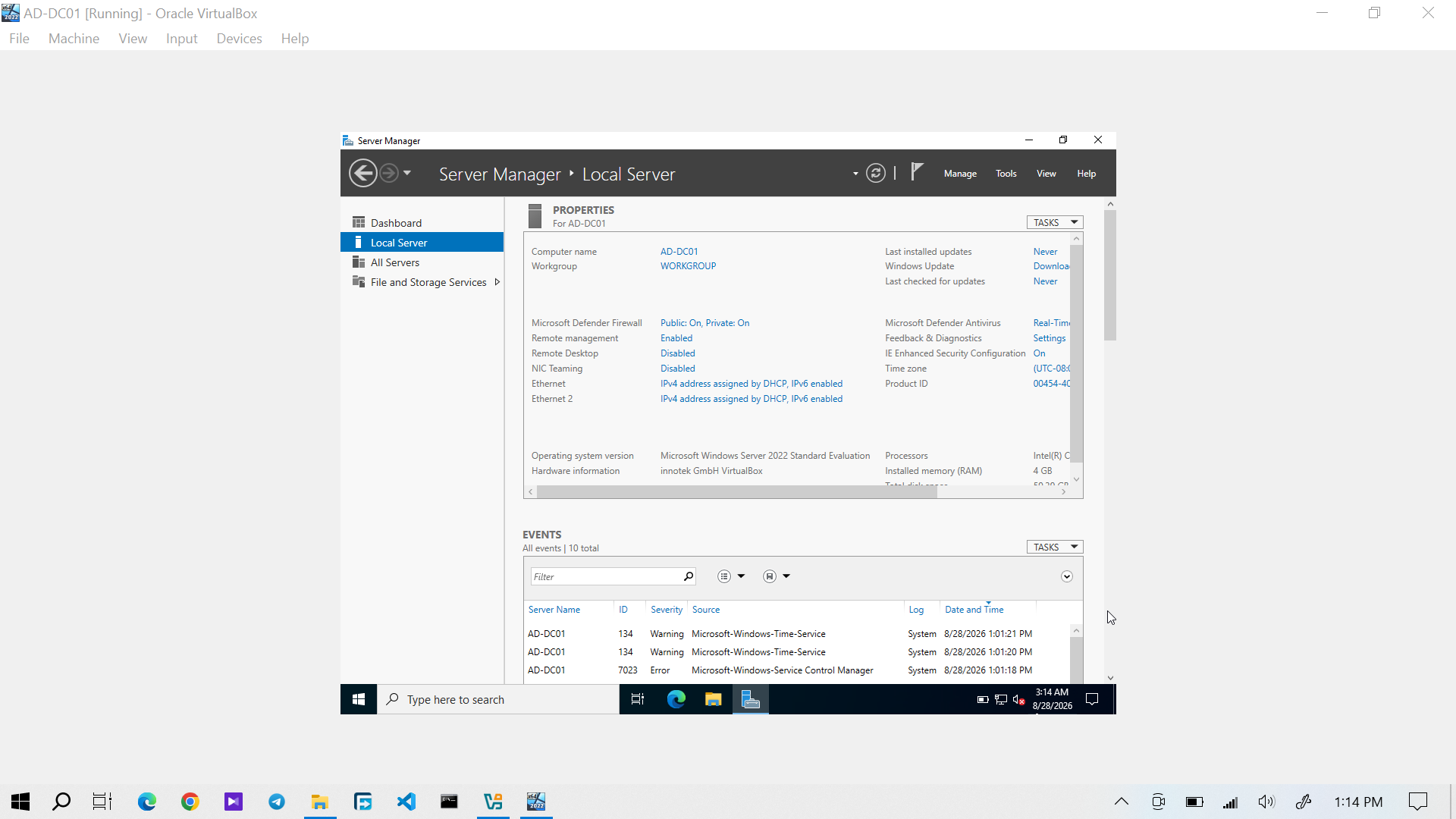
Figure 3: Windows Server 2022 Server Manager showing AD-DC01.
The server provides the central infrastructure for:
- Active Directory Domain Services
- DNS
- Domain authentication
- Group Policy
- User and group management
- Access-control administration
Domain Controller Network Configuration
AD-DC01 uses two network interfaces, separating external connectivity from the internal laboratory network.
Interface| Address| Purpose
NAT| "10.0.2.15"| External network connectivity
Host-Only| "192.168.56.10"| Internal laboratory communication
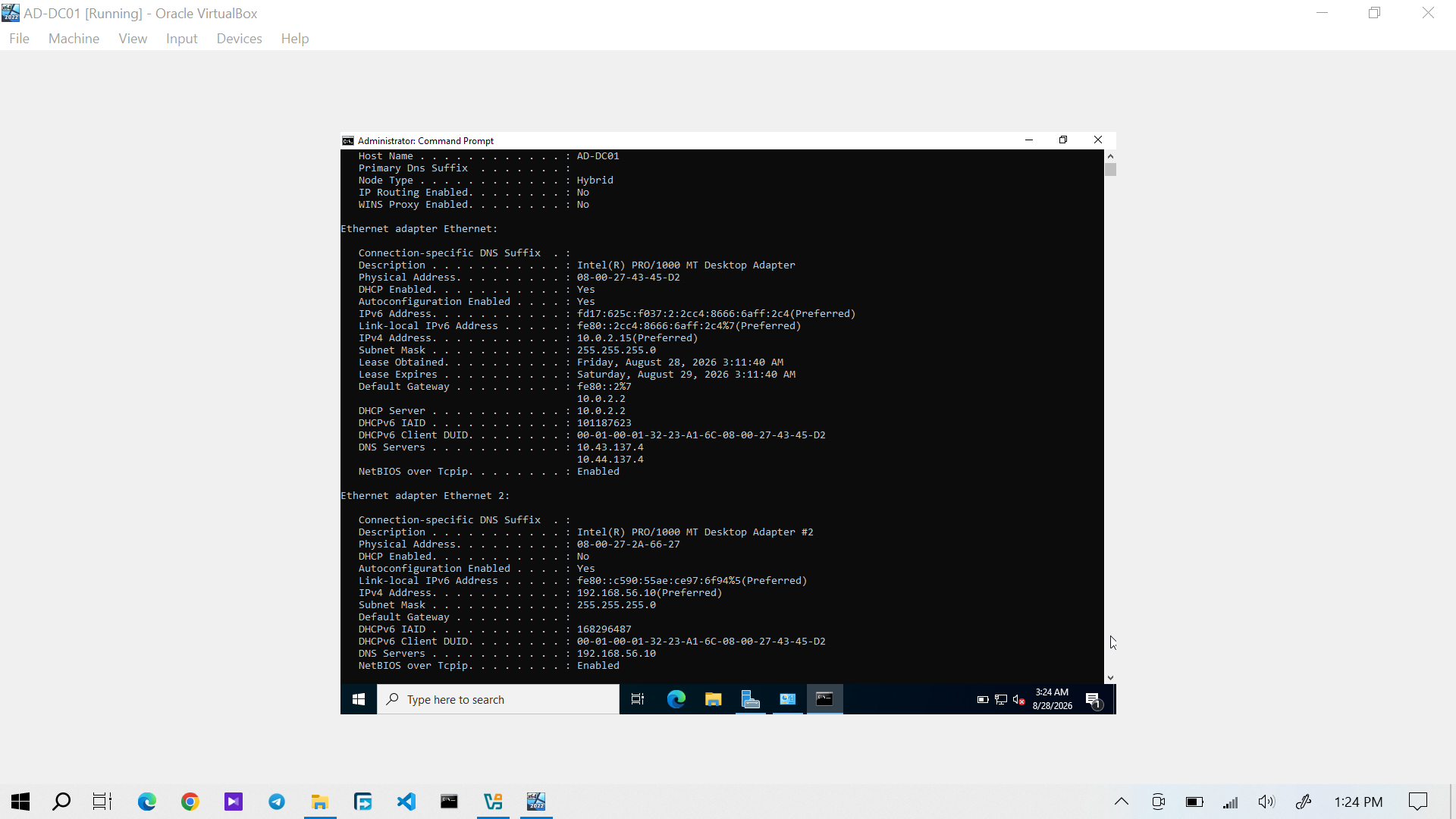
Figure 4: AD-DC01 network configuration showing the NAT and Host-Only interfaces.
The Host-Only address, "192.168.56.10", is the key address used by the Windows client to communicate with the domain controller and its DNS service.
Network Connectivity
Connectivity was verified across the configured laboratory network.
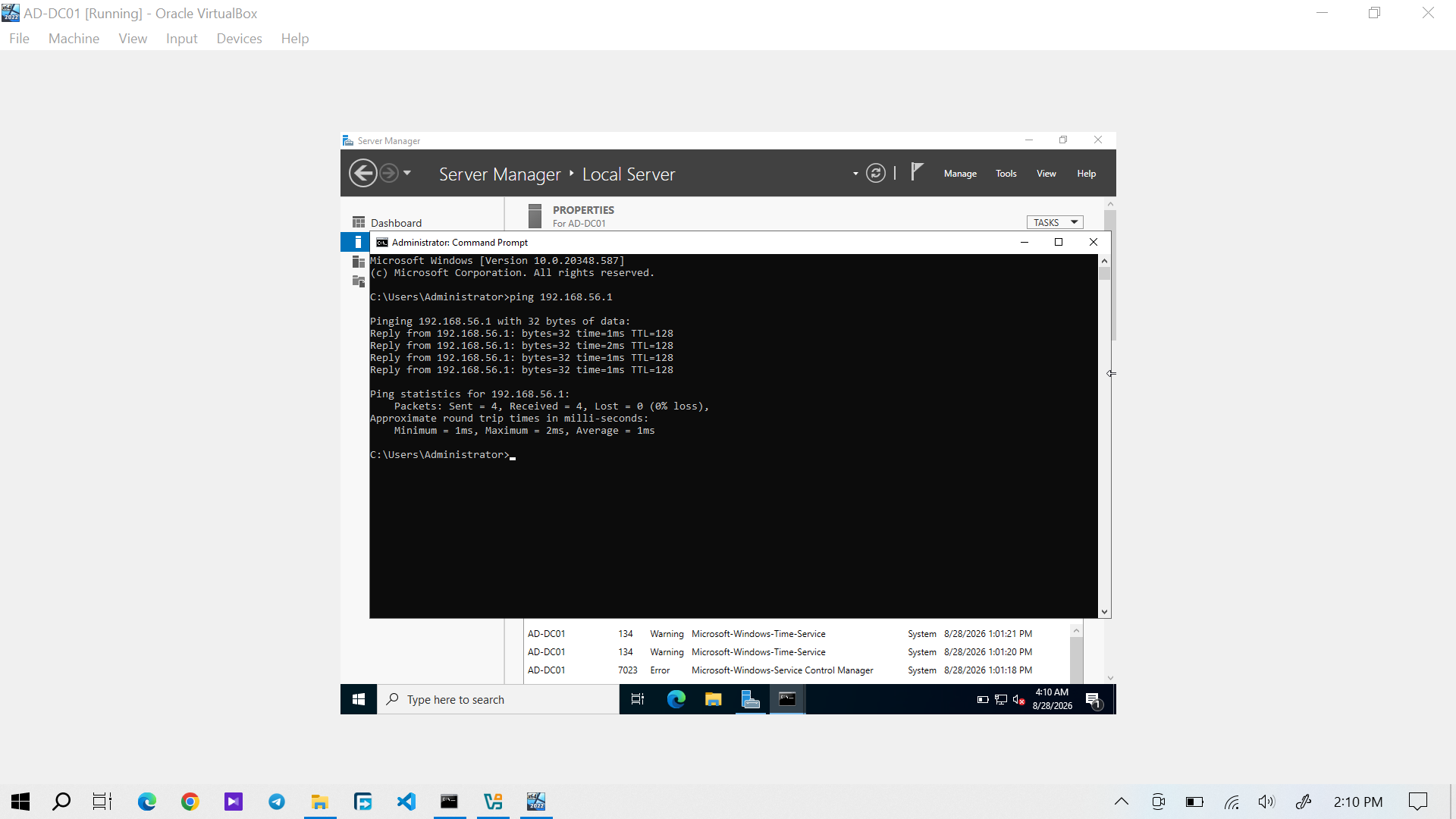
Figure 5: Connectivity verification from the domain controller.
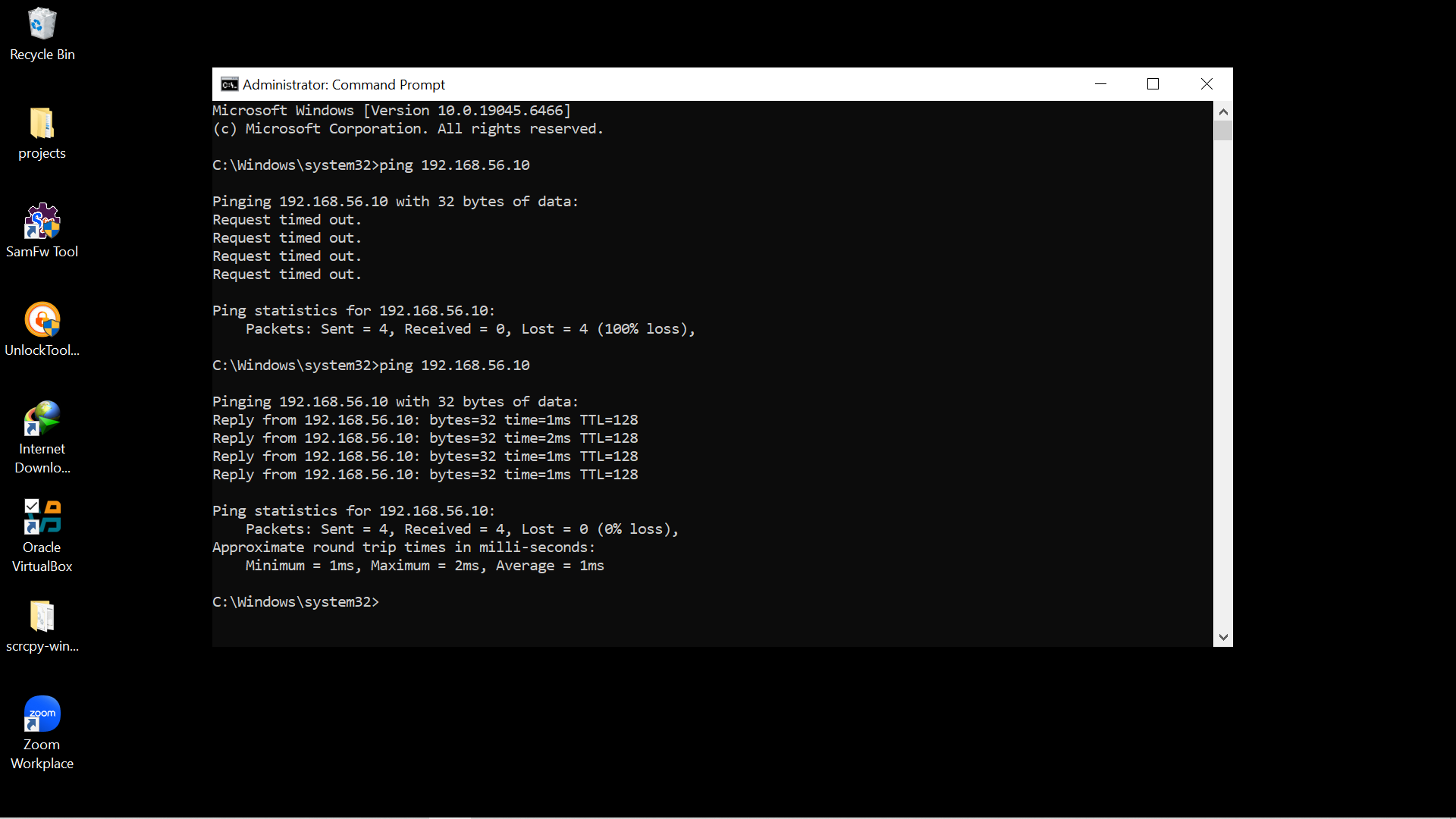
Figure 6: Connectivity verification between the host and laboratory network.
These tests confirmed that the Host Only network was providing the connectivity required by the lab environment.
Active Directory Domain
Active Directory Domain Services was installed on AD-DC01 and the server was promoted to a domain controller.
The domain created for the laboratory is: "apextech.local"
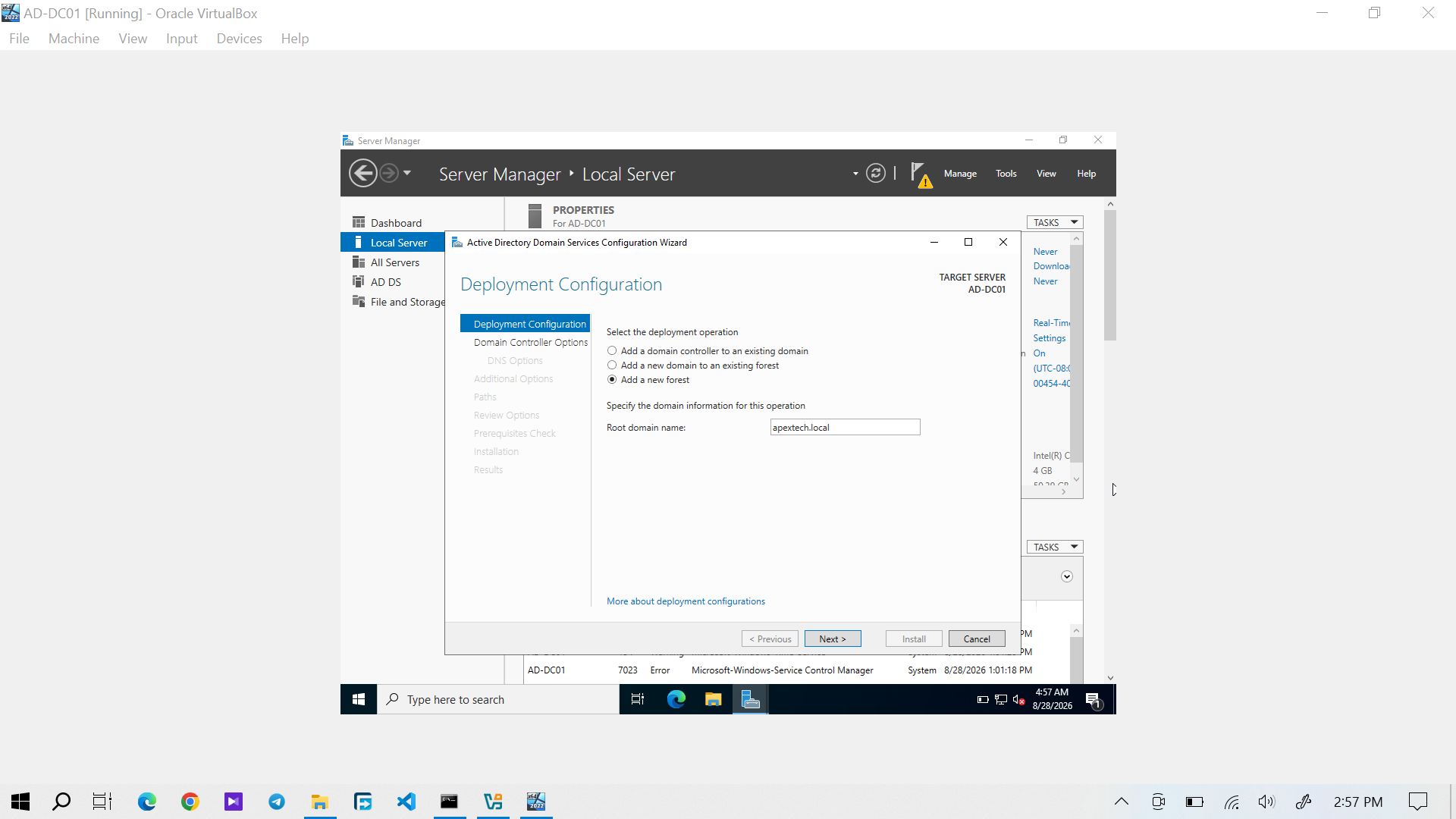
Figure 7: AD-DC01 configured and promoted as a domain controller for the "apextech.local" domain.
Active Directory provides the centralized identity and authentication infrastructure used by the Windows client and the rest of the lab.
DNS
The Windows client was configured to use AD-DC01 as its DNS server: "192.168.56.10"
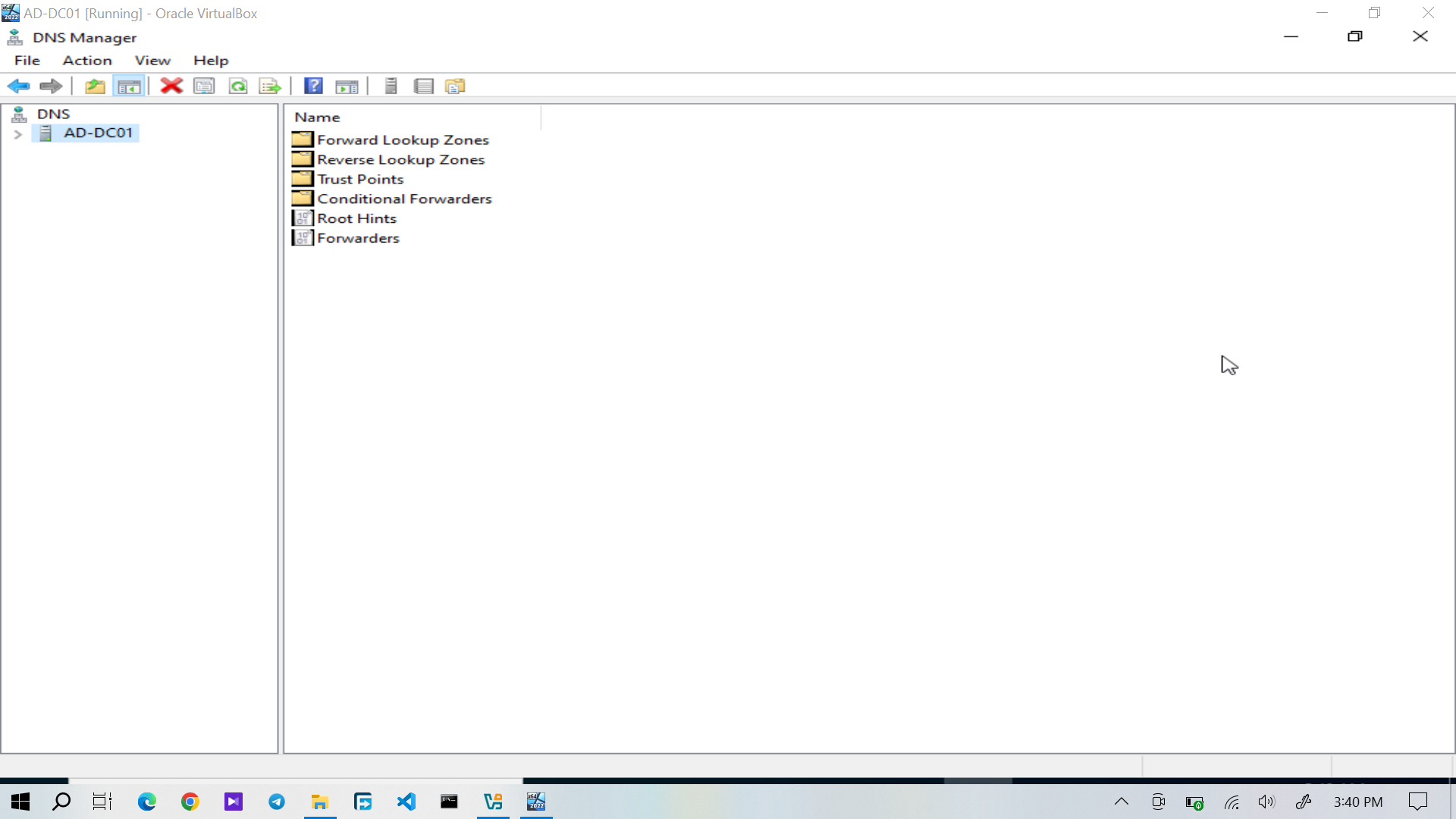
Figure 8: DNS Manager on the Active Directory domain controller.
DNS resolution was also tested using "nslookup".
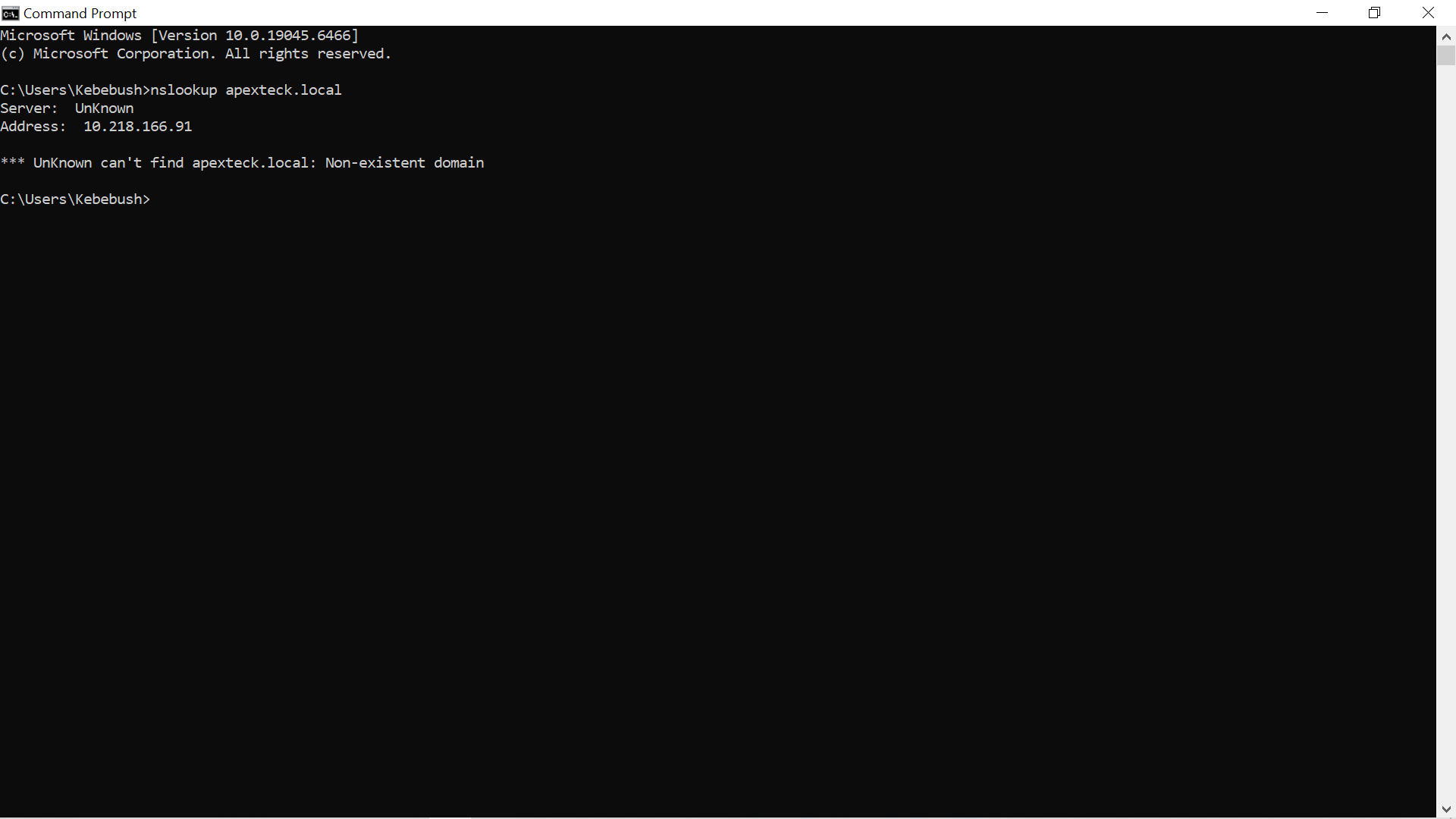
Figure 9: DNS resolution testing using "nslookup".
Successful DNS resolution established the required foundation for domain communication and the subsequent Windows client domain join.
Windows 10 Client
WIN10-CLIENT01 is the Windows 10 workstation used as the end user client in the laboratory.
Its core network and domain configuration is:
Setting| Value
IPv4 address| "192.168.56.20"
DNS server| "192.168.56.10"
Domain| "apextech.local"
Detailed client configuration and domain-join verification are documented separately in Windows 10 Domain Join.
Architecture Verification
The completed architecture can be summarized as:
                     AD-DC01
                Windows Server 2022
                     │
      ┌──────────────┼──────────────┐
      │              │              │
      ▼              ▼              ▼
   AD DS            DNS        Group Policy
      │
      ├── Organizational Units
      ├── Users
      └── Security Groups
                     │
                     ▼
              apextech.local
                     │
                     ▼
              WIN10-CLIENT01
                Windows 10
              192.168.56.20
                     │
         ┌───────────┼───────────┐
         ▼           ▼           ▼
     Authentication  Shares   Drive Mapping
This architecture forms the technical foundation for the rest of the project. The later sections build on it to demonstrate user administration, permissions, Group Policy, network resources, and realistic IT support tickets.
The environment was subsequently used to build and test the identity, access control, file sharing, Group Policy, and troubleshooting scenarios documented throughout this project.