Ticket 06 — DNS / Domain Authentication Failure
Ticket Summary
Walker reported a problem authenticating to the domain from the Windows 10 workstation.
I investigated the problem from the network layer upward, identified the DNS configuration as the cause, corrected it, and verified that domain authentication was restored.
User Request
Walker submitted a service-desk ticket reporting a domain authentication problem.
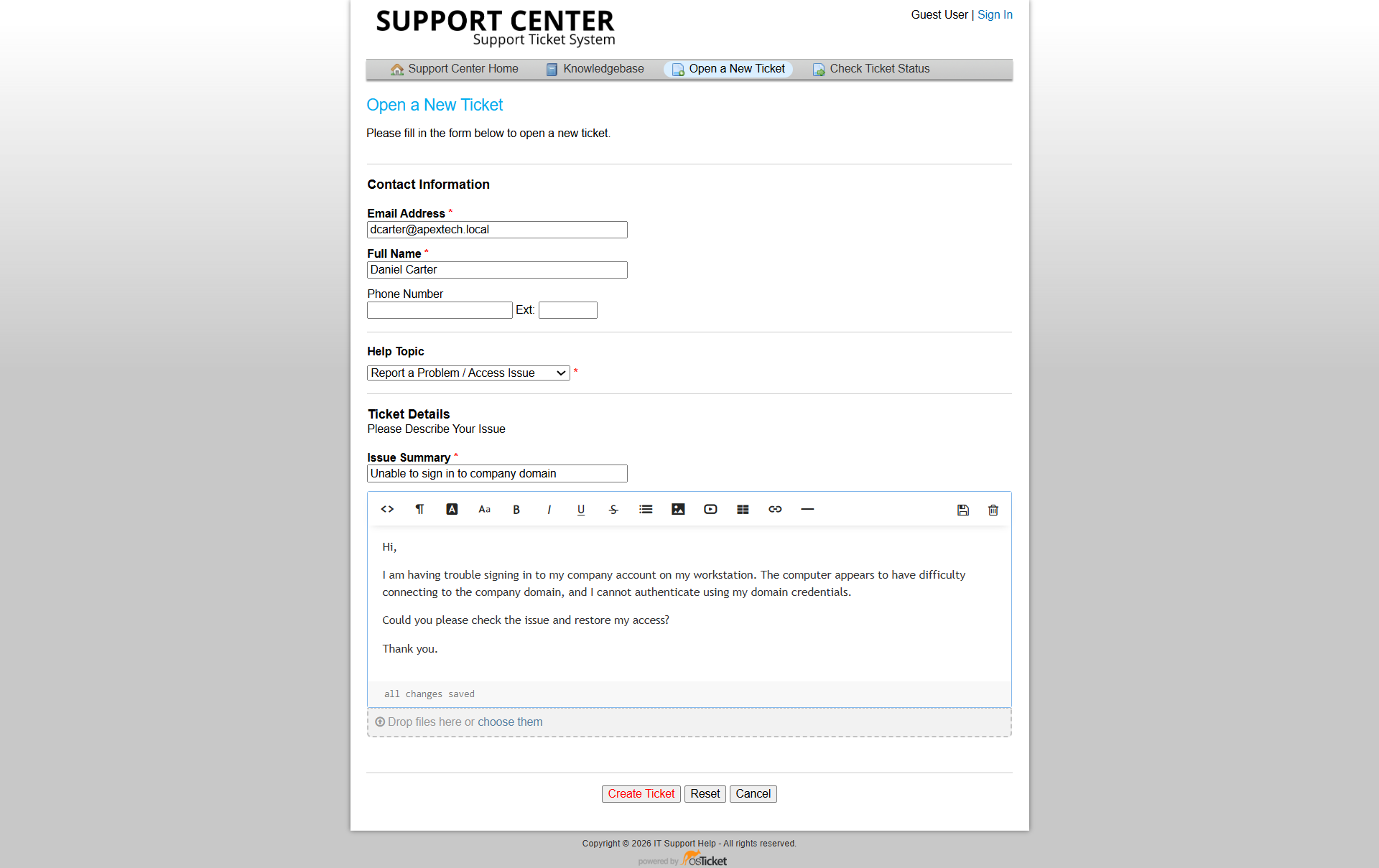
Walker's domain-authentication problem submitted through osTicket.
Because the workstation was still connected to the network, I investigated whether the problem was related to DNS or domain communication rather than immediately changing the user's account.
Initial Investigation
I used a layered approach:
Network Connectivity
        │
        ▼
IP Configuration
        │
        ▼
DNS Configuration
        │
        ▼
DNS Resolution
        │
        ▼
Domain Communication
        │
        ▼
Authentication
DNS Configuration
The Windows 10 client was checked while its DNS configuration was functioning correctly.
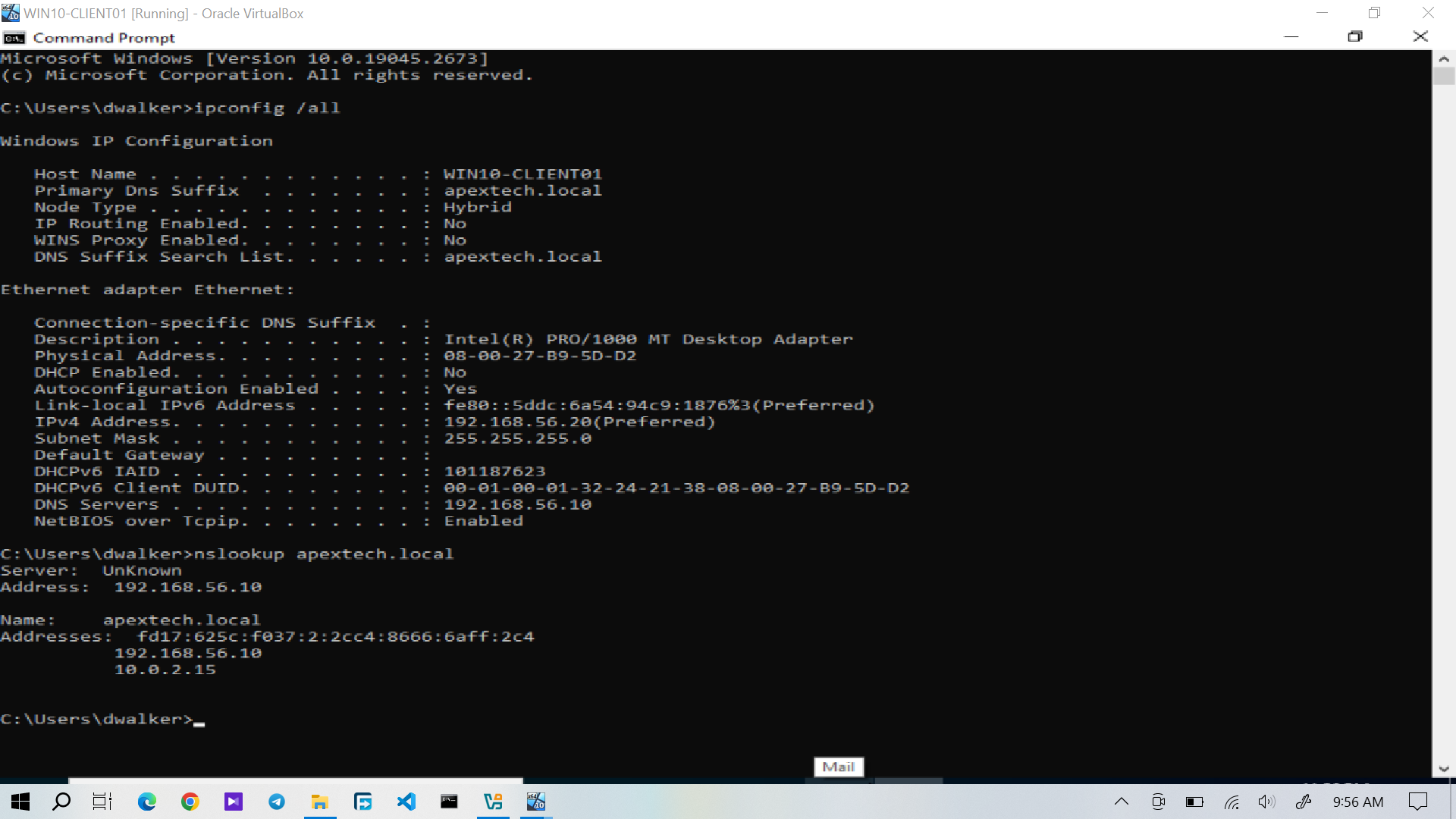
Windows 10 showing the working DNS configuration used by the Active Directory environment.
The client was configured to use the domain controller as its DNS server.
In this lab, the Active Directory DNS server was:
"192.168.56.10"
This configuration allows the workstation to resolve the "apextech.local" domain and locate the services required for domain operations.
Reproducing the Failure
The DNS failure condition was then introduced for the ticket simulation.
The workstation remained connected to the network, but DNS resolution was no longer working correctly.
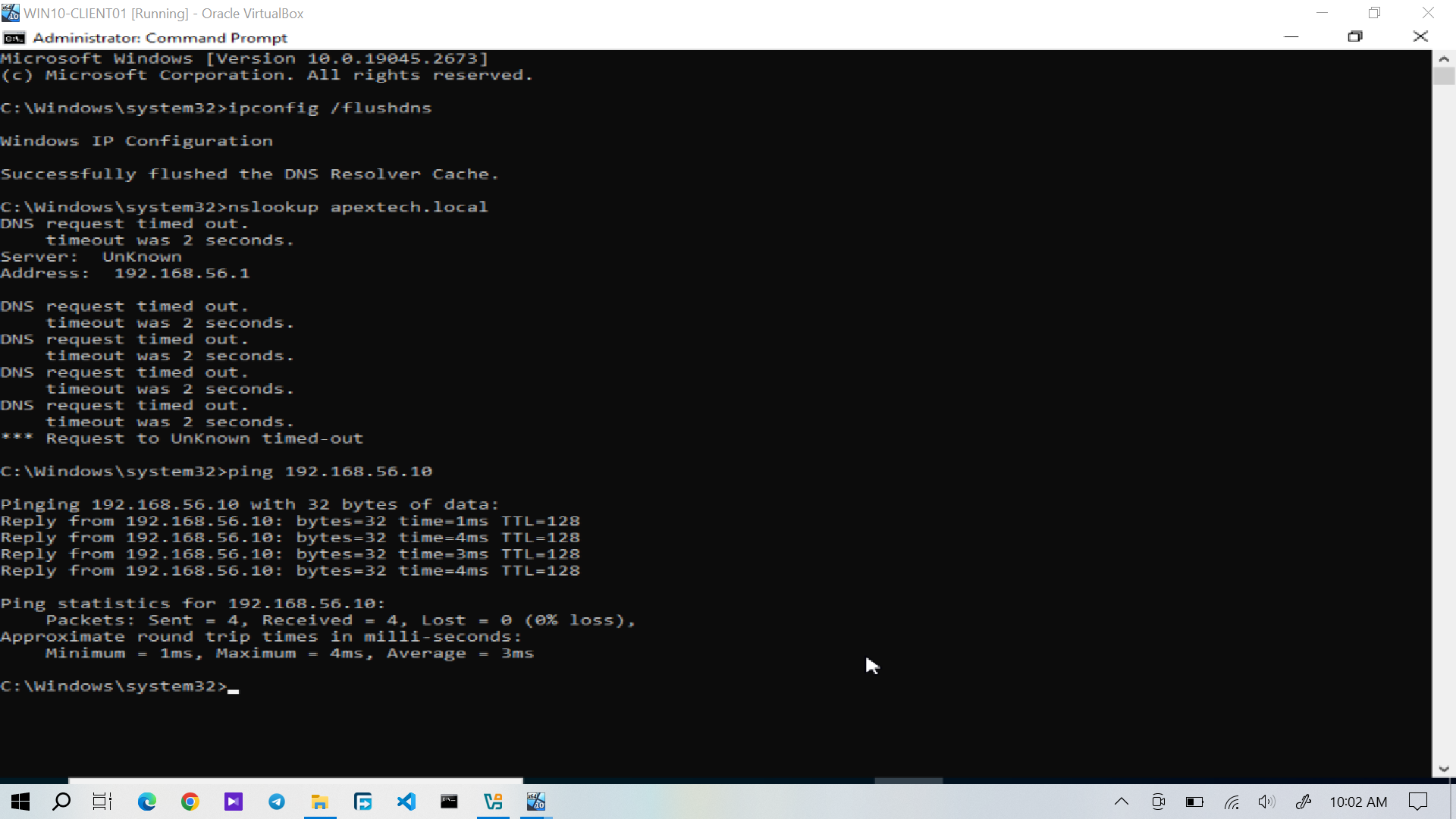
Windows 10 retaining network connectivity while DNS resolution is unavailable.
Root Cause
The investigation identified an incorrect DNS configuration on the Windows 10 client.
Because the workstation was not using the appropriate Active Directory DNS server, it could not correctly resolve the domain and associated services.
Incorrect DNS Configuration │ ▼ DNS Resolution Failure │ ▼ Active Directory Services Cannot Be Resolved │ ▼ Domain Authentication Problem
The issue was therefore on the client DNS configuration rather than with Walker's Active Directory account.
Technical Resolution
The Windows 10 client's DNS configuration was corrected so that it used the Active Directory domain controller:
"192.168.56.10"
DNS resolution was then tested again.
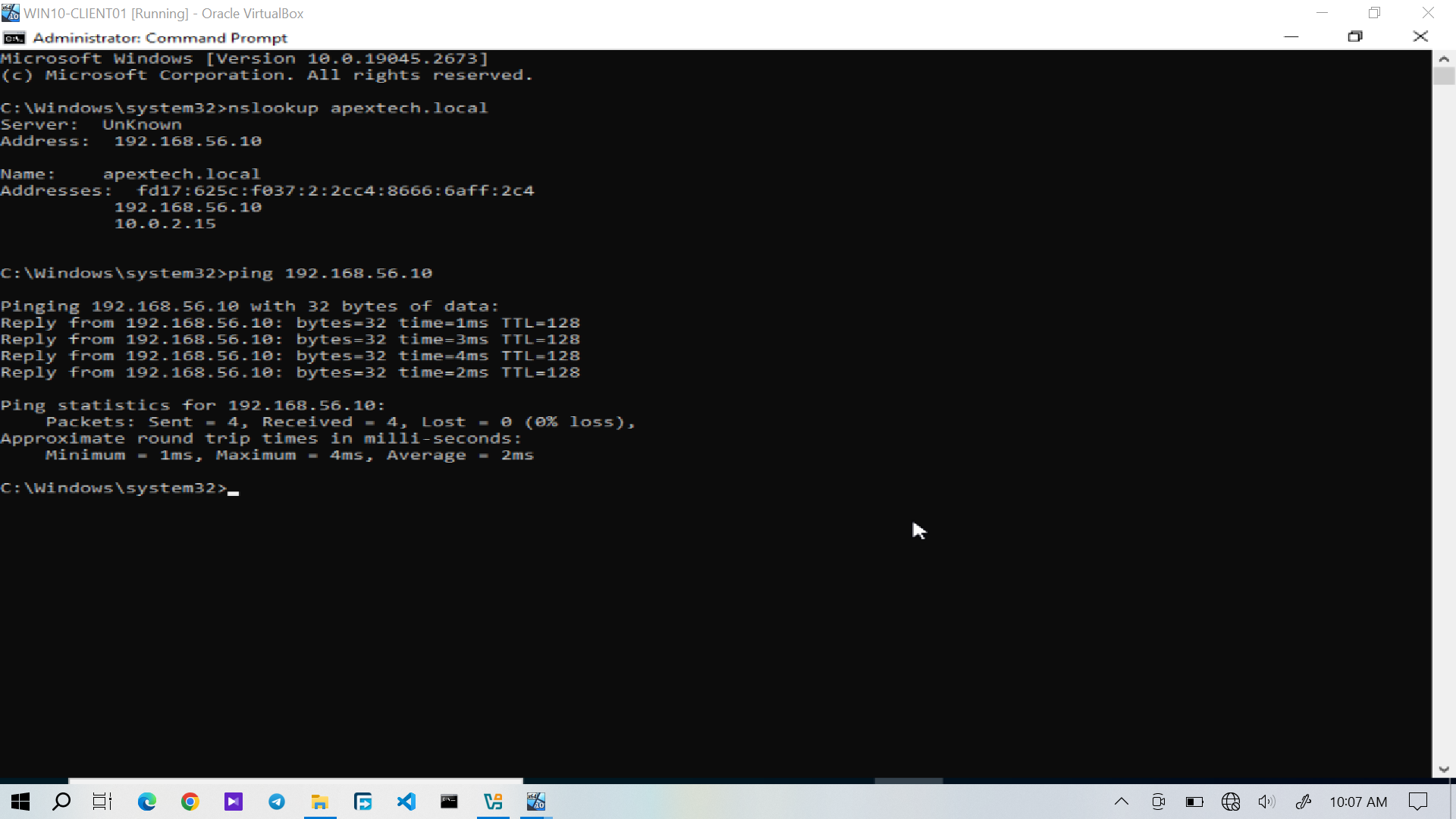
DNS resolution successfully restored on the Windows 10 client.
The successful DNS test confirmed that the workstation could once again resolve the required Active Directory domain information.
Domain Authentication Verification
After DNS resolution was restored, Walker's original authentication problem was tested again.
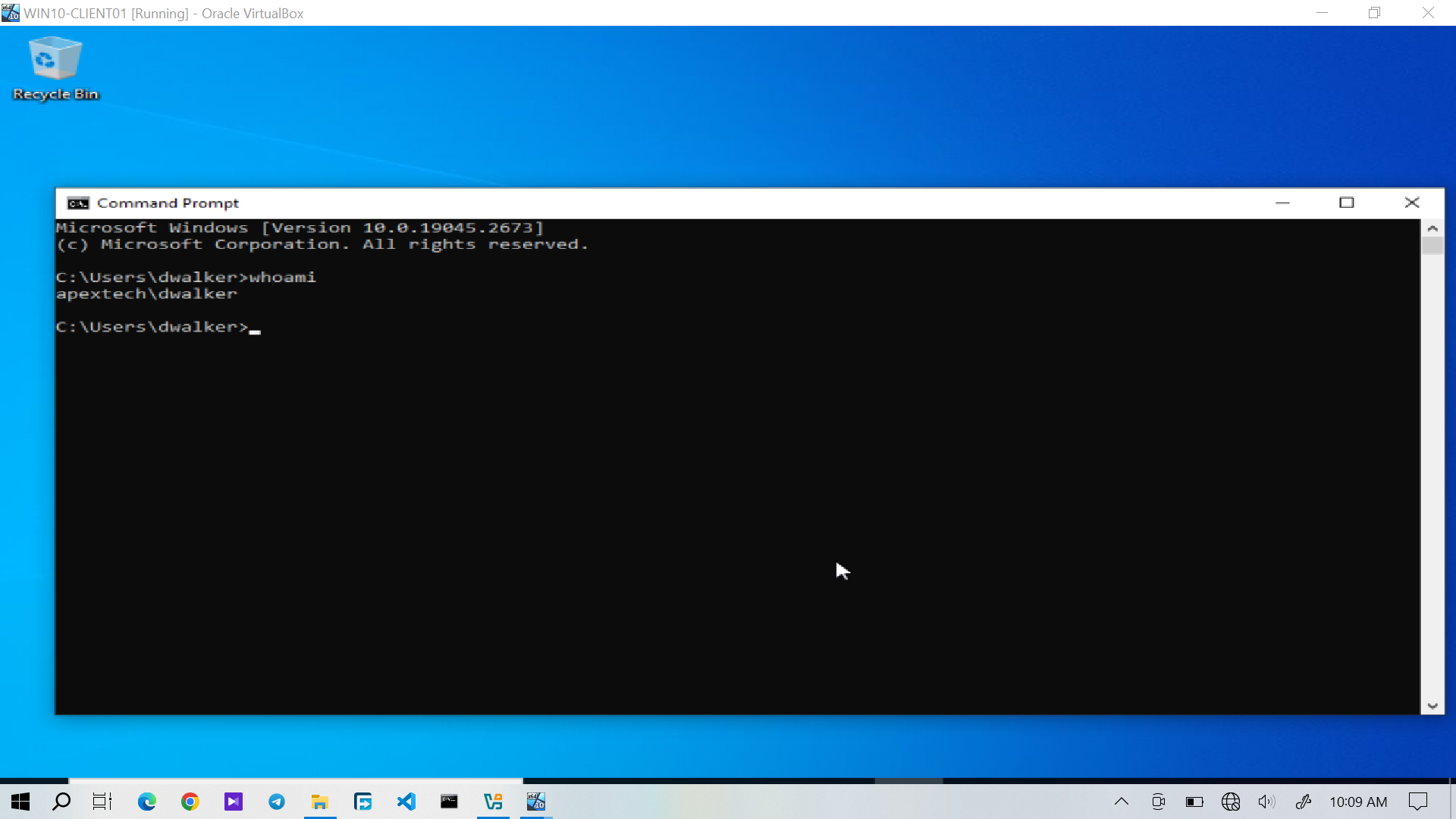 Walker's domain authentication successfully restored after the DNS configuration was corrected.
This confirmed that the DNS problem had been the underlying cause of the reported authentication failure.
The resolution was therefore verified at both levels:
- Technical: DNS resolution was working again.
- User-facing: Walker could authenticate to the domain.
Service Desk Resolution
After the technical resolution and authentication test were completed, I documented the outcome in osTicket.