Ticket 09 — Missing Group Membership
Ticket Summary
James King reported that he could not access IT resources required for his role.
User Report
James King submitted a service-desk ticket reporting that he could not access the IT resources required for his role.
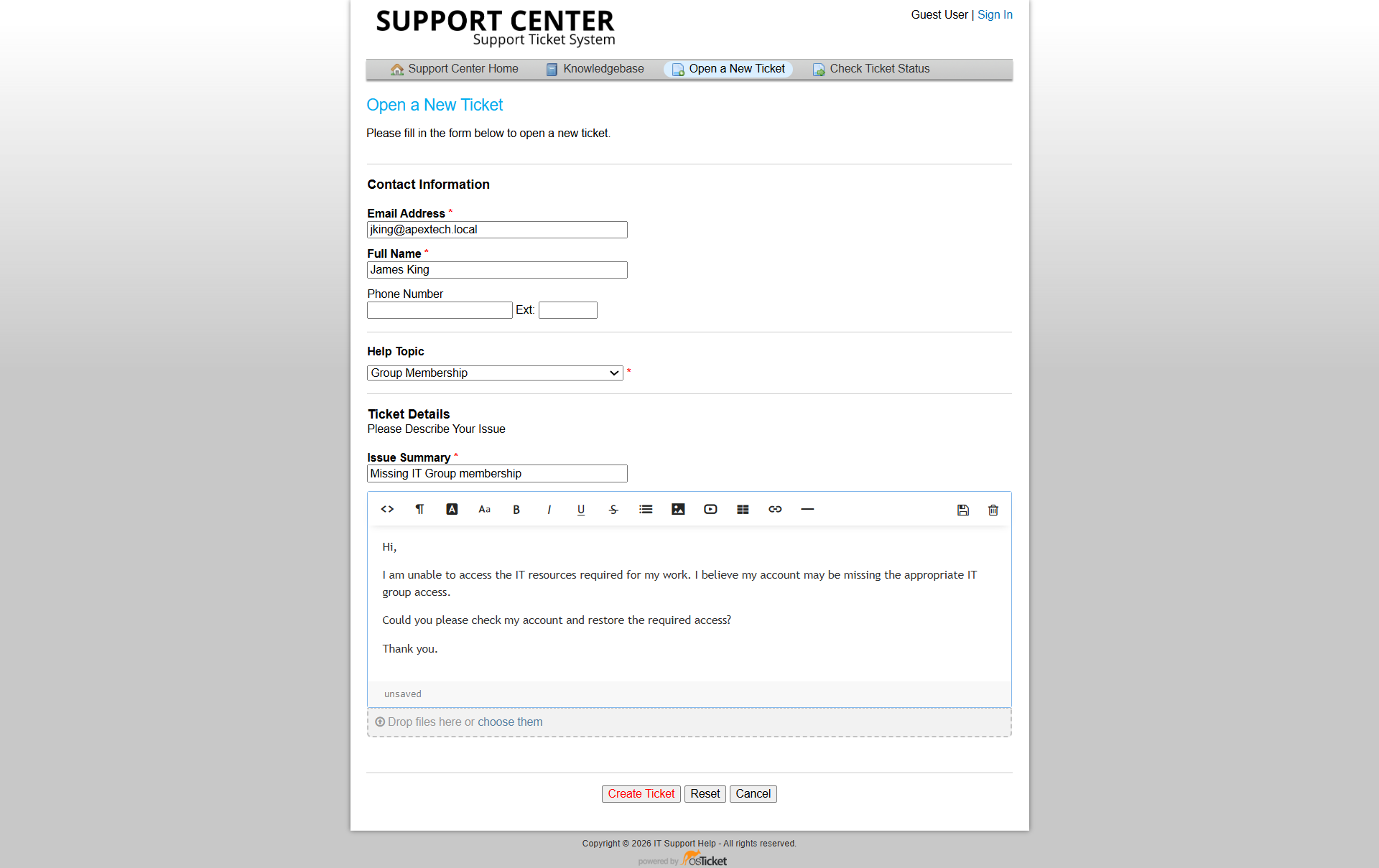
Figure 1: James King's IT access issue submitted through osTicket.
The reported problem pointed to an authorization issue rather than a general Windows or network failure.
Investigation
I checked James's Active Directory group membership to determine whether he had the security group required for his IT-related access.
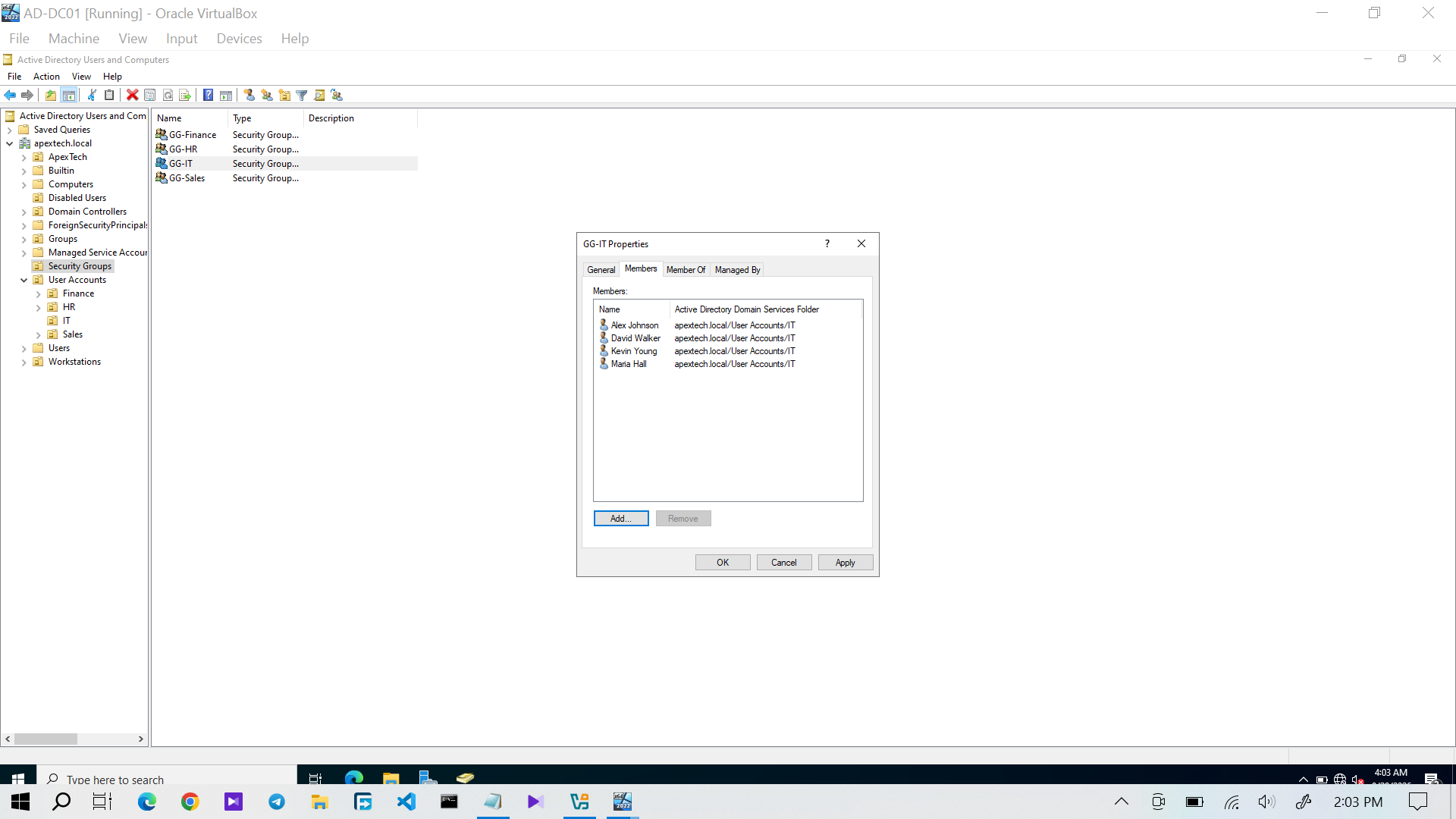
Figure 2: James King's account showing that he was not a member of the GG-IT security group.
The missing GG-IT membership was identified as the cause of the access problem.
I did not modify the IT resource permissions themselves. Instead, the user's missing authorization was corrected through the existing security group structure.
Technical Resolution
James was added to the GG-IT security group.
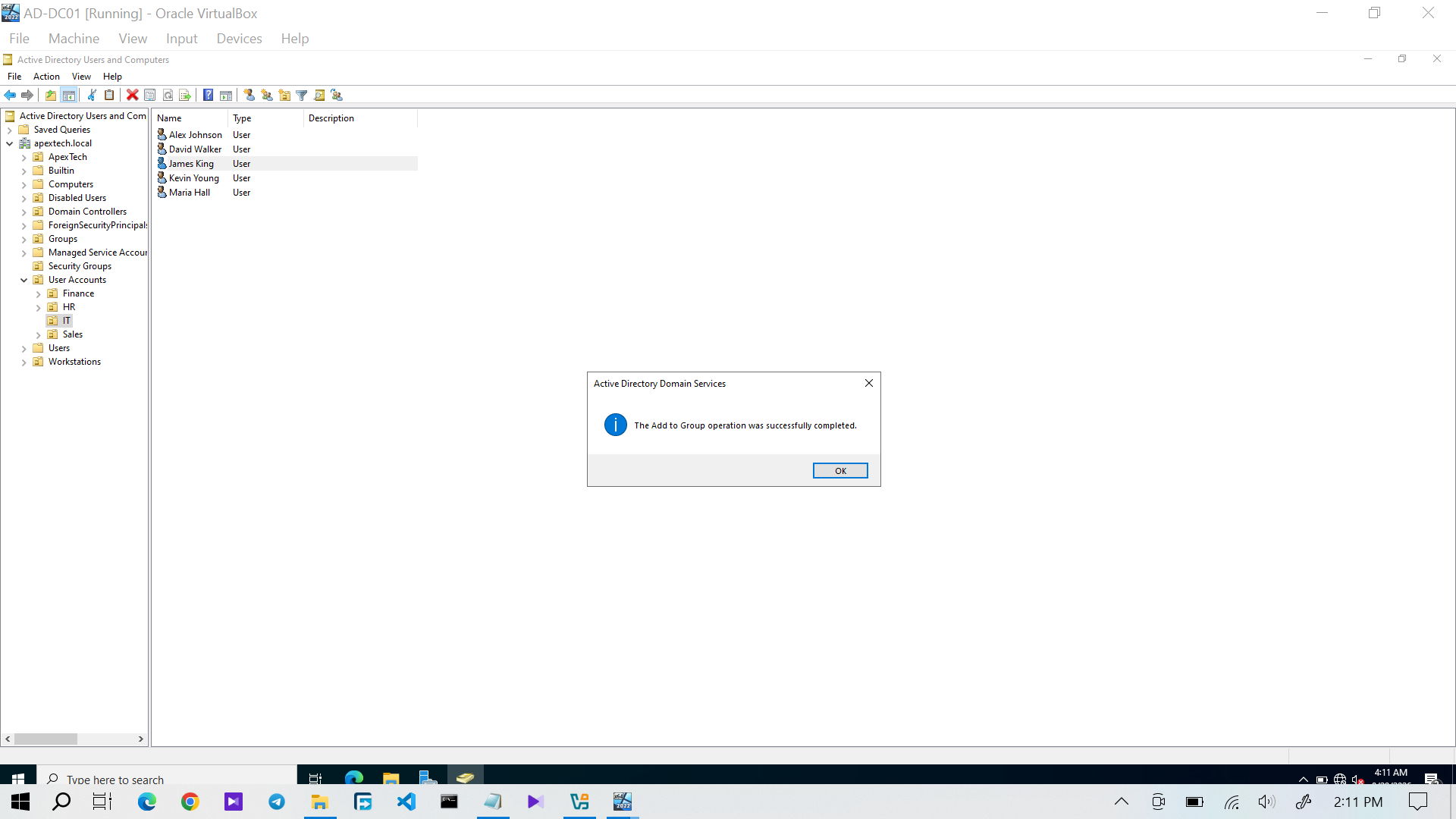
Figure 3: James King's GG-IT security-group membership restored.
At this point, the Active Directory configuration was correct. However, James's existing Windows session had been established before the group membership change and was still using the previous security token.
Existing Session and Security Token
The updated GG-IT membership was not immediately reflected in James's existing Windows session.
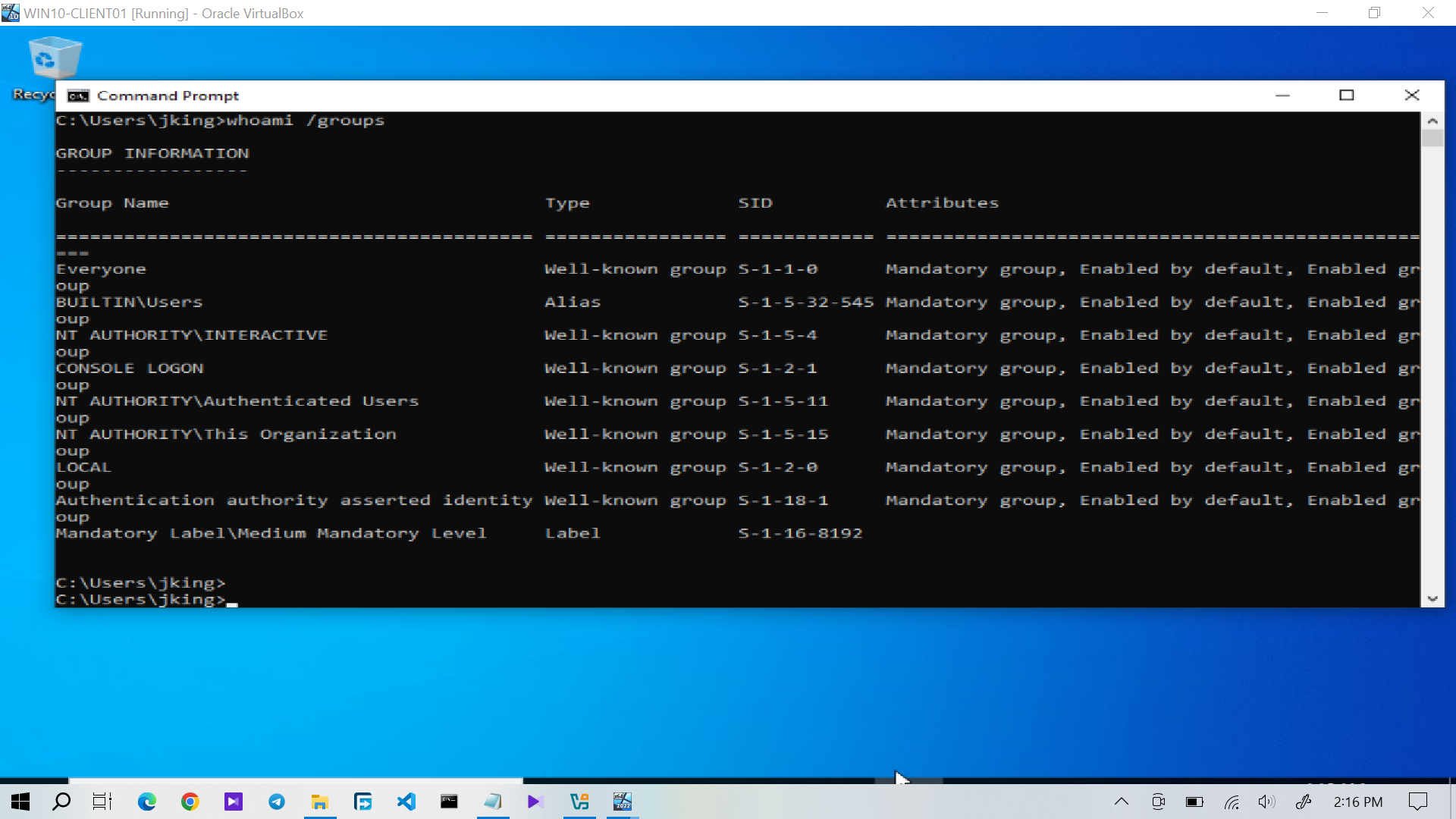
Figure 4: James's existing Windows session still reflecting the previous security-token state.
This meant that adding James to GG-IT alone did not immediately restore his access within the existing session.
I therefore needed to establish a new Windows logon session so that the updated group membership could be reflected in the user's security token.
Re-authentication
James signed out of the existing Windows session and logged back in.
This established a new authenticated session using the updated Active Directory group membership.
The sequence was:
GG-IT Membership Added
          │
          ▼
Existing Session Still Active
          │
          ▼
Previous Security Token
          │
          ▼
Sign Out
          │
          ▼
Sign In Again
          │
          ▼
Updated Security Token
          │
          ▼
GG-IT Membership Applied
Access Verification
After James re-authenticated, his IT resource access was tested again.
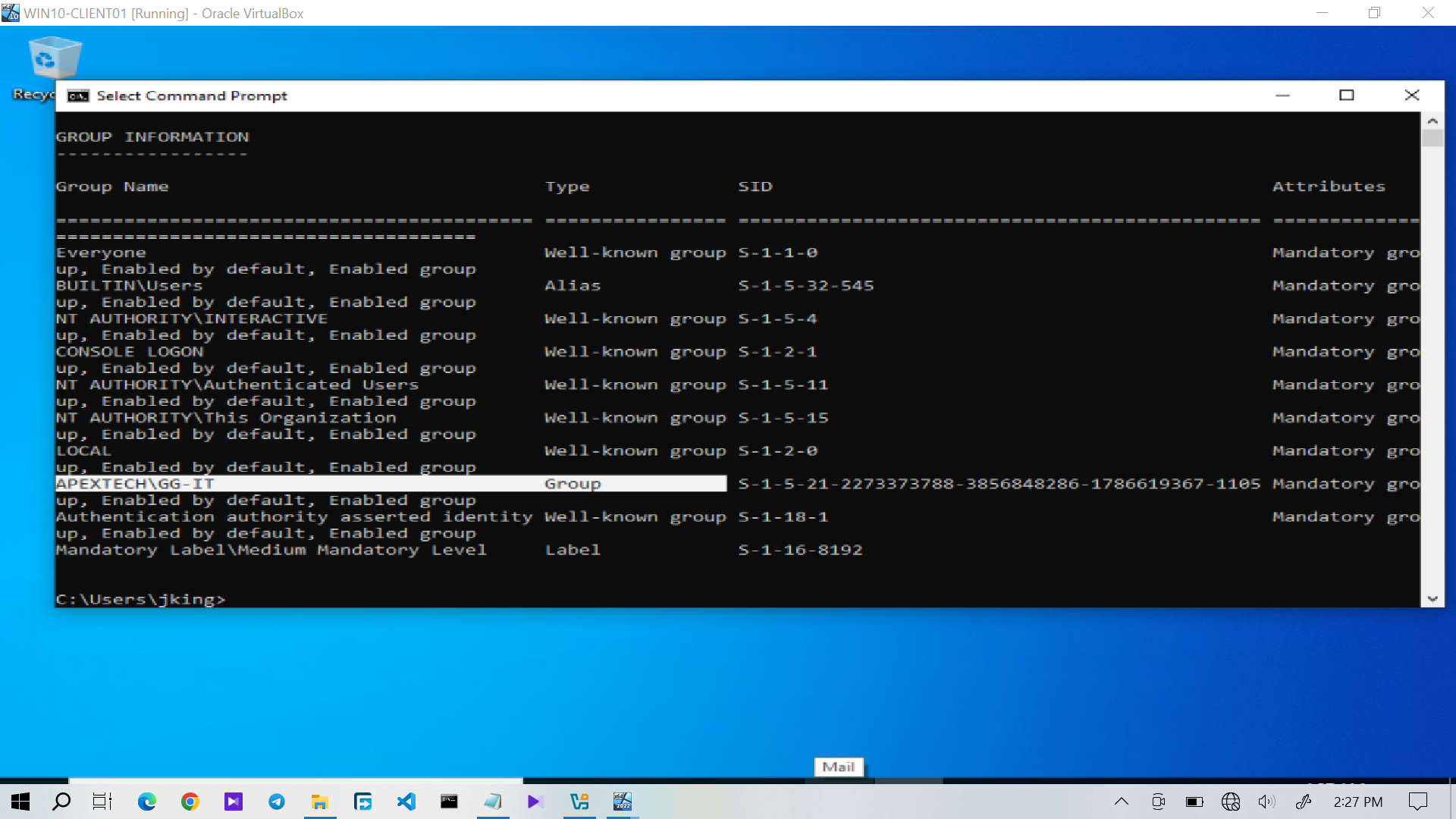
Figure 5: James King's IT access restored after establishing a new Windows session.
The successful access confirmed that the missing group membership had been corrected and that the new Windows session had applied the updated authorization.
No changes to the underlying resource permissions were required.
Service Desk Resolution
After the GG-IT membership was restored, James re-authenticated, and IT access was verified, I documented the resolution through osTicket.
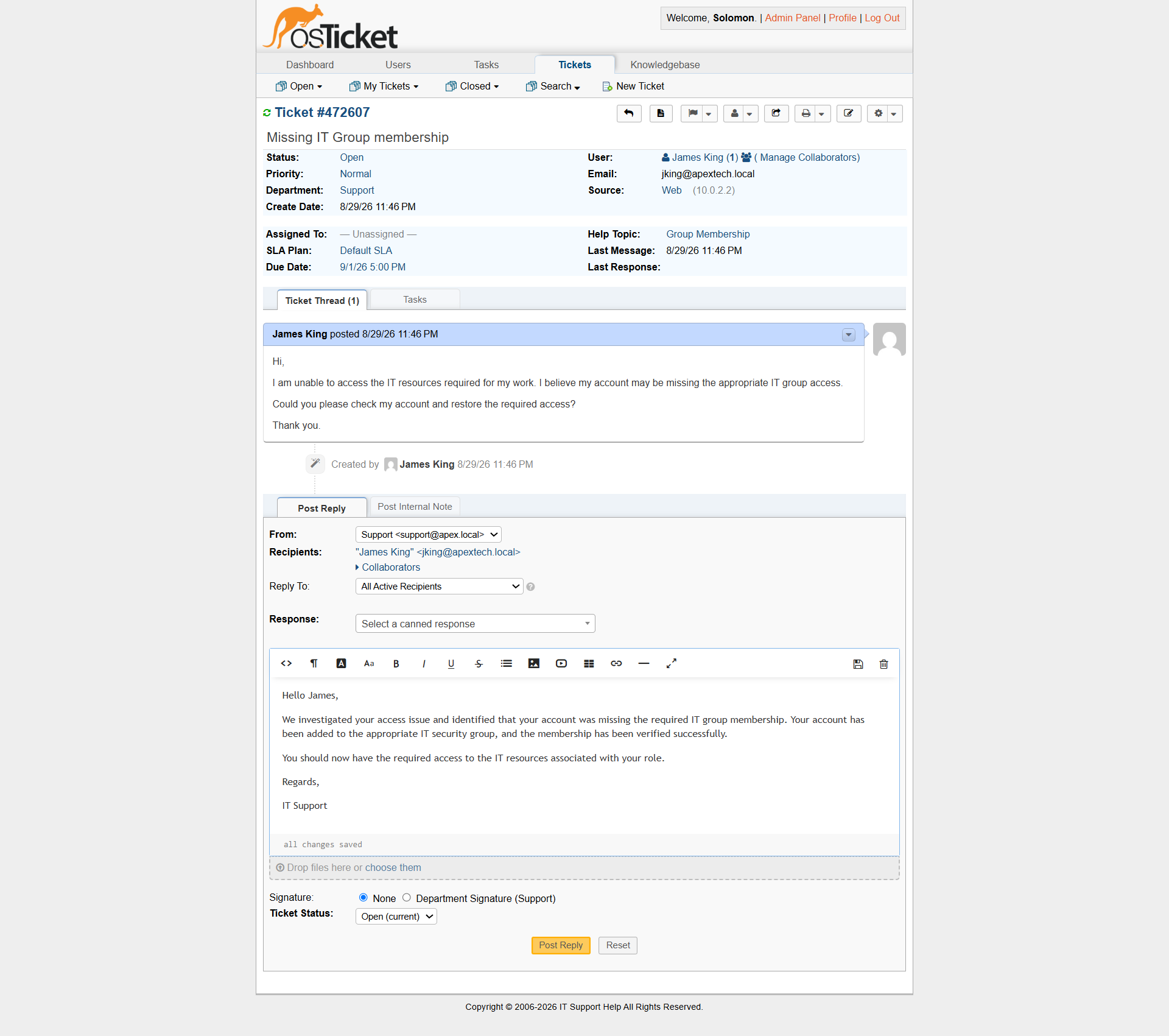
Figure 6: James King's IT access ticket showing the completed resolution and closure.
The user was informed that the missing group membership had been corrected and that access was restored after re-authentication.
The ticket was then closed immediately after the resolution was documented.