Compliance & Configuration
Microsoft Intune was used to apply security and configuration requirements to the managed Windows 10 devices in the Apex Services Lab.
The lab demonstrated how Intune can evaluate device compliance, apply configuration settings, and provide information that can be used during endpoint troubleshooting.
Windows Compliance Policy
A compliance policy named:
Apex Windows 10 Security Compliance
was created for Windows 10 and later.
The policy required:
- Antimalware to be active
- Windows Firewall to be enabled
The policy was assigned to the Intune Lab Users security group.
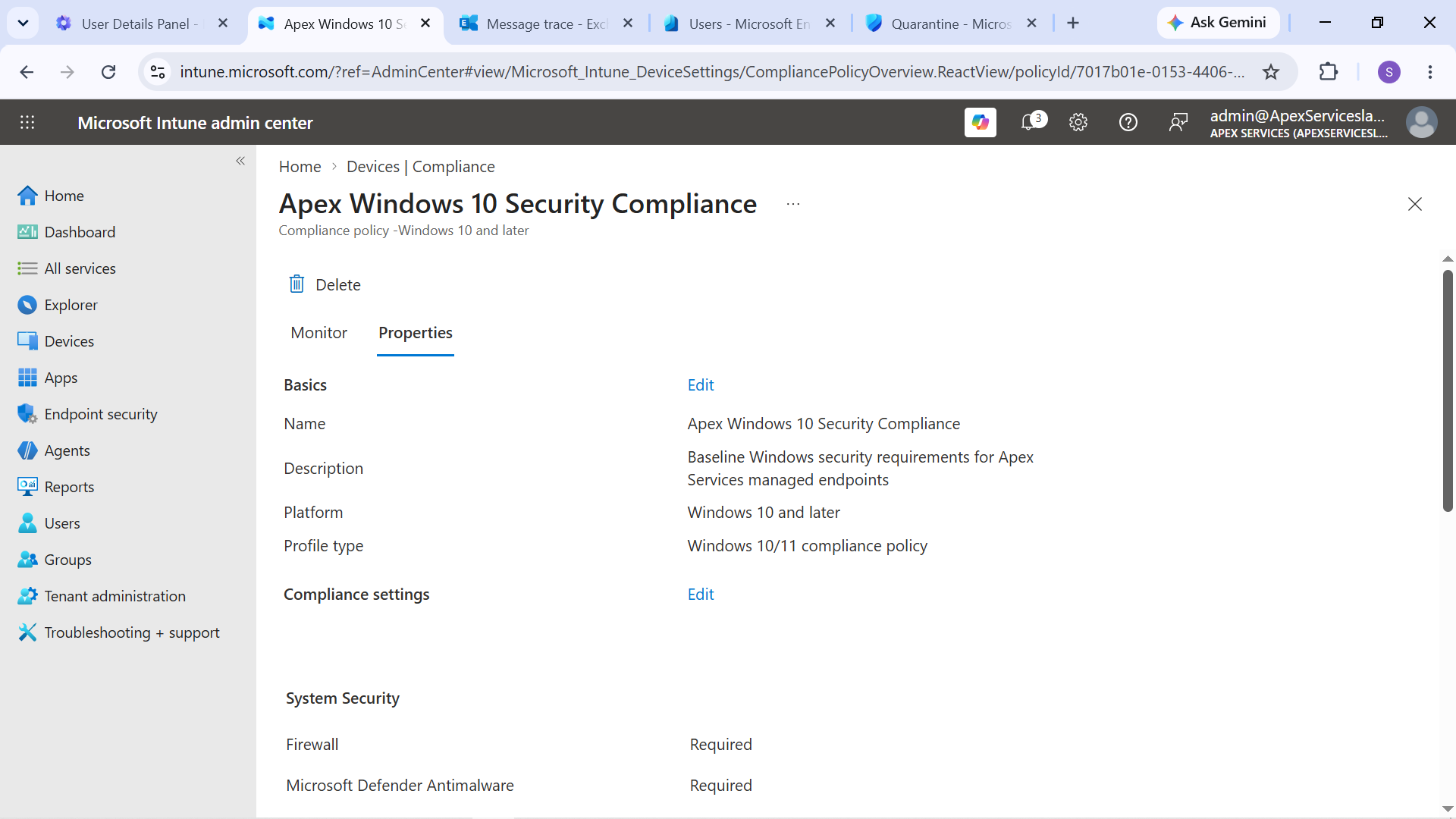
Evidence: Apex Windows 10 Security Compliance policy configuration.
Compliance Verification
Emily Carter's managed Windows 10 device was evaluated against the compliance policy.
The device was shown as compliant after the required security settings were satisfied.
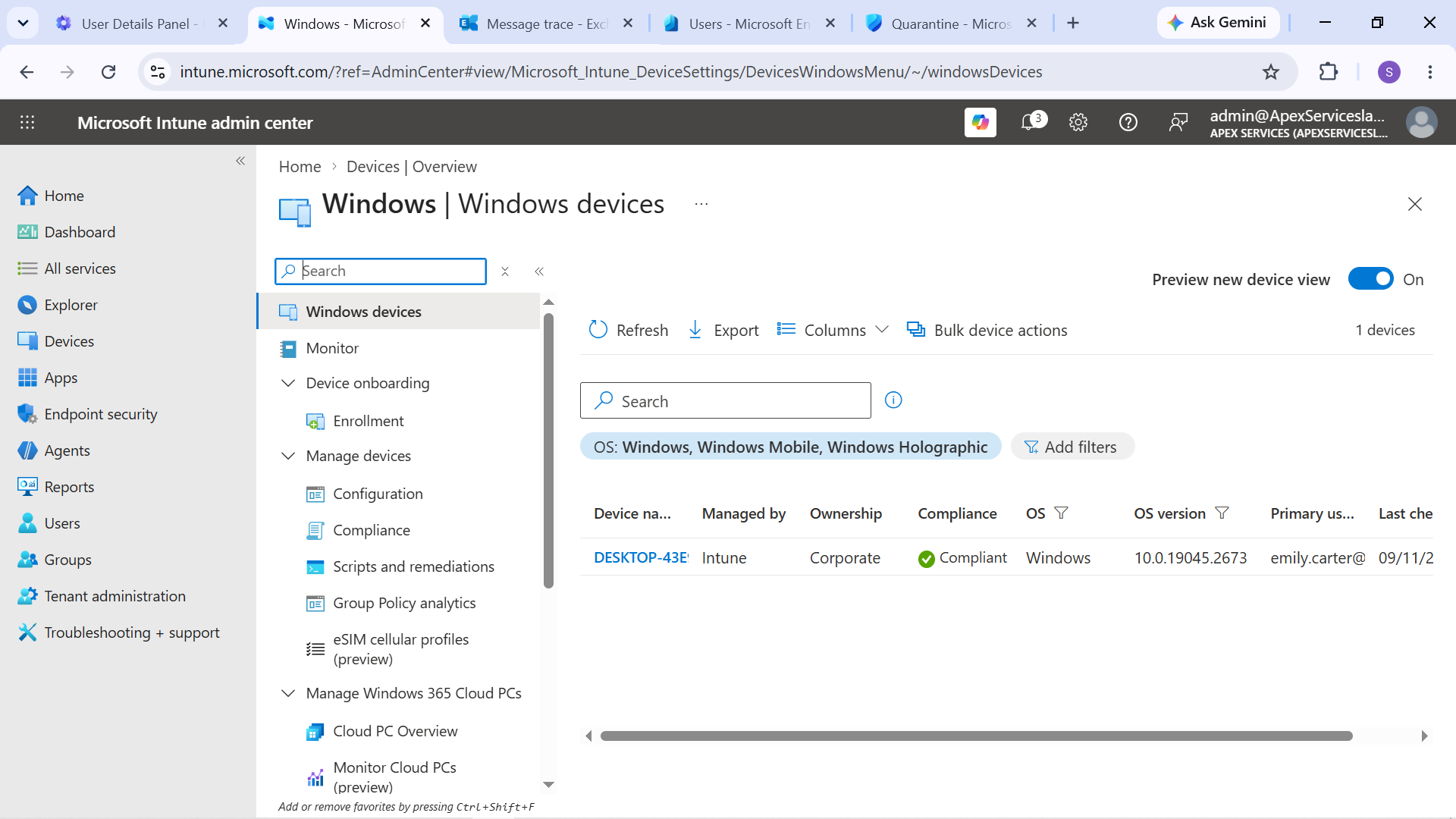
Evidence: Emily Carter's Windows 10 device showing its Intune compliance status.
Sarah Johnson's managed Windows 10 device was also used for compliance testing.
A baseline compliance state was captured before the controlled failure was introduced.
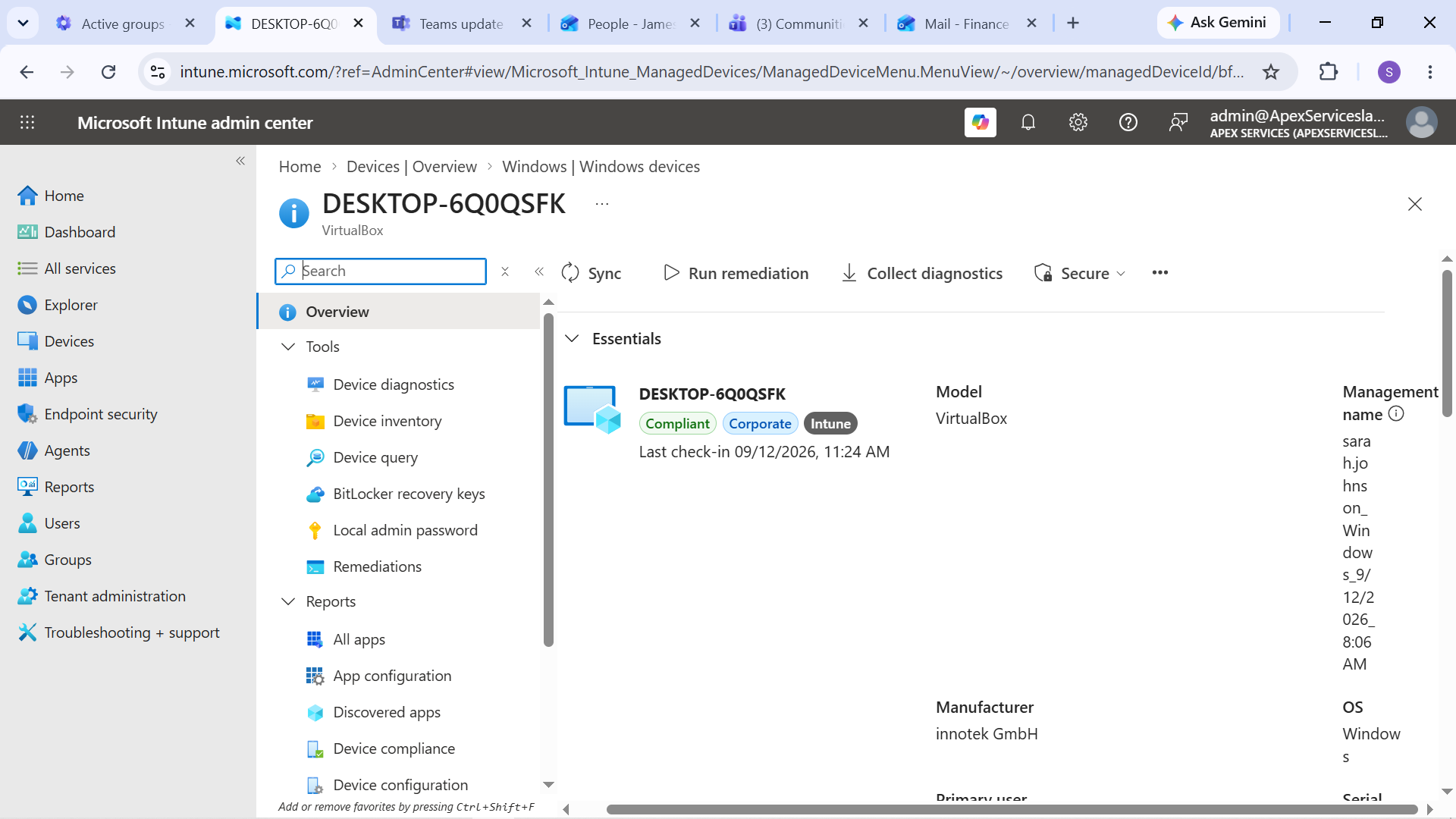
Evidence: Sarah Johnson's Windows 10 device showing the baseline compliance state.
Configuration Profile
A Settings Catalog configuration profile named:
Apex Windows 10 IT Support Baseline
was created for Windows 10 and later.
The profile contained selected Windows configuration settings and was assigned to the Intune Lab Users group.
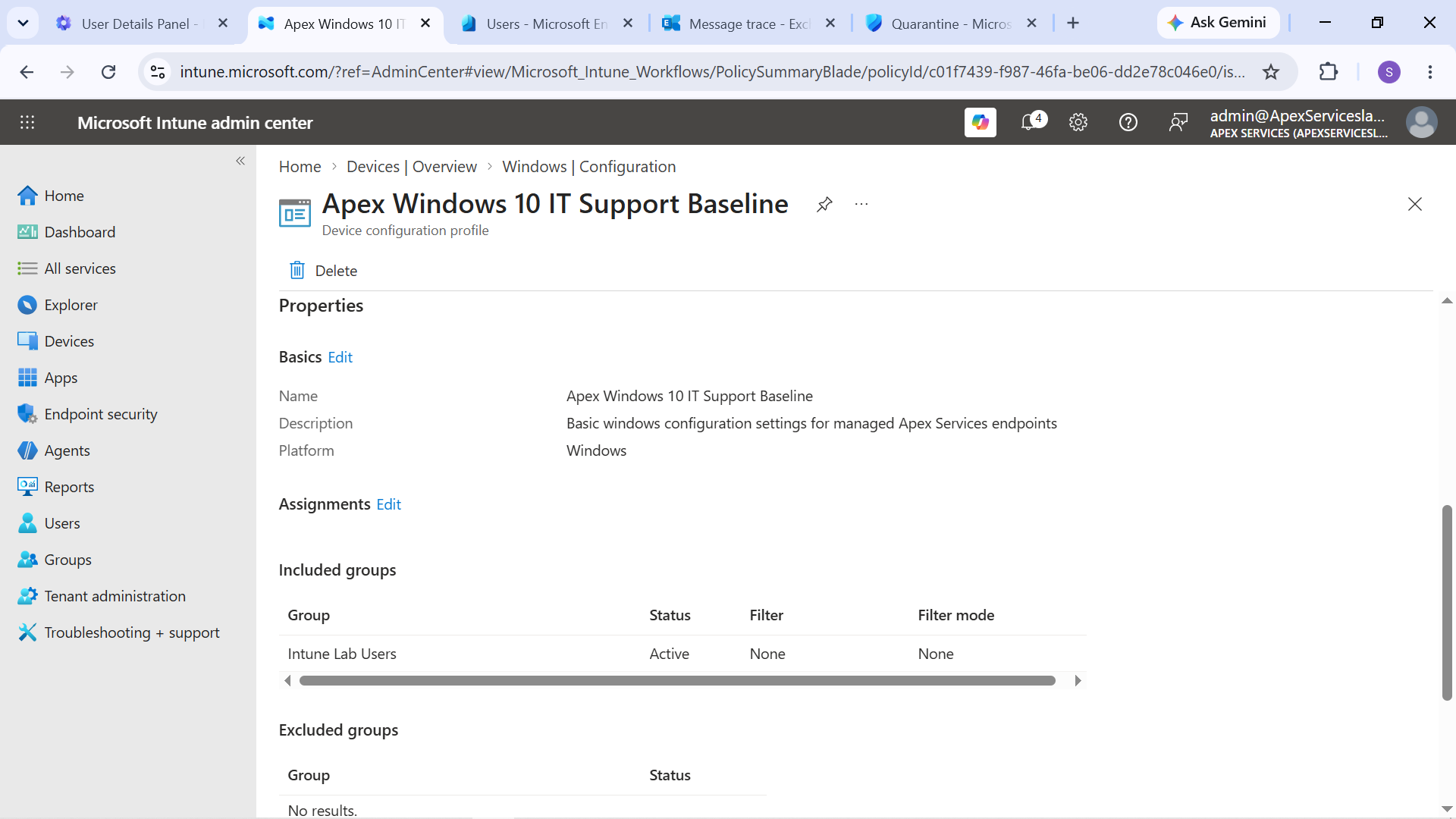
Evidence: Apex Windows 10 IT Support Baseline configuration profile.
The profile was successfully applied to Emily Carter's managed device.
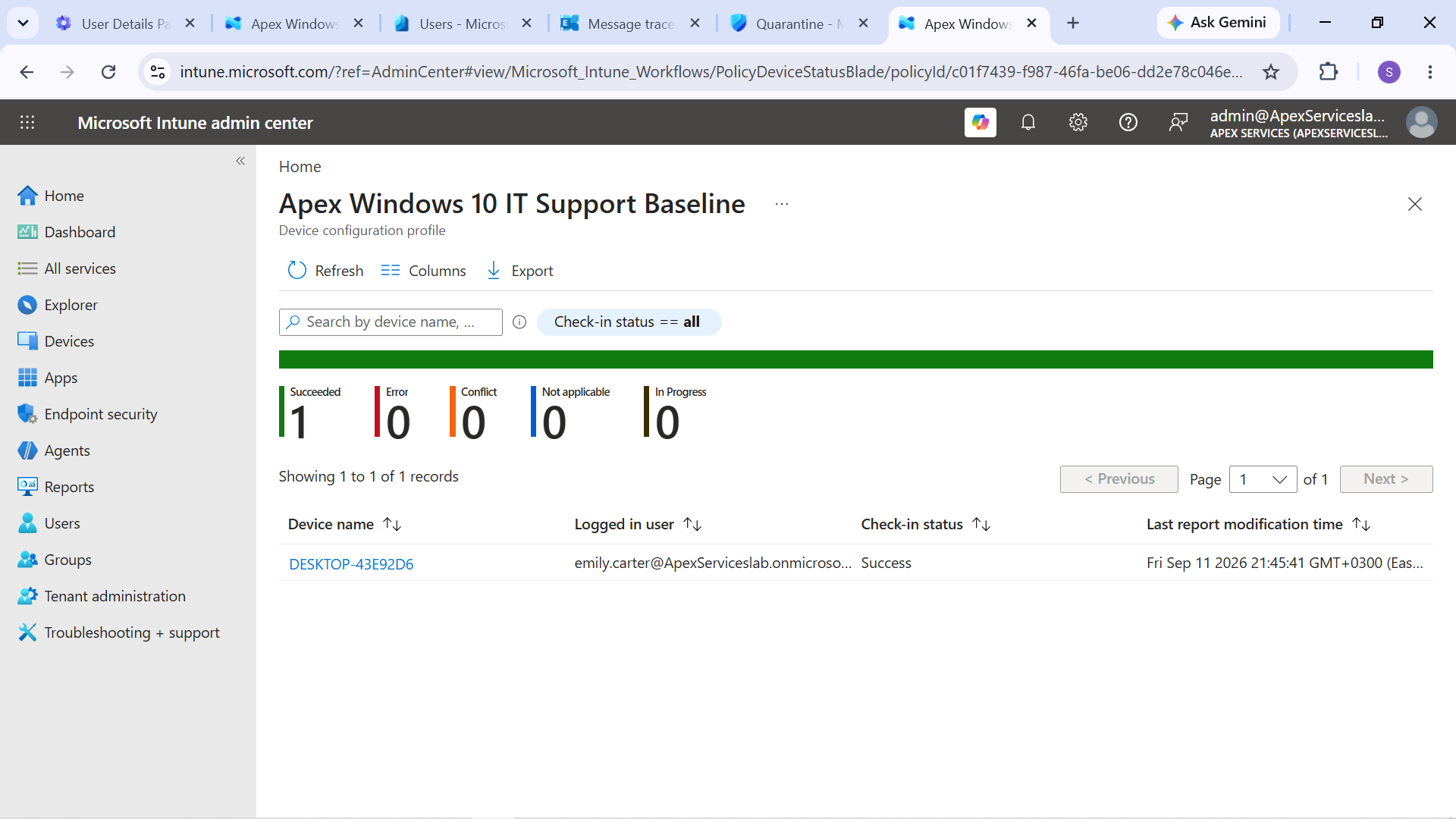
Evidence: Configuration profile successfully applied to the managed Windows device.
Compliance Troubleshooting
The compliance policy was also used to create a controlled endpoint-support scenario involving Sarah Johnson.
The simulated user reported:
"I can't access company services on my computer. I'm getting a message saying that this device doesn't meet my organization's compliance and security requirements. Please check the device and resolve the issue."
To reproduce the problem, Windows Firewall was disabled on Sarah's isolated lab device.
The device was then synchronized with Intune, causing the compliance policy to detect the failed security requirement.
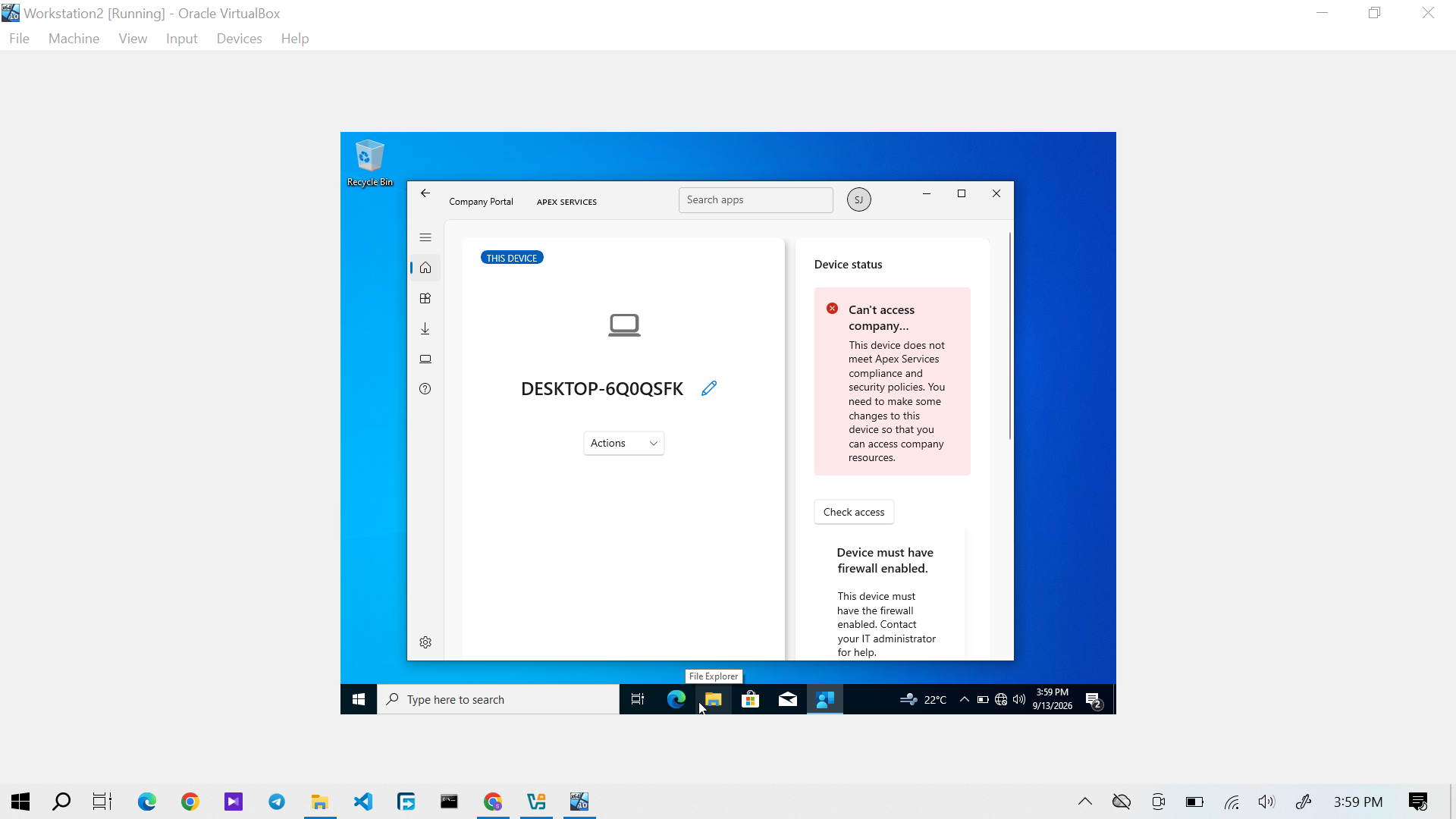
Evidence: Sarah Johnson's Windows 10 device showing the compliance failure.
The failure was investigated through the Intune compliance information and the device's security configuration.
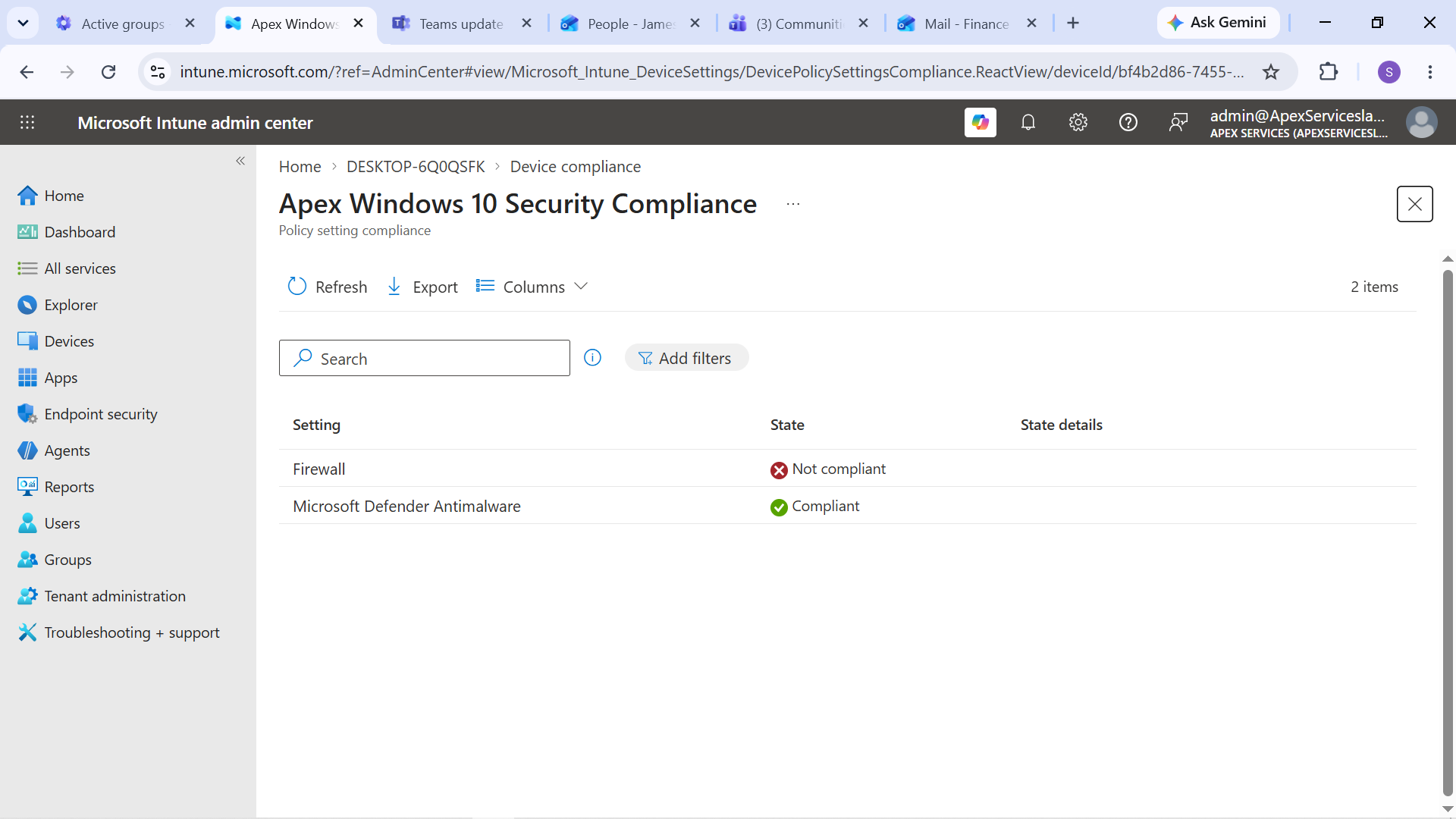
Evidence: Investigation identifying the Windows Firewall requirement as the cause of the compliance failure.
Remediation
The required Windows Firewall configuration was restored on Sarah's device.
The device was then synchronized with Intune so that the updated security state could be evaluated again.
The device returned to a compliant state.
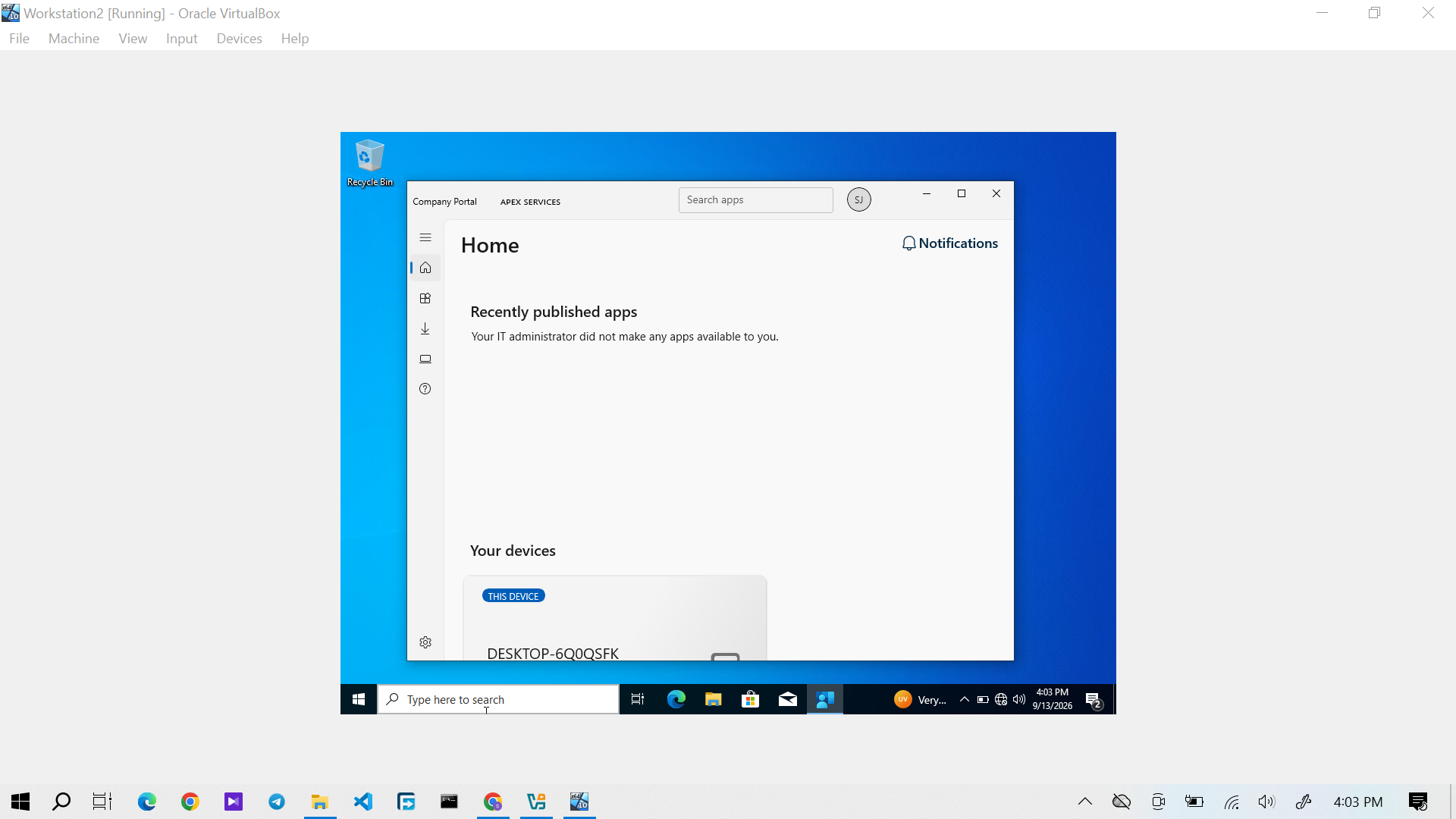
Evidence: Sarah Johnson's Windows 10 device showing restored compliance after remediation.
The final resolution was:
Investigated the user's inability to access company services and identified that the device was failing the organization's compliance requirements because Windows Firewall was disabled. Restored the required security configuration, synchronized the device with Intune, and verified that the device returned to a compliant state.
Support Workflow
The endpoint compliance scenario followed:
User Impact → Compliance Check → Failed Requirement Identification → Remediation → Device Synchronization → Compliance Verification
This demonstrated how an IT Support technician can use Intune compliance information to investigate a device-access problem and verify that the corrective action restored the expected device state.