Users & Groups
The Apex Services Lab tenant was populated with fictional users and groups to simulate a small organization's identity and access structure.
User and group administration formed the foundation for the Exchange Online, Teams, SharePoint, and Intune scenarios completed later in the project.
User Accounts
Users were created for the organization's main departments and assigned appropriate job titles and departments.
IT
- Alex Morgan — IT Administrator
- Emily Carter — IT Support Technician
HR
- Sarah Johnson — HR Manager
- Jessica Davis — HR Assistant
Finance
- Michael Brown — Finance Manager
- Laura Wilson — Finance Officer
Sales
- Daniel Smith — Sales Manager
- James Anderson — Sales Representative
- Robert Taylor — Sales Representative
Management
- David Wilson — General Manager
- Jennifer Thomas — Operations Manager
Operations
- Mark Lewis — Operations Coordinator
Additional Lab User
- Olivia Anderson — Operations Assistant
Olivia was created later as part of the user-onboarding support scenario.
Administrator and Support Accounts
The lab used separate user identities to represent different responsibilities.
Alex Morgan was configured as the IT Administrator account.
Emily Carter was configured as the IT Support Technician account and was used extensively for end-user testing throughout the lab.
The initial bootstrap administrator account was used to establish the tenant and perform the required administrative configuration.
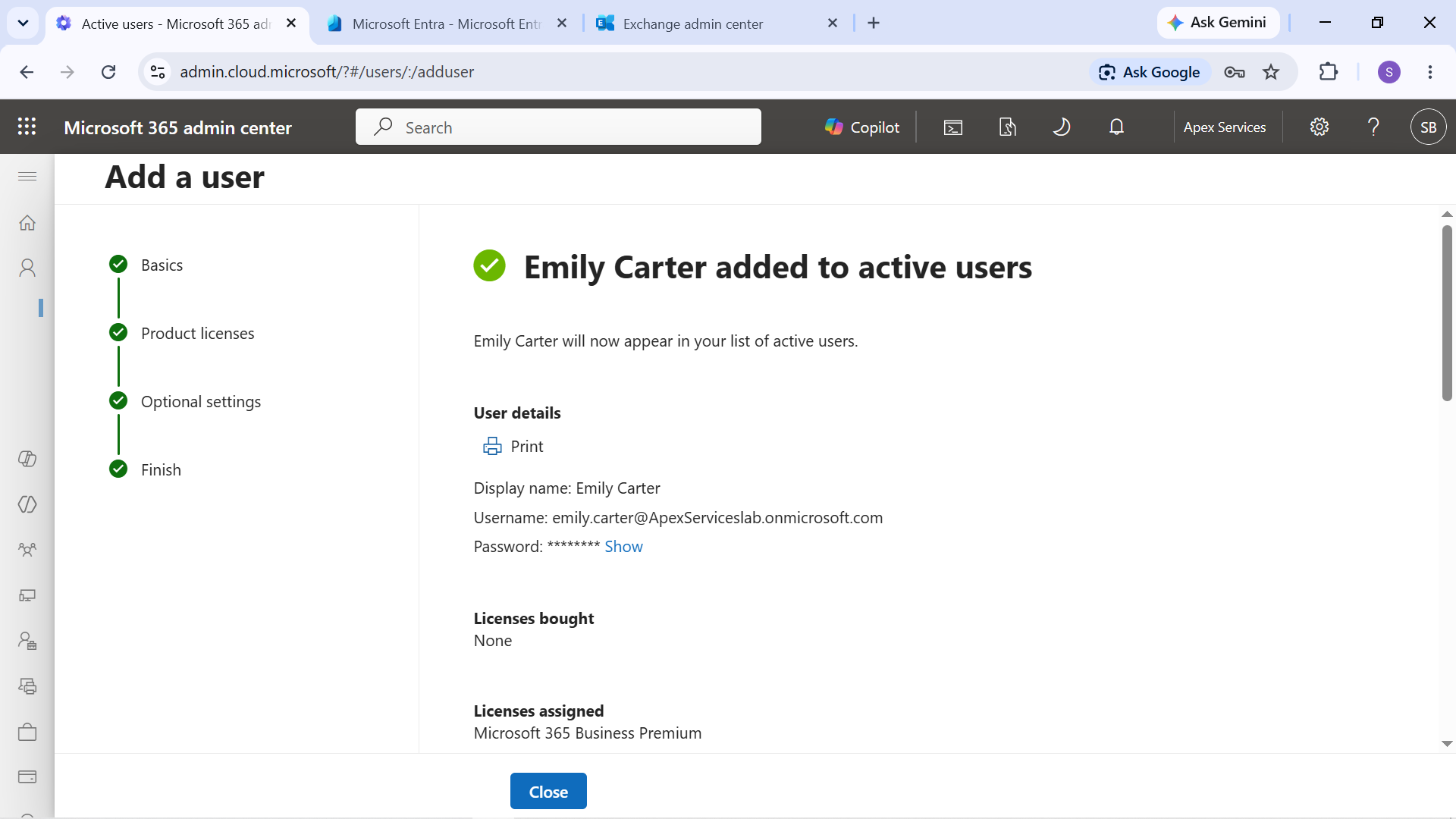
Evidence: Emily Carter's Microsoft 365 user account configured for the IT Support role.
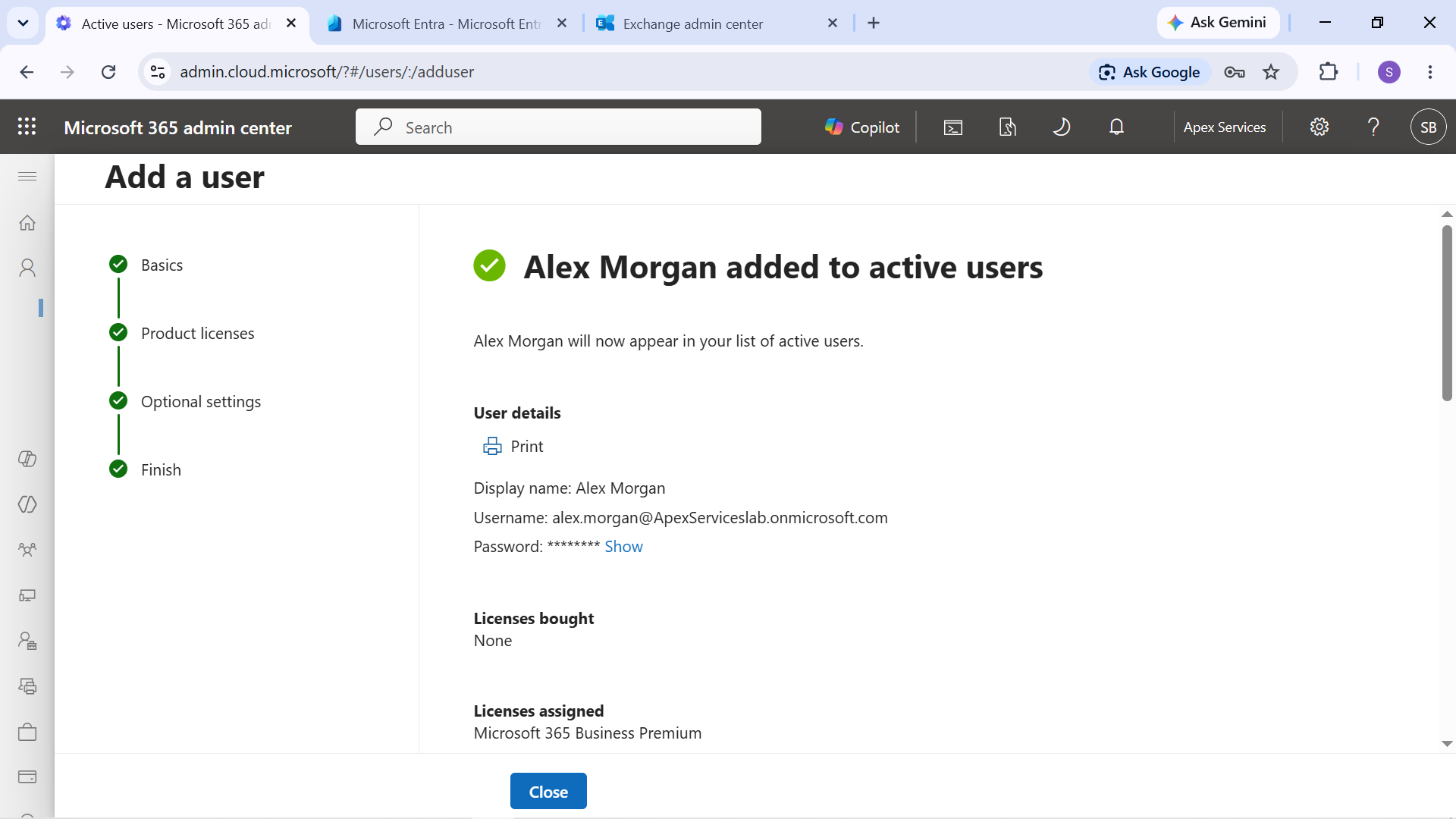
Evidence: Alex Morgan's Microsoft 365 user account configured for the IT Administrator role.
Active Users
The Microsoft 365 Admin Center was used to review the organization's active user accounts.
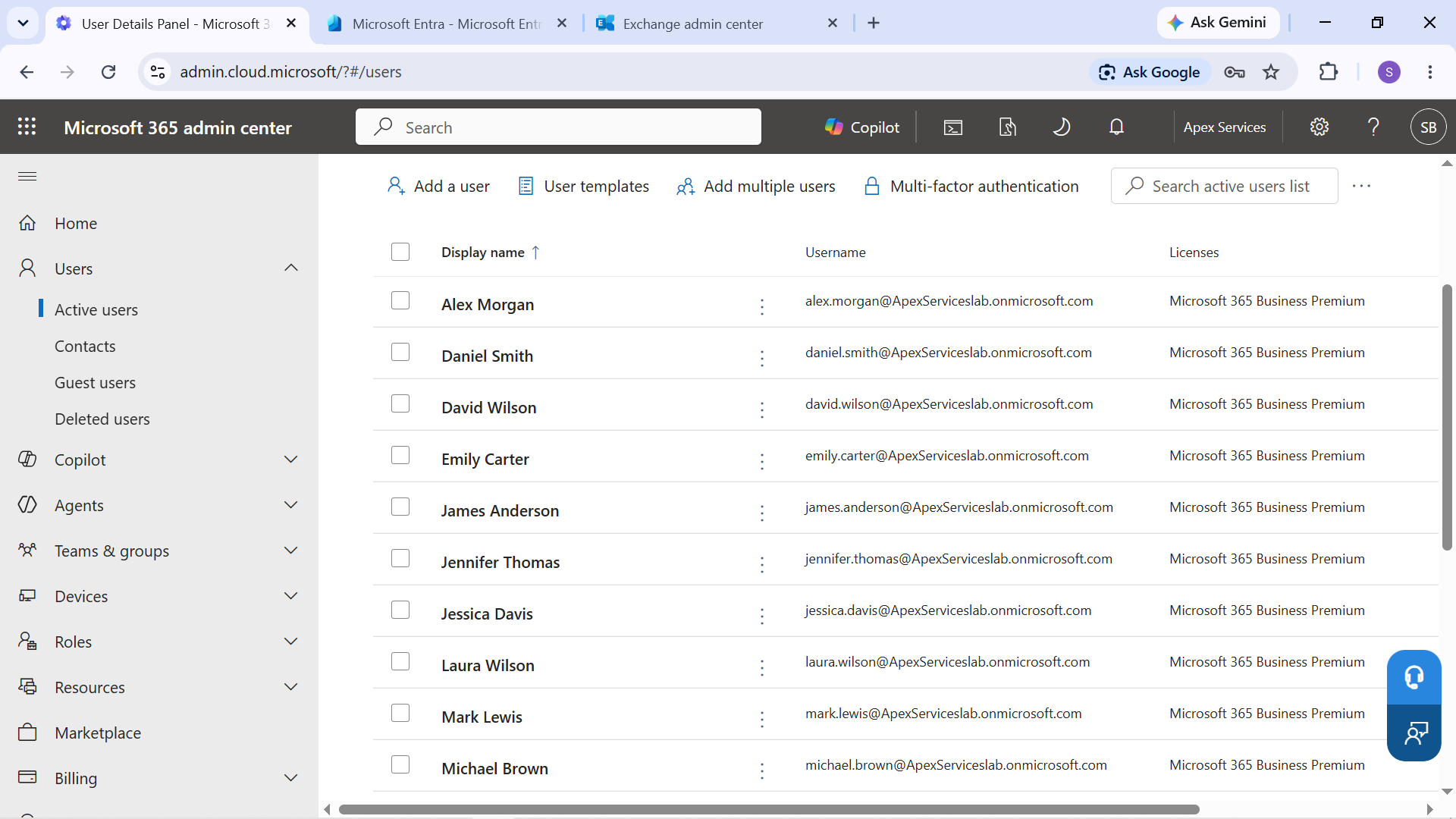
Evidence: Active users configured in the Apex Services Lab tenant.
Distribution Groups
Distribution groups were created to represent common organization-wide and departmental communication groups.
Configured groups included:
- All Employees
- IT Team
- Sales Team
- Management
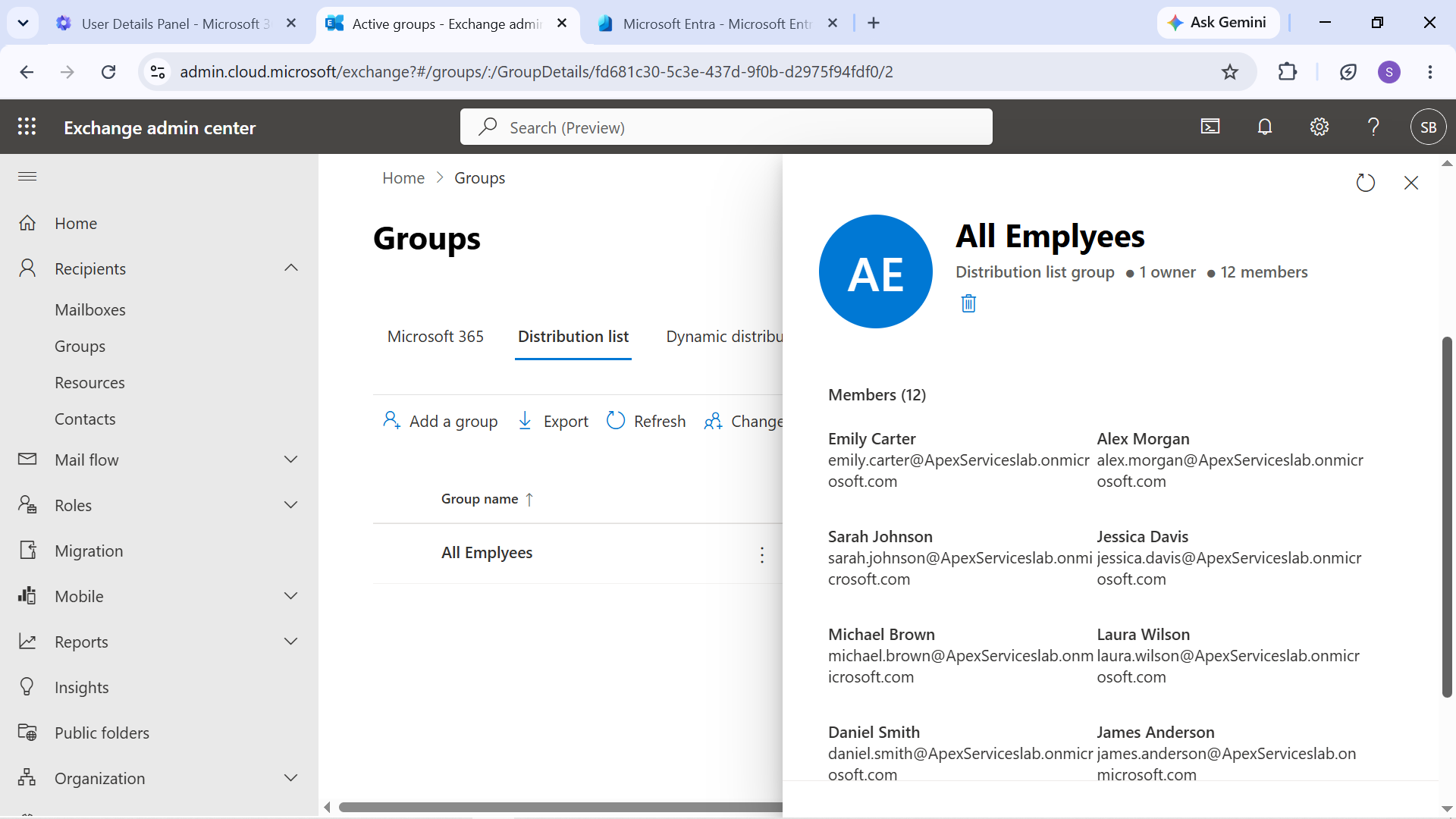
Evidence: All Employees distribution group.
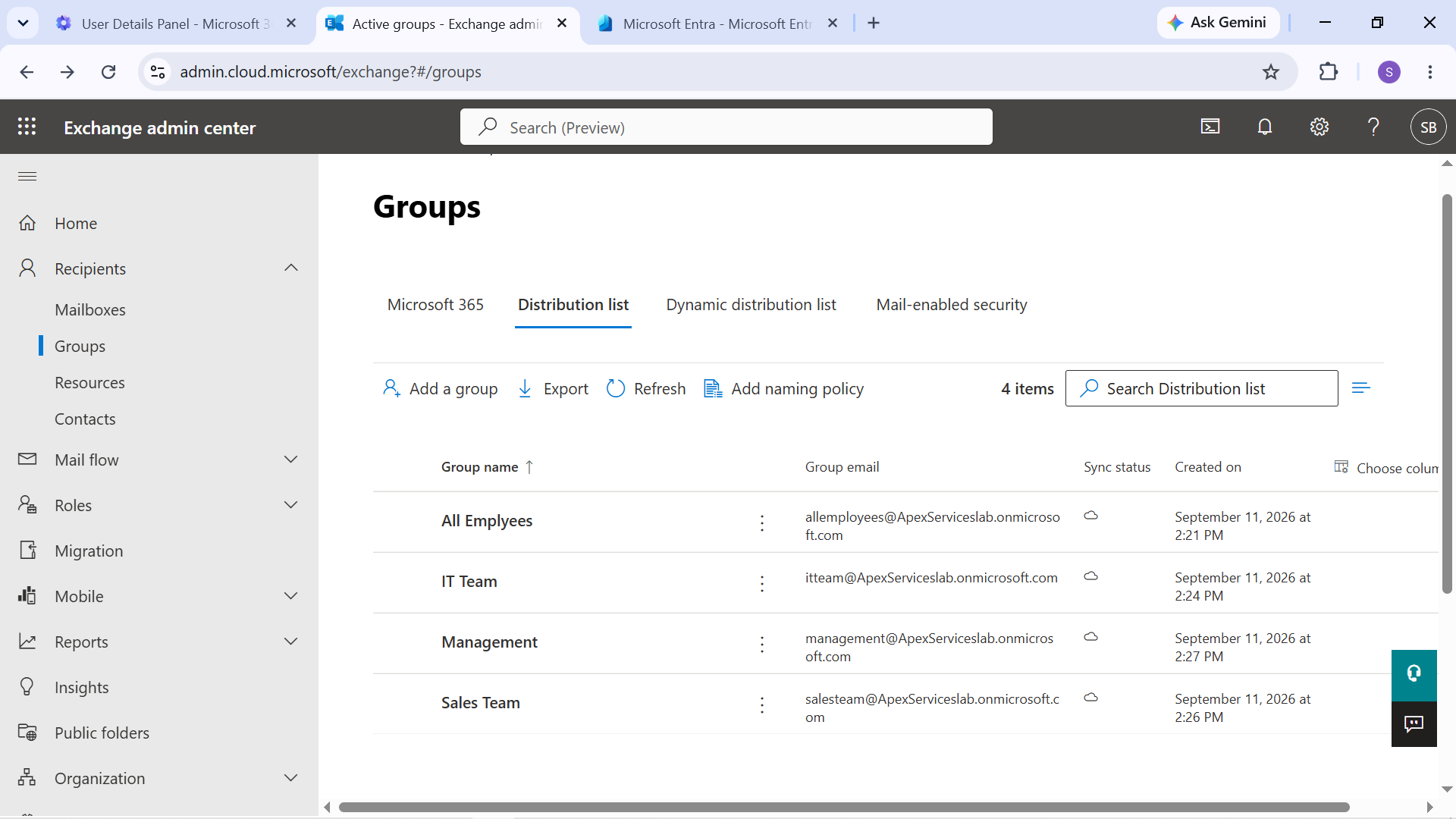
Evidence: Departmental distribution-group configuration.
Distribution-group membership was later used in a controlled troubleshooting scenario where a user's membership was removed, the resulting mail-delivery problem was investigated, and membership was restored.
Microsoft 365 Groups
Two Microsoft 365 Groups were configured for collaboration:
IT Operations
- Owner: Alex Morgan
- Member: Emily Carter
The group was associated with the IT Operations collaboration environment.
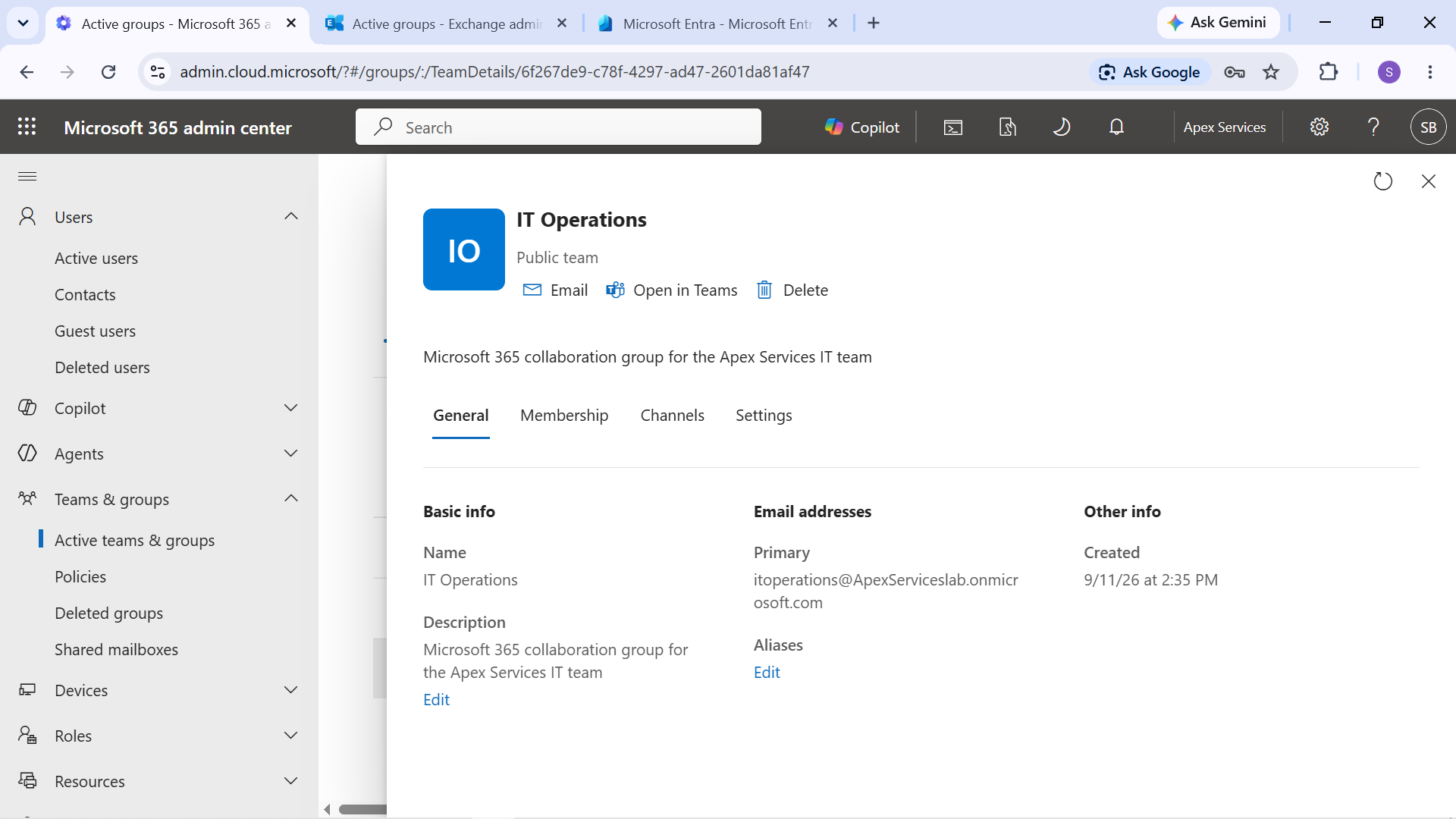
Evidence: IT Operations Microsoft 365 Group membership.
Sales Collaboration
- Owner: Daniel Smith
- Members: James Anderson, Robert Taylor
The group was associated with the Sales Collaboration Teams environment.
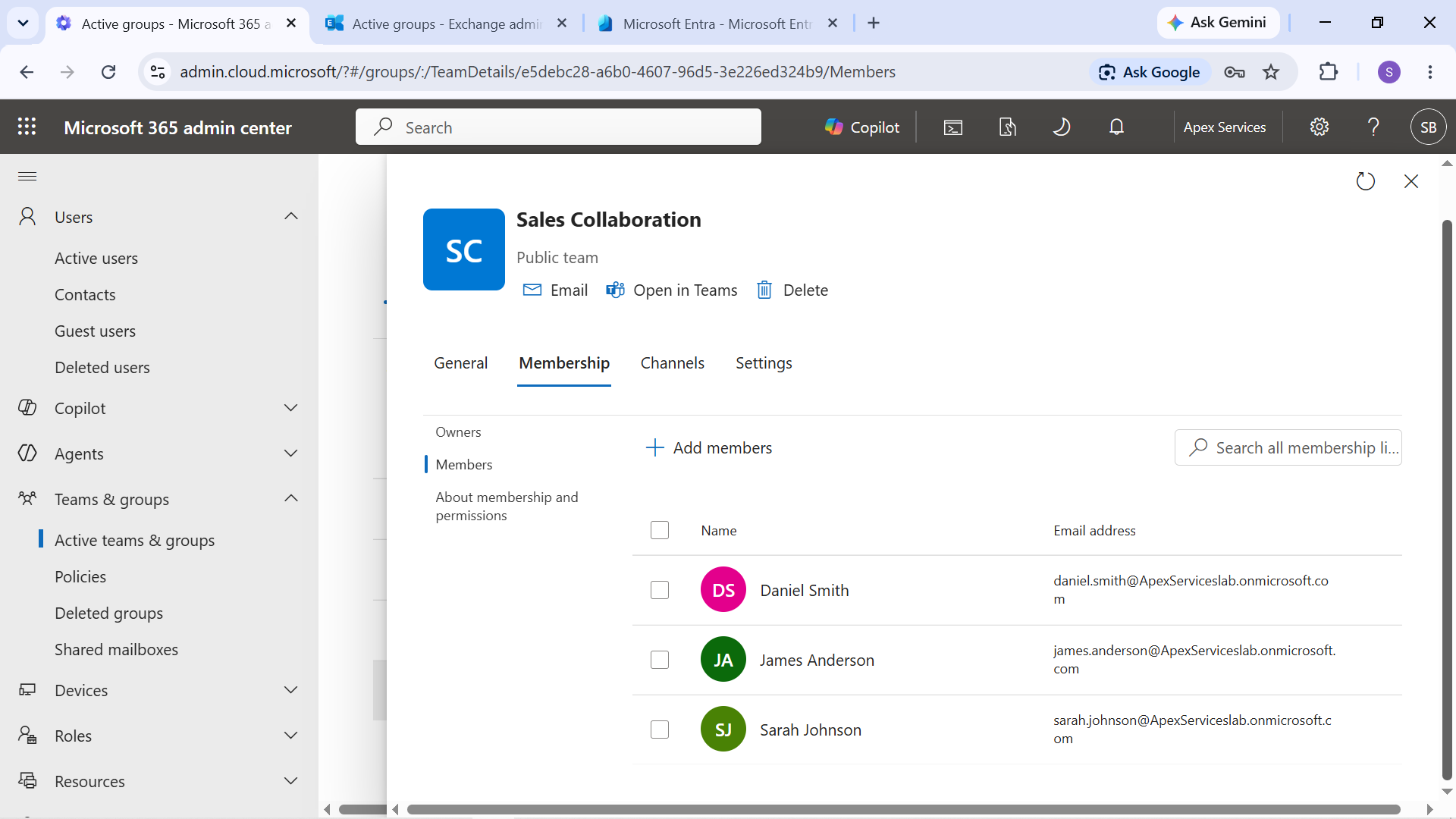
Evidence: Sales Collaboration Microsoft 365 Group membership.
Group membership was later used to demonstrate how changes to Microsoft 365 Group membership can affect access to an associated Teams environment.
Intune Assignment Group
A security group named Intune Lab Users was created for controlled Intune assignments.
The group contained:
- Emily Carter
- Sarah Johnson
- Daniel Smith Emily and Sarah were subsequently enrolled as managed Windows devices. Daniel was included in the assignment group but was not enrolled as a third managed device.
This group was used to target Intune enrollment, compliance, configuration, and application assignments.
User and Group Administration Approach
The identity structure was designed to support the rest of the Microsoft 365 lab.
The relationship can be summarized as:
Users → Groups → Services & Access
User and group configuration was later used by:
- Exchange Online
- Shared mailbox permissions
- Distribution groups
- Microsoft 365 Groups
- Microsoft Teams
- SharePoint collaboration
- Intune assignments
- User onboarding and offboarding scenarios
This provided a consistent identity foundation for the support and troubleshooting activities documented throughout the project.