Ticket 4 — User Onboarding
User
Olivia Anderson — Operations Assistant
Request
"Please set up my Microsoft 365 account so I can access the services I need for my role."
Onboarding Tasks
A new Microsoft 365 user account was created for Olivia Anderson.
The account was configured with:
- Name: Olivia Anderson
- Job Title: Operations Assistant
- Email: olivia.anderson@apexserviceslab.onmicrosoft.com
- Microsoft 365 License: Business Premium
- Group Membership: All Employees
A temporary password was generated for the new account.
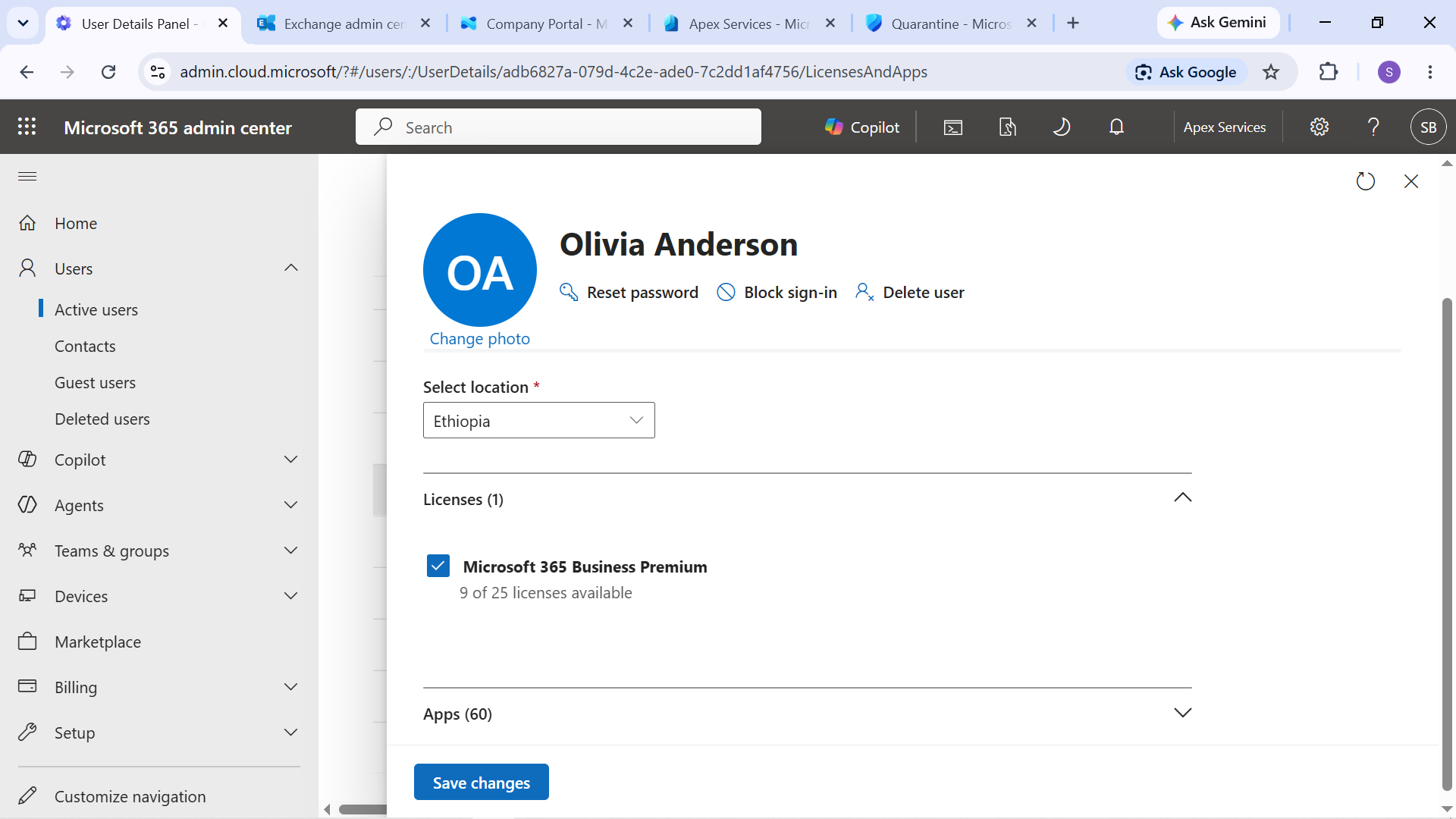
Evidence: Olivia Anderson's new user account with the Microsoft 365 Business Premium license assigned.
Group Membership
Olivia was added to the appropriate organizational group as part of the onboarding process.
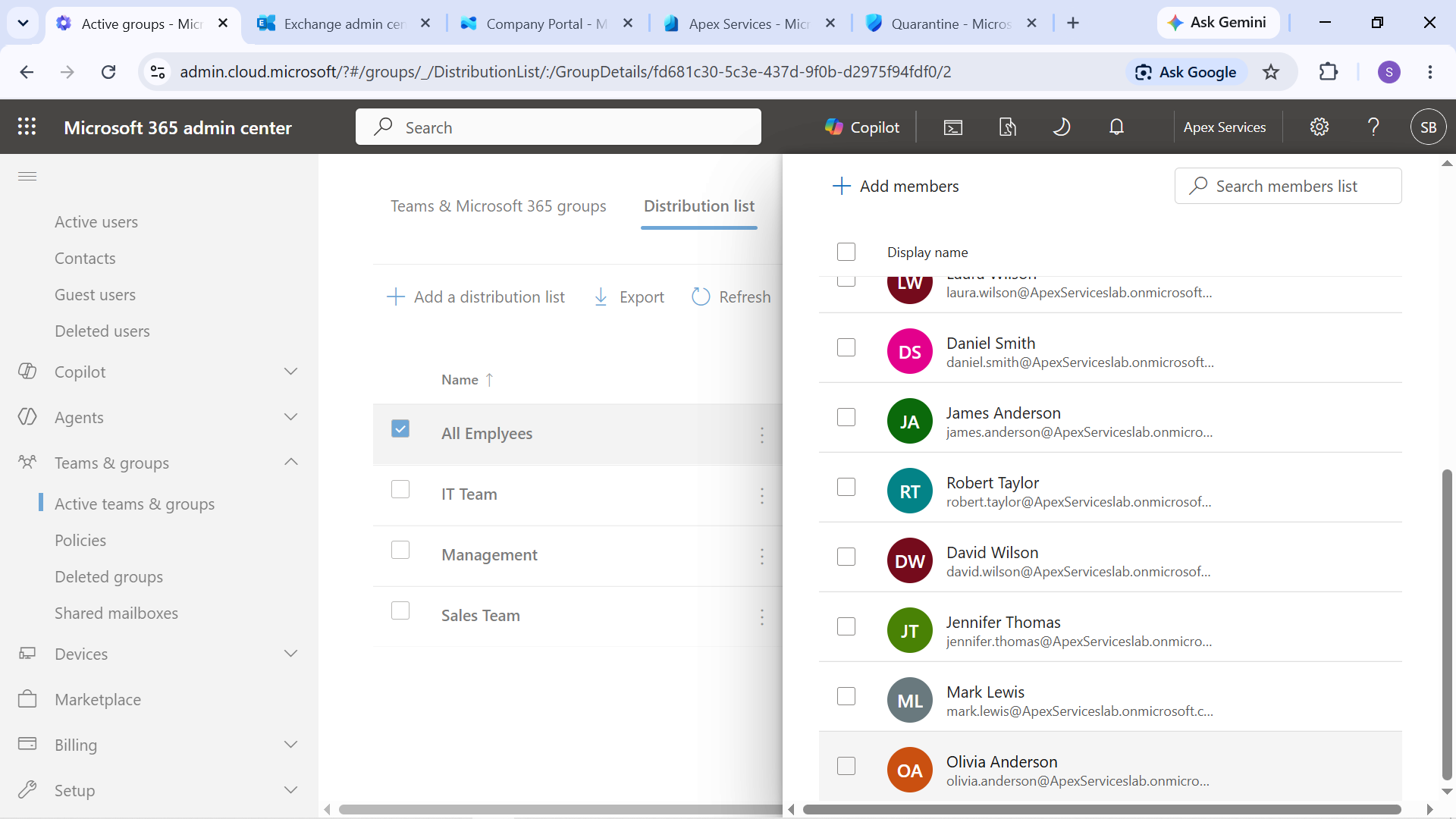
Evidence: Olivia Anderson's onboarding group membership.
Mailbox Verification
After the account and license were configured, Olivia's Microsoft 365 mailbox was tested.
A test message was used to verify that the new account could participate in normal organizational email communication.
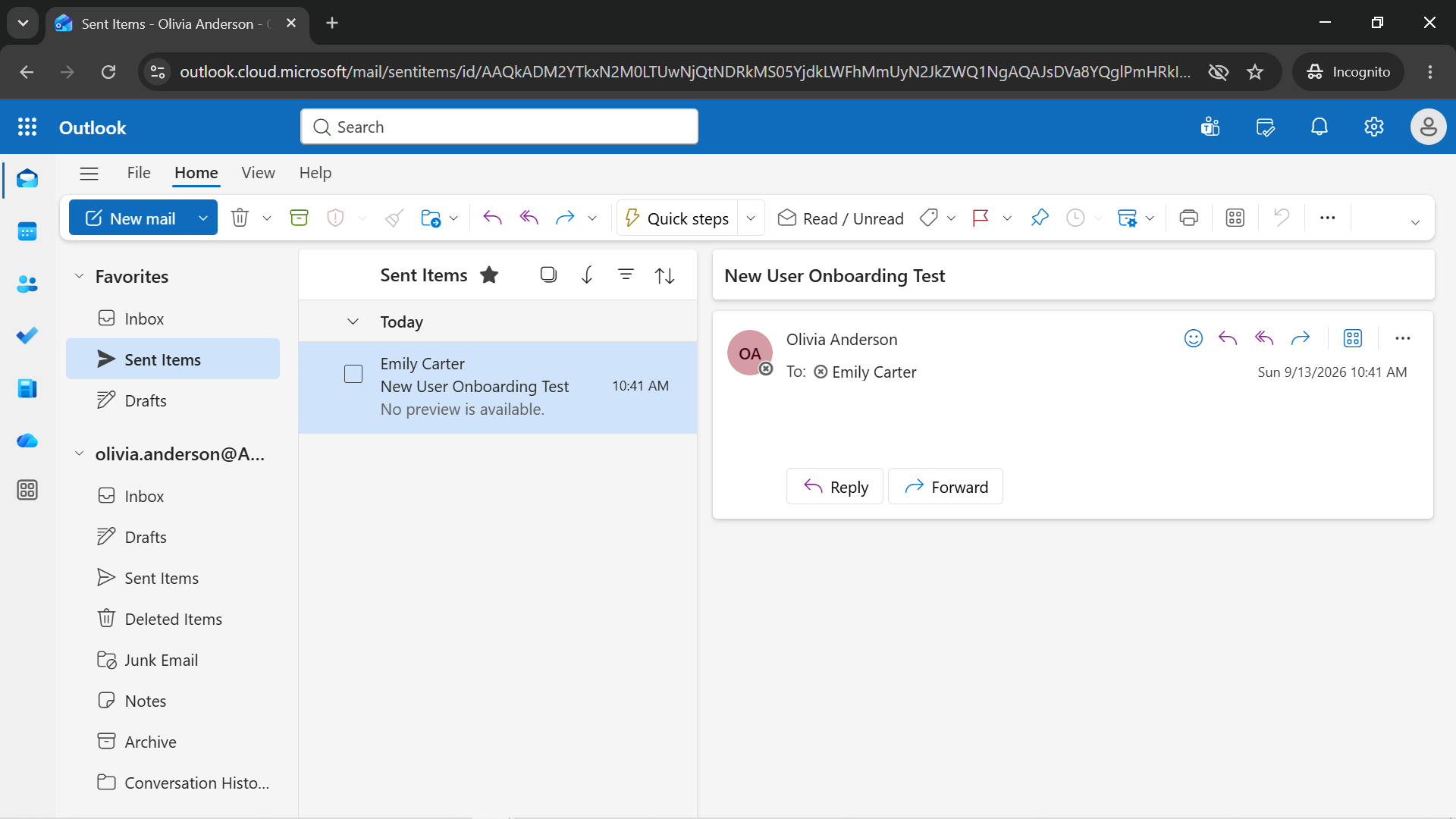
Evidence: Olivia Anderson's mailbox onboarding test.
Onboarding Completed
The account configuration, group membership, and mailbox functionality were verified.
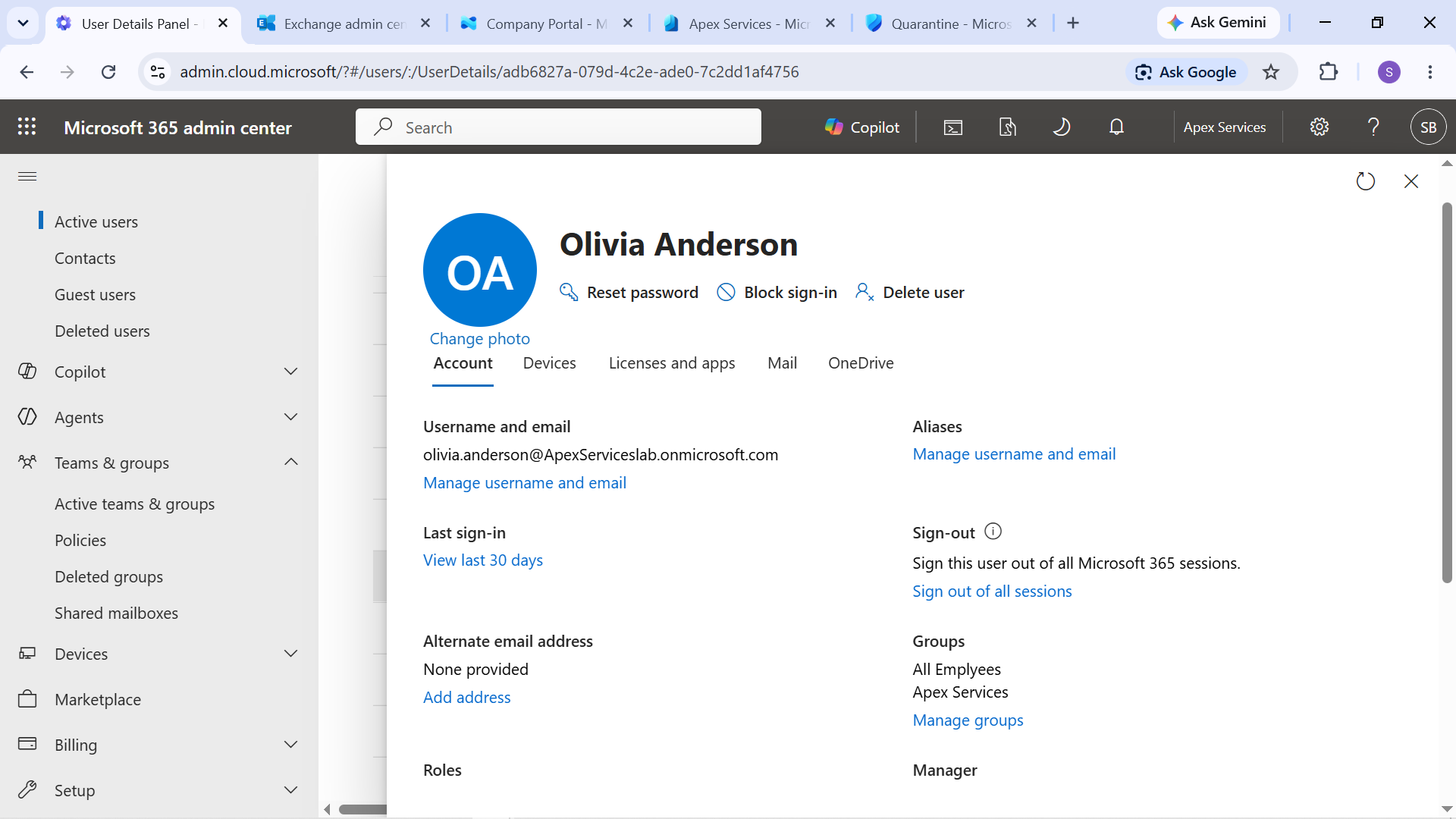
Evidence: Olivia Anderson's completed onboarding state.
Verification
The onboarding process confirmed that Olivia had:
- A functioning Microsoft 365 account
- The required Business Premium license
- Appropriate group membership
- A working mailbox
- Successful email communication
Technician Resolution
Created and configured Olivia Anderson's Microsoft 365 account for the Operations Assistant role. Assigned the required Business Premium license, added her to the appropriate organizational group, and verified mailbox and email functionality.
Evidence Summary
| Evidence | Purpose |
|---|---|
| New user and license | Confirms account creation and licensing |
| Group membership | Confirms organizational access configuration |
| Mailbox test | Verifies email functionality |
| Onboarding completed | Confirms the completed user setup |
Support workflow:
User Request → Create Account → Configure User → Assign License → Add Group Membership → Verify Mailbox → Complete Onboarding