Ticket 16 — Intune Compliance Failure
User
Sarah Johnson — HR Manager
Device
Sarah's managed Windows 10 device
Issue
"I can't access company services on my computer. I'm getting a message saying that this device doesn't meet my organization's compliance and security requirements. Please check the device and resolve the issue."
Investigation
Sarah Johnson's managed Windows 10 device was first checked against the organization's expected compliance state.
The device was initially compliant with the Apex Windows 10 Security Compliance policy.
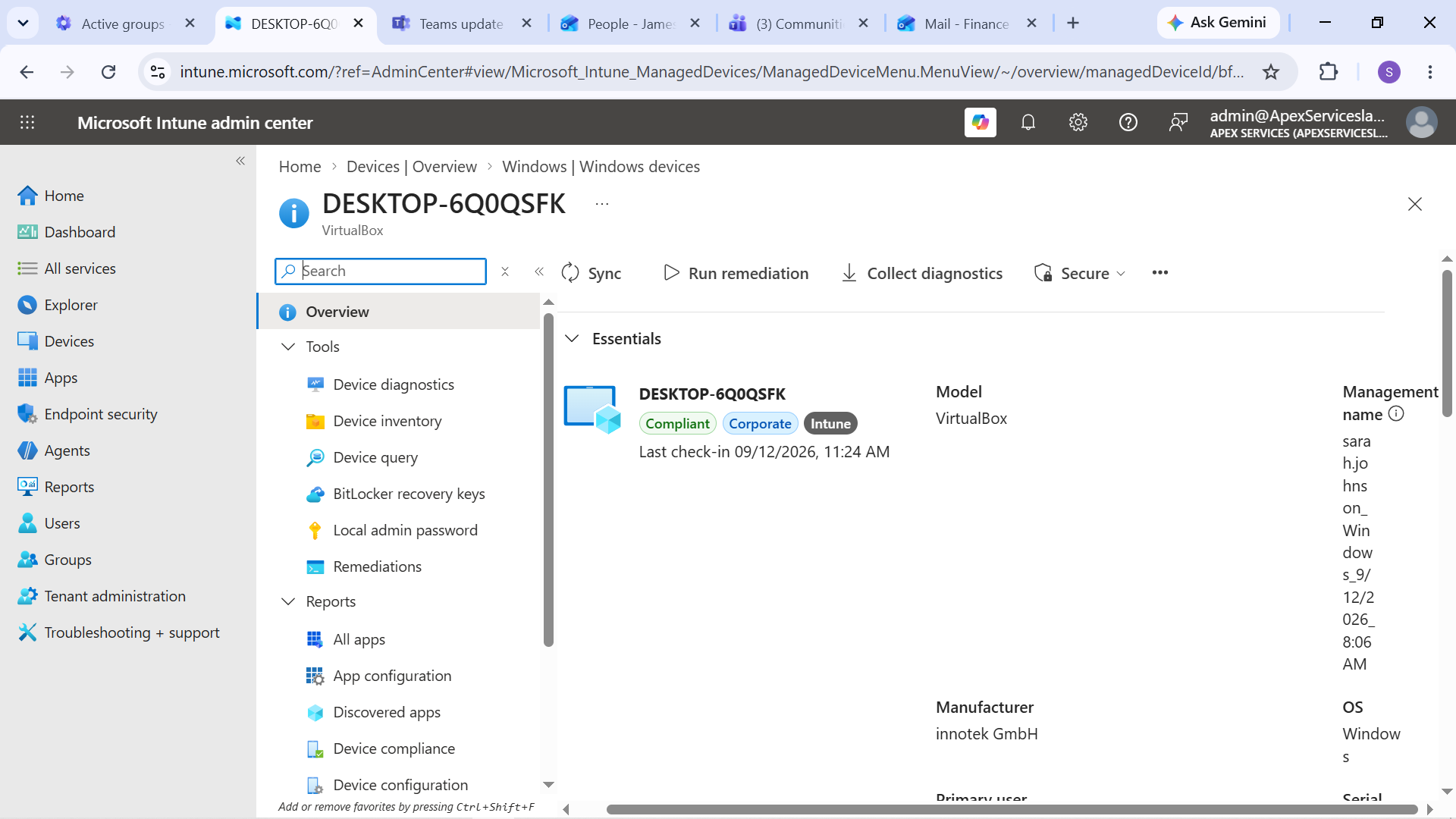
Evidence: Sarah Johnson's Windows 10 device showing the baseline compliance state.
Controlled Failure
To reproduce the reported compliance problem, Windows Firewall was disabled on the isolated lab device.
The device was then synchronized with Microsoft Intune so that the updated security state could be evaluated.
The device subsequently showed a compliance failure.
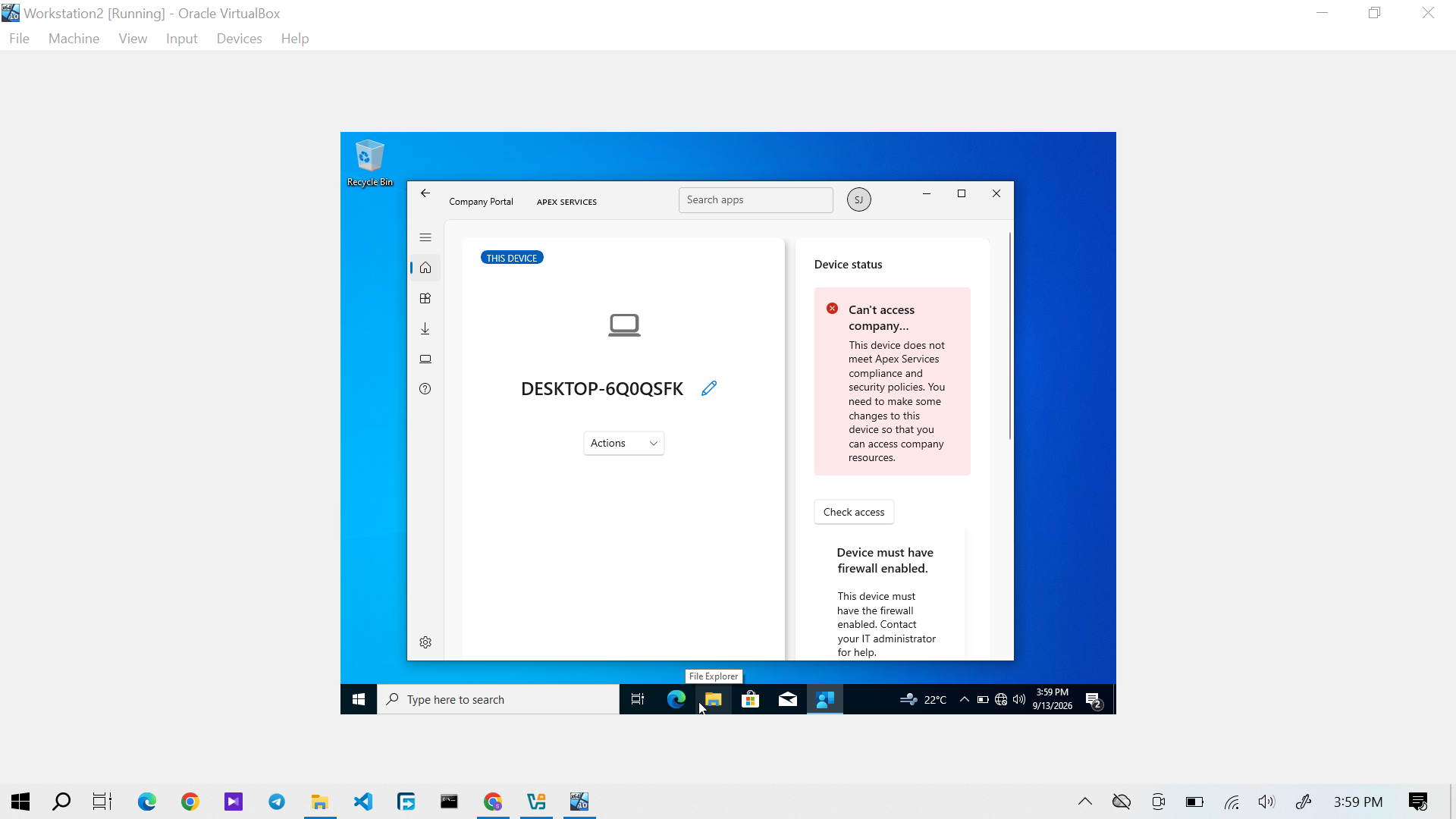
Evidence: Sarah Johnson's Windows 10 device showing the compliance failure after the controlled security change.
Diagnosis
The Intune compliance information was reviewed to determine which requirement had failed.
The investigation identified the Windows Firewall requirement as the cause of the device's non-compliant state.
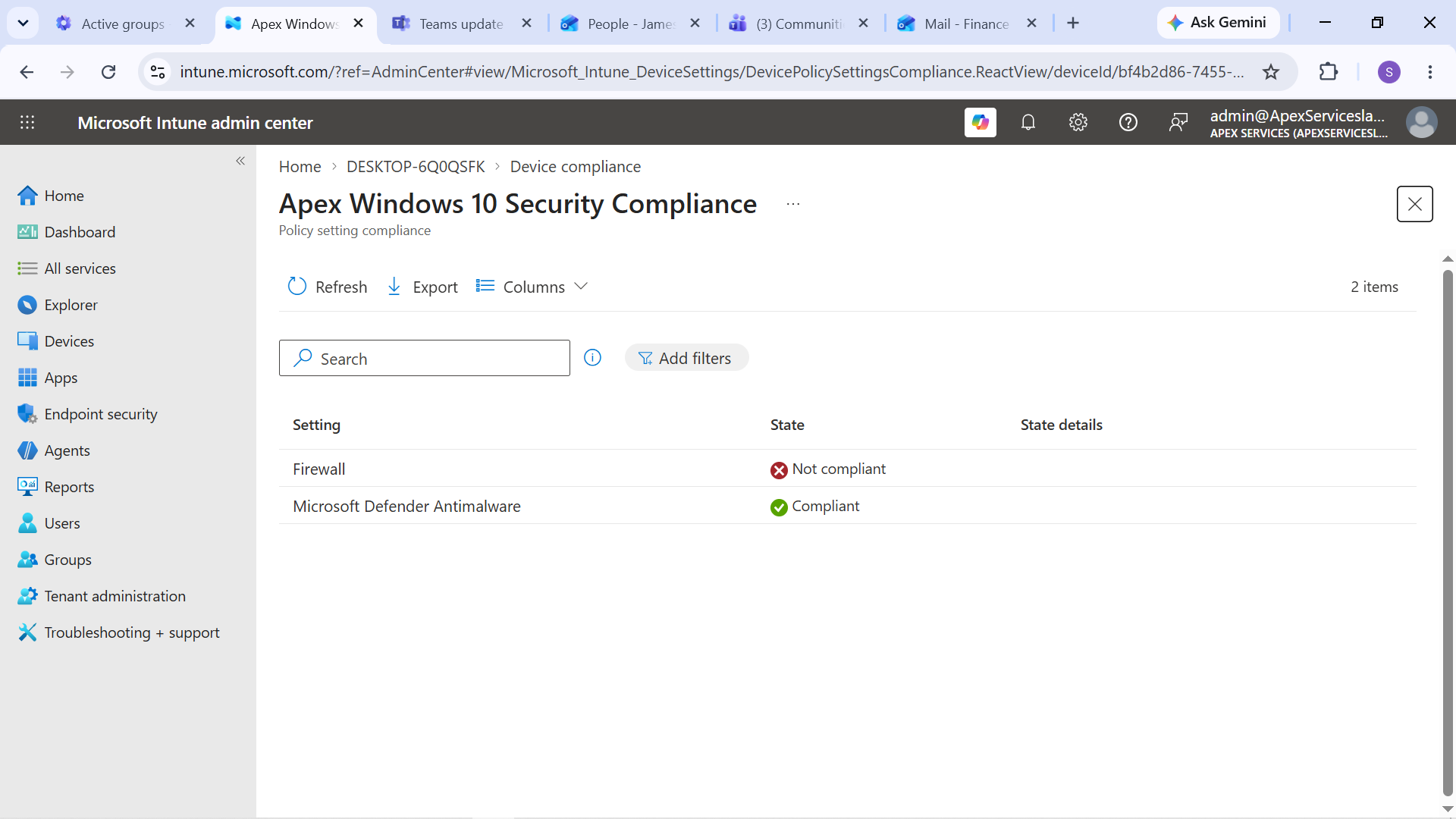
Evidence: Investigation identifying the failed Windows Firewall compliance requirement.
Resolution
The required Windows Firewall configuration was restored on Sarah's device.
The device was then synchronized with Intune again so that its updated security state could be evaluated.
The device returned to a compliant state.
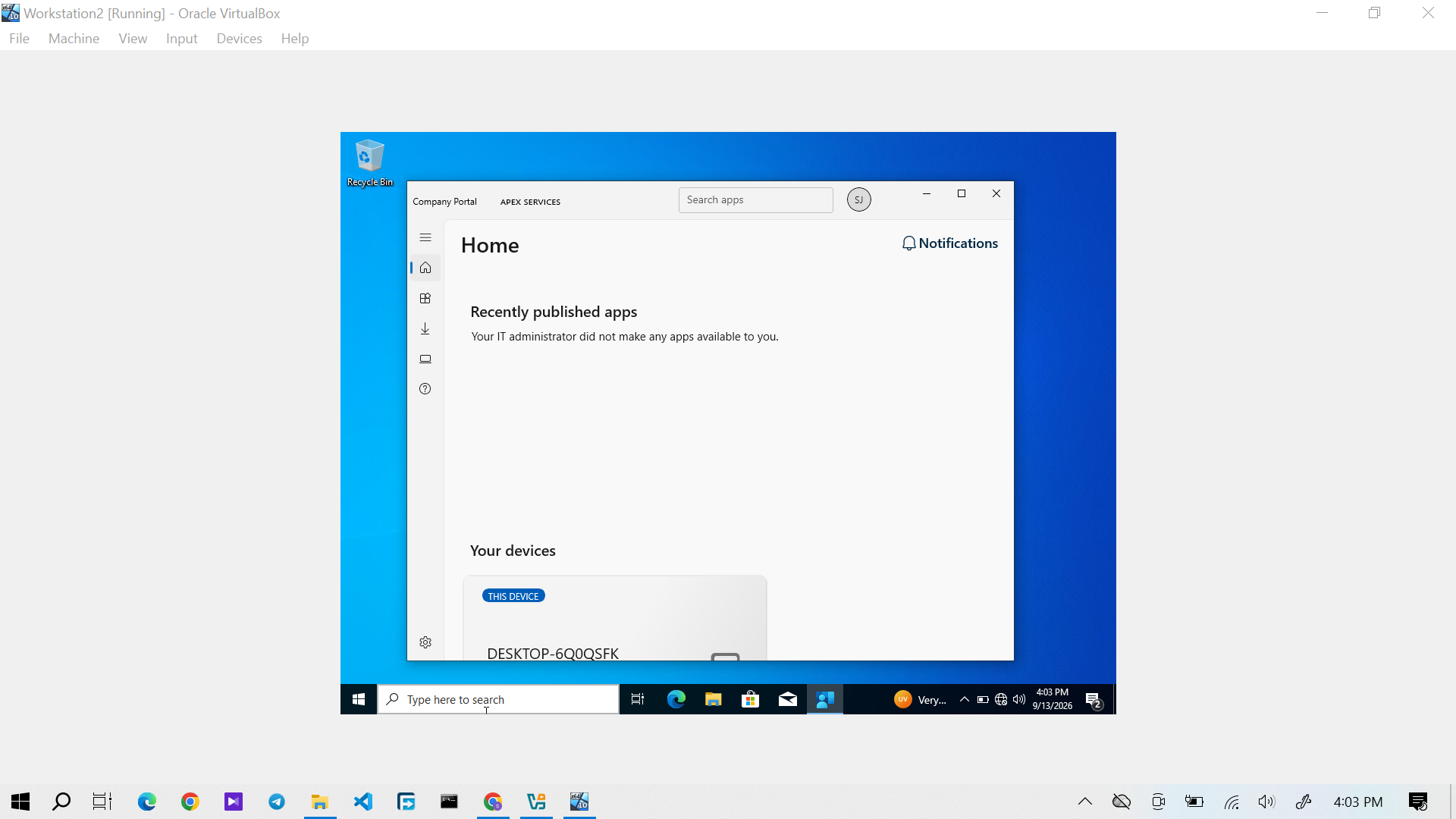
Evidence: Sarah Johnson's Windows 10 device showing restored compliance after remediation.
Verification
The device's compliance state was checked after remediation.
The restored compliant state confirmed that the corrective action resolved the compliance failure.
Technician Resolution
Investigated the user's inability to access company services and identified that the device was failing the organization's compliance requirements because Windows Firewall was disabled. Restored the required security configuration, synchronized the device with Intune, and verified that the device returned to a compliant state.
Evidence Summary
| Evidence | Purpose |
|---|---|
| Compliance baseline | Establishes the device's normal compliant state |
| Compliance failure | Demonstrates the controlled endpoint failure |
| Failure diagnosis | Identifies the Windows Firewall requirement as the cause |
| Compliance restored | Verifies successful remediation |
Support workflow:
User Report → Check Compliance → Reproduce Failure → Identify Failed Requirement → Restore Security Setting → Sync Device → Verify Compliance