Ticket 3 — Email Alias Troubleshooting
User
Sarah Johnson — HR Manager
Issue
"I'm not receiving messages sent to my HR email address. Please check whether my email alias is configured correctly."
Investigation
Sarah Johnson's account was checked to establish the existing email-address configuration.
The HR@apexserviceslab.onmicrosoft.com alias was present as part of the baseline configuration.
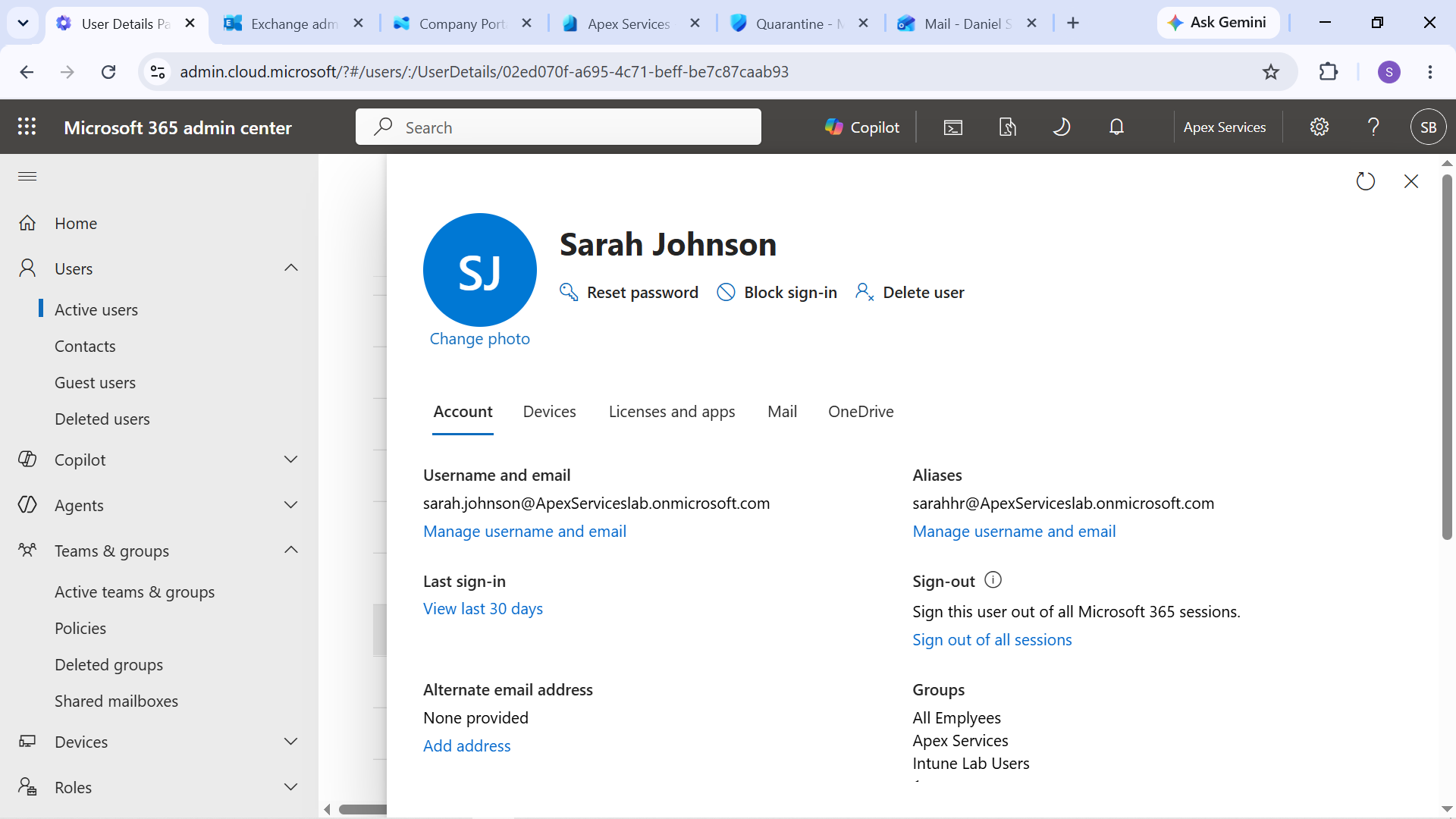
Evidence: Sarah Johnson's baseline email alias configuration.
The HR@ alias was then removed as a controlled change to reproduce the reported delivery problem.
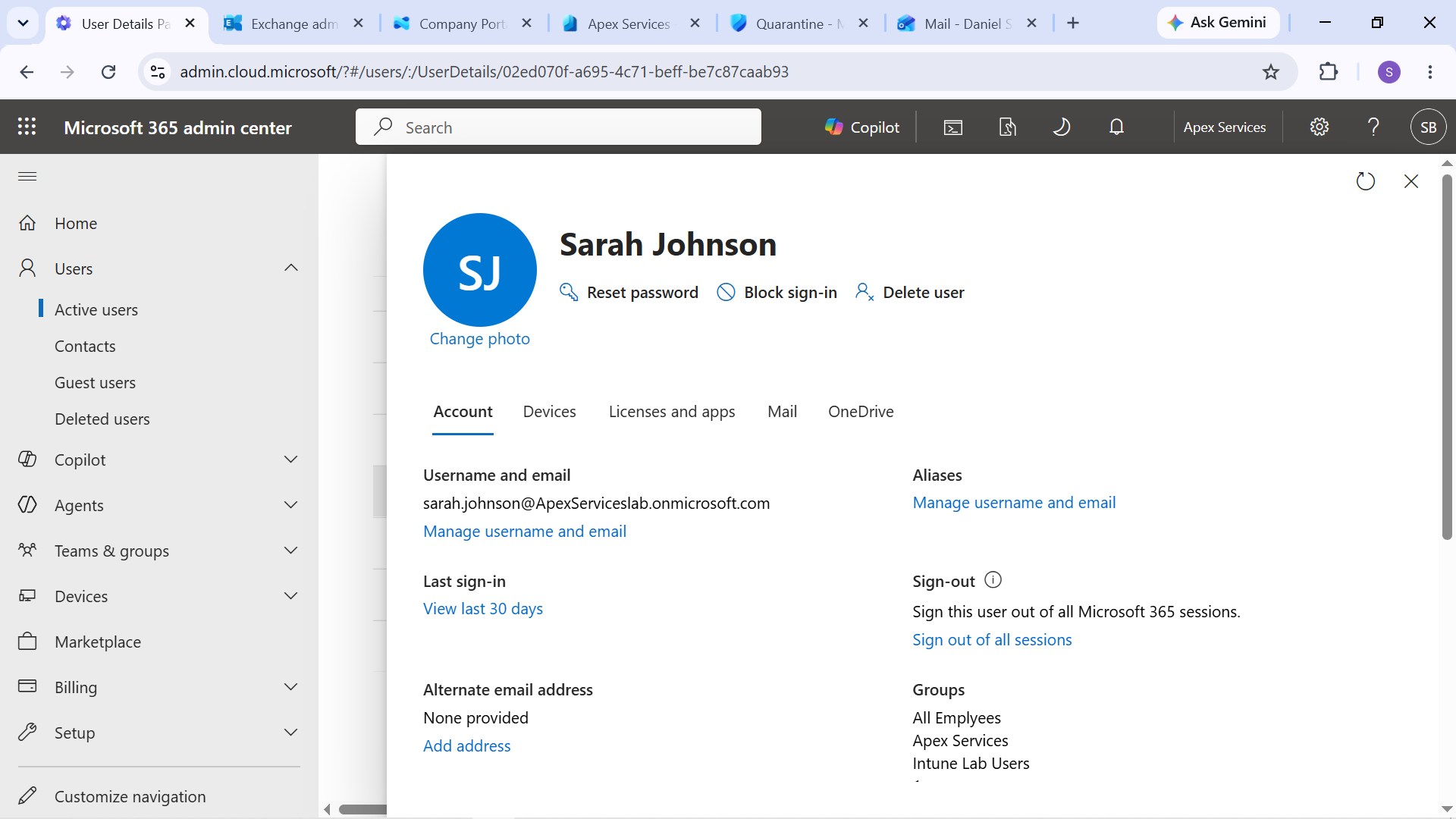
Evidence: Sarah Johnson's HR email alias removed from the account.
A test message was sent to the affected alias to verify the resulting delivery behavior.
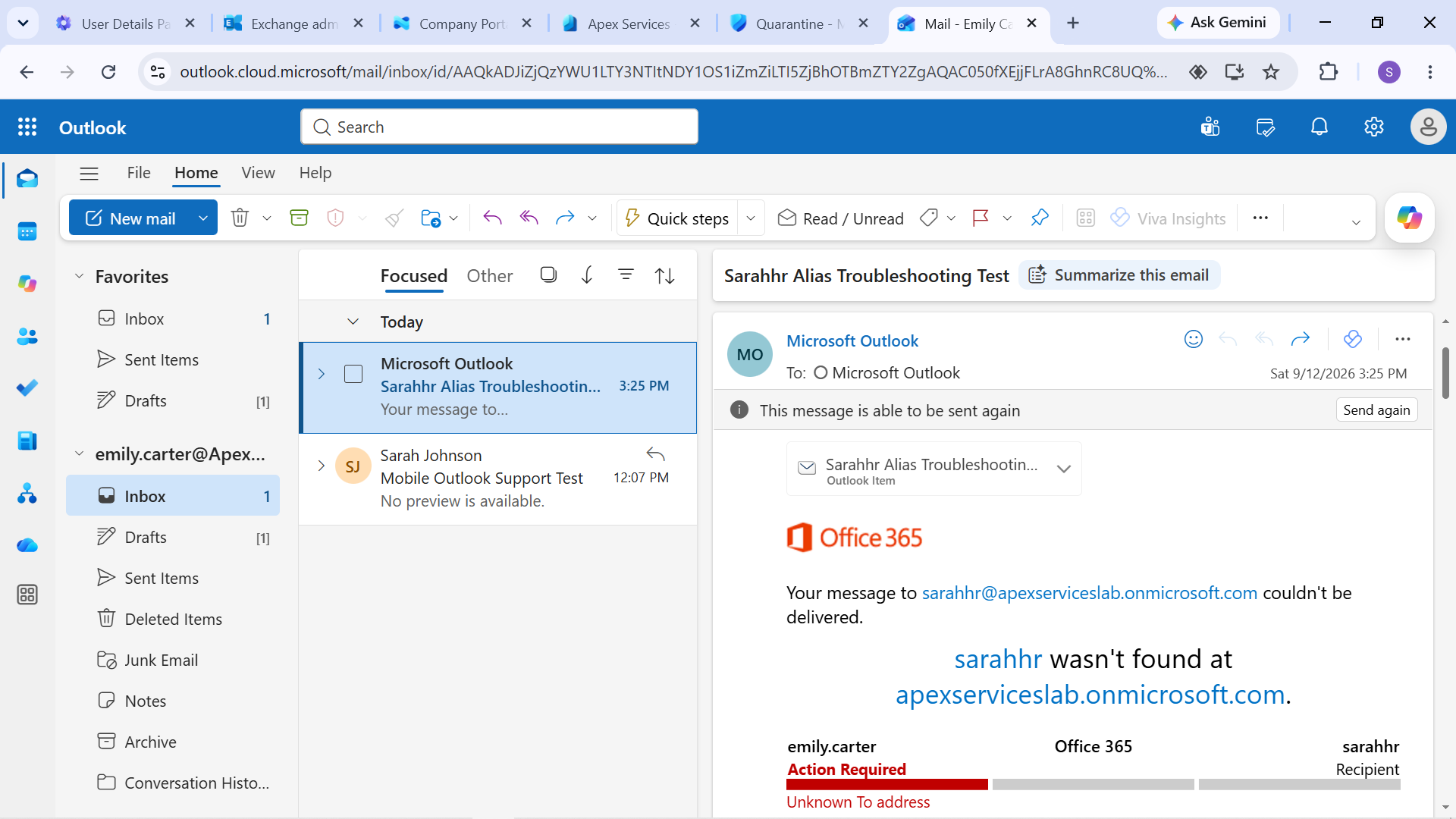
Evidence: Email delivery test following removal of the HR alias.
Diagnosis
The issue was traced to the missing HR@apexserviceslab.onmicrosoft.com alias on Sarah Johnson's account.
The account's email-address configuration was reviewed to confirm that the expected alias was no longer present.
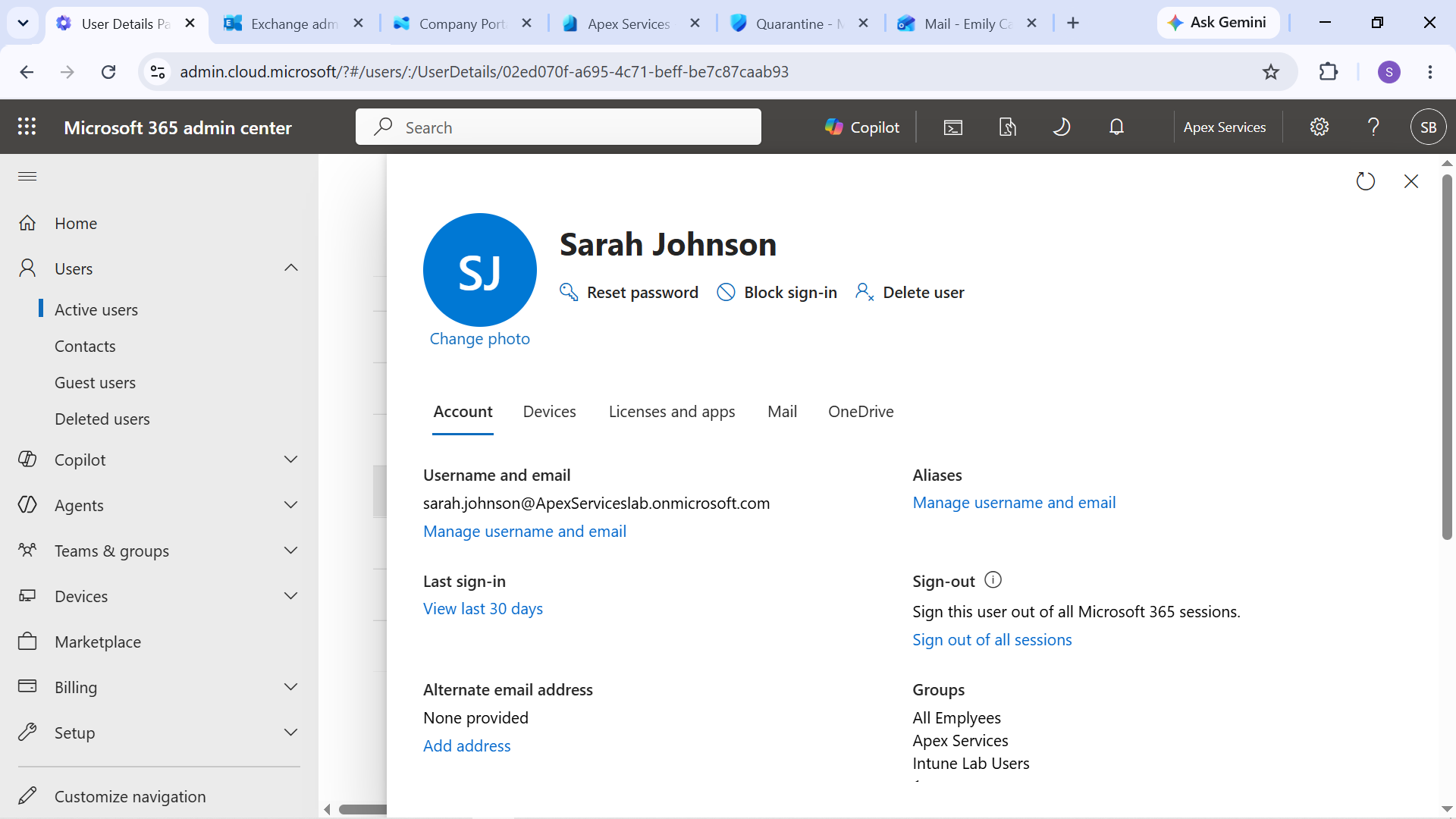
Evidence: Diagnosis showing the missing Sarah Johnson email alias.
Resolution
The HR@apexserviceslab.onmicrosoft.com alias was restored to Sarah Johnson's account.
A new test message was then sent to the alias to verify that delivery was restored.
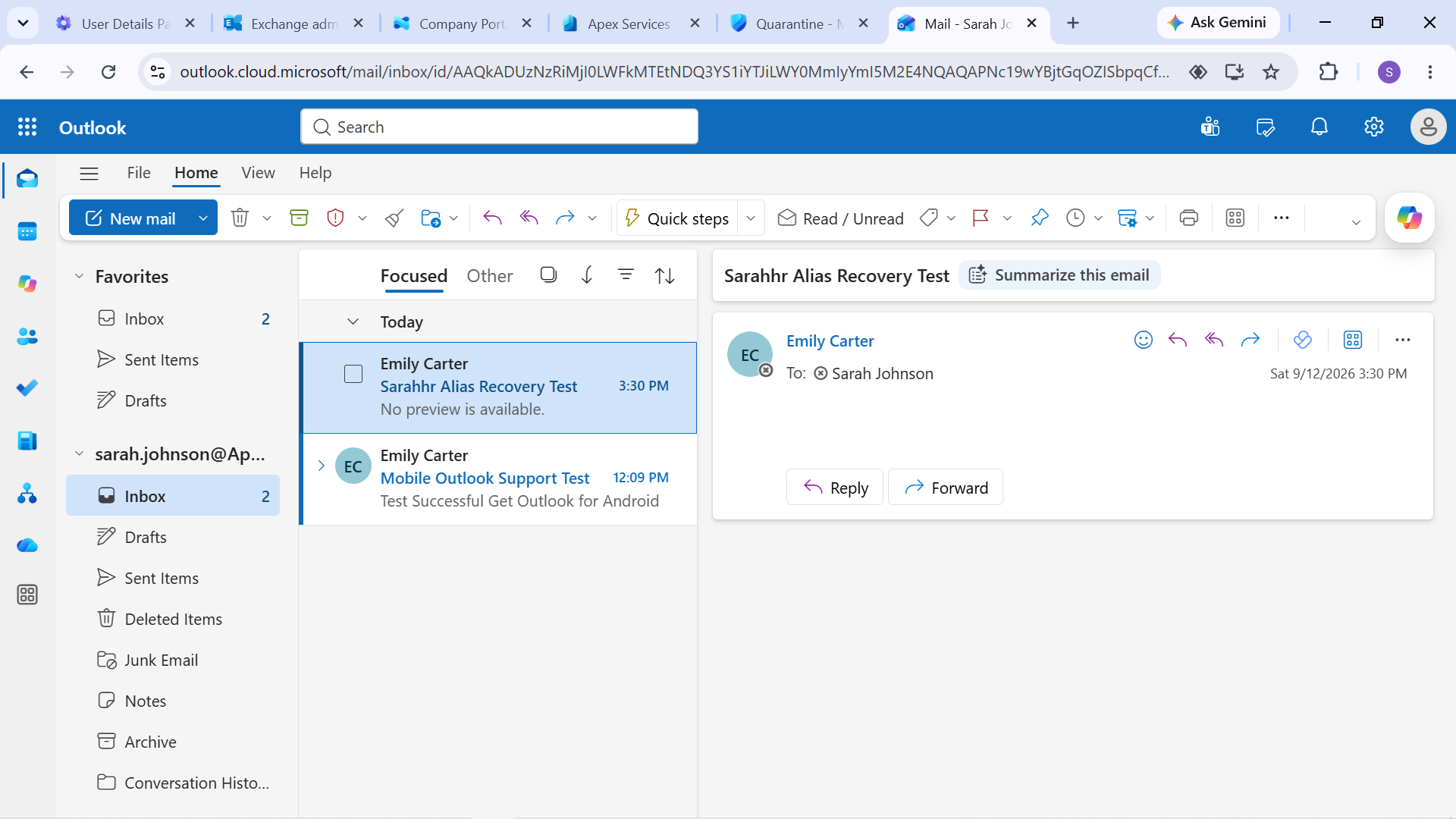
Evidence: Email alias restored and delivery successfully verified.
Verification
The restored alias was tested from the email-delivery perspective.
The successful recovery test confirmed that restoring the missing alias resolved the reported issue.
Technician Resolution
Investigated Sarah Johnson's missing email delivery and identified that her HR email alias had been removed. Restored the HR@ alias to her account and verified successful delivery through a new email test.
Evidence Summary
| Evidence | Purpose |
|---|---|
| Alias baseline | Establishes the expected email-address configuration |
| Alias removed | Demonstrates the controlled failure |
| Delivery failure | Demonstrates the resulting user-facing problem |
| Missing alias diagnosis | Identifies the technical cause |
| Delivery restored | Verifies the corrective action |
Support workflow:
User Report → Email Address Review → Controlled Failure → Diagnosis → Restore Alias → Verify Delivery