Entra ID & Device Join
Microsoft Entra ID provided the cloud identity and device-management foundation for the Windows endpoint portion of the Apex Services Lab.
The lab demonstrated Microsoft Entra ID user identities, Windows device joining, device registration, and the relationship between Entra ID and Microsoft Intune.
Microsoft Entra ID
The Microsoft 365 tenant used Microsoft Entra ID to manage cloud identities for Apex Services users.
The Entra ID environment supported:
- Microsoft 365 user identities
- Group-based administration
- Intune enrollment targeting
- Windows device joining
- Device identity and registration
- Endpoint management through Intune
Intune Lab Users Group
A security group named Intune Lab Users was created to control which users were targeted for Intune enrollment and endpoint-management assignments.
The group contained:
- Emily Carter
- Sarah Johnson
- Daniel Smith
Emily and Sarah were subsequently used for the Windows endpoint portion of the lab.
Daniel remained a member of the assignment group but was not enrolled as a managed Windows device.
Windows 10 Microsoft Entra Join
A fresh Windows 10 Pro virtual machine was configured for Emily Carter and joined to Microsoft Entra ID using her Apex Services identity.
The successful join was verified from the Windows device.
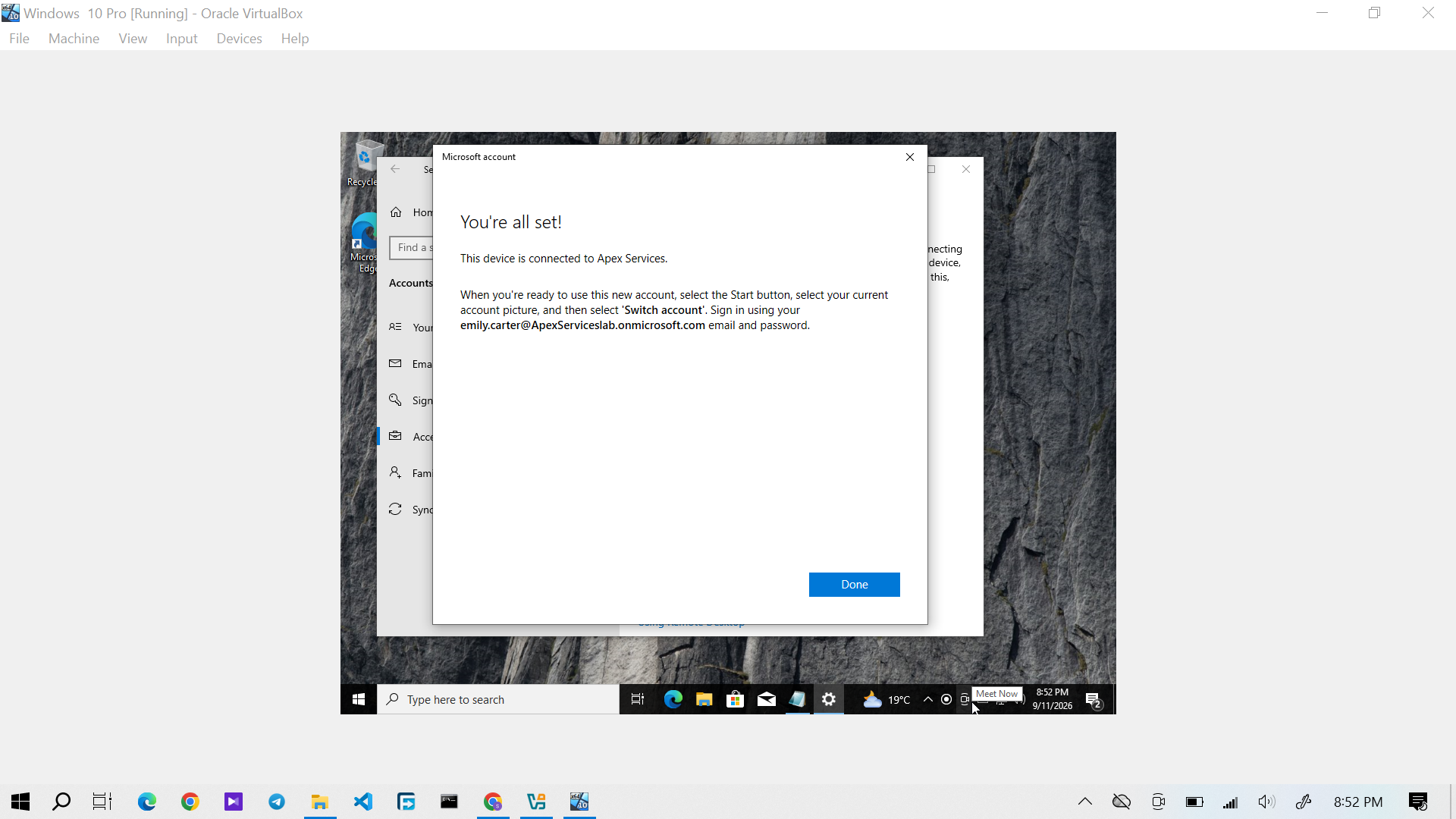
Evidence: Emily Carter's Windows 10 device successfully joined to Microsoft Entra ID.
The device's join and management status was also checked using the Windows device information.
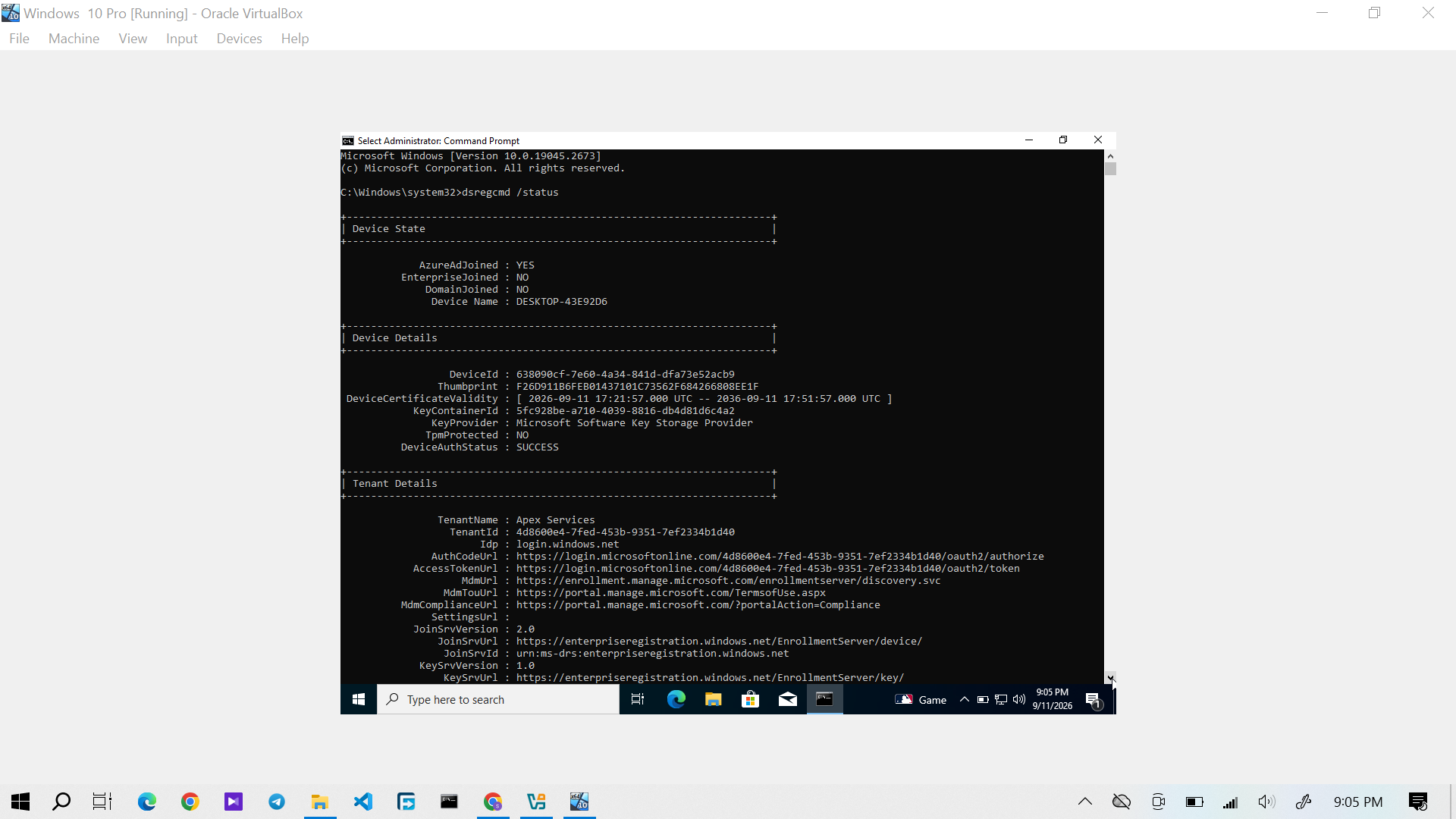
Evidence: Windows 10 device status showing the Microsoft Entra ID join state and management information.
Intune Managed Device
After enrollment, Emily Carter's Windows 10 device appeared as a managed device in Microsoft Intune.
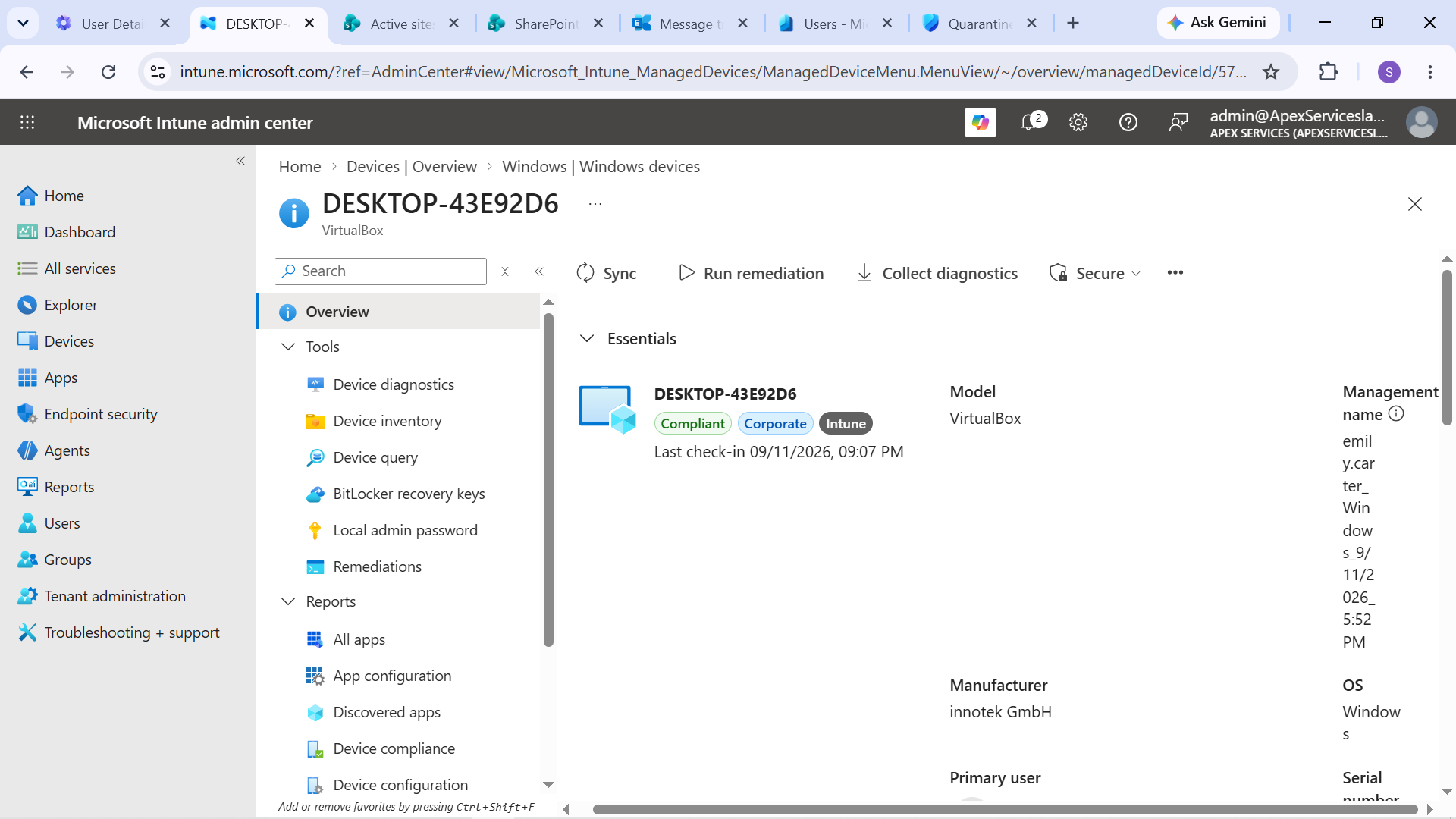
Evidence: Emily Carter's Windows 10 endpoint shown as managed in Intune.
The corresponding device record was also visible in Microsoft Entra ID.
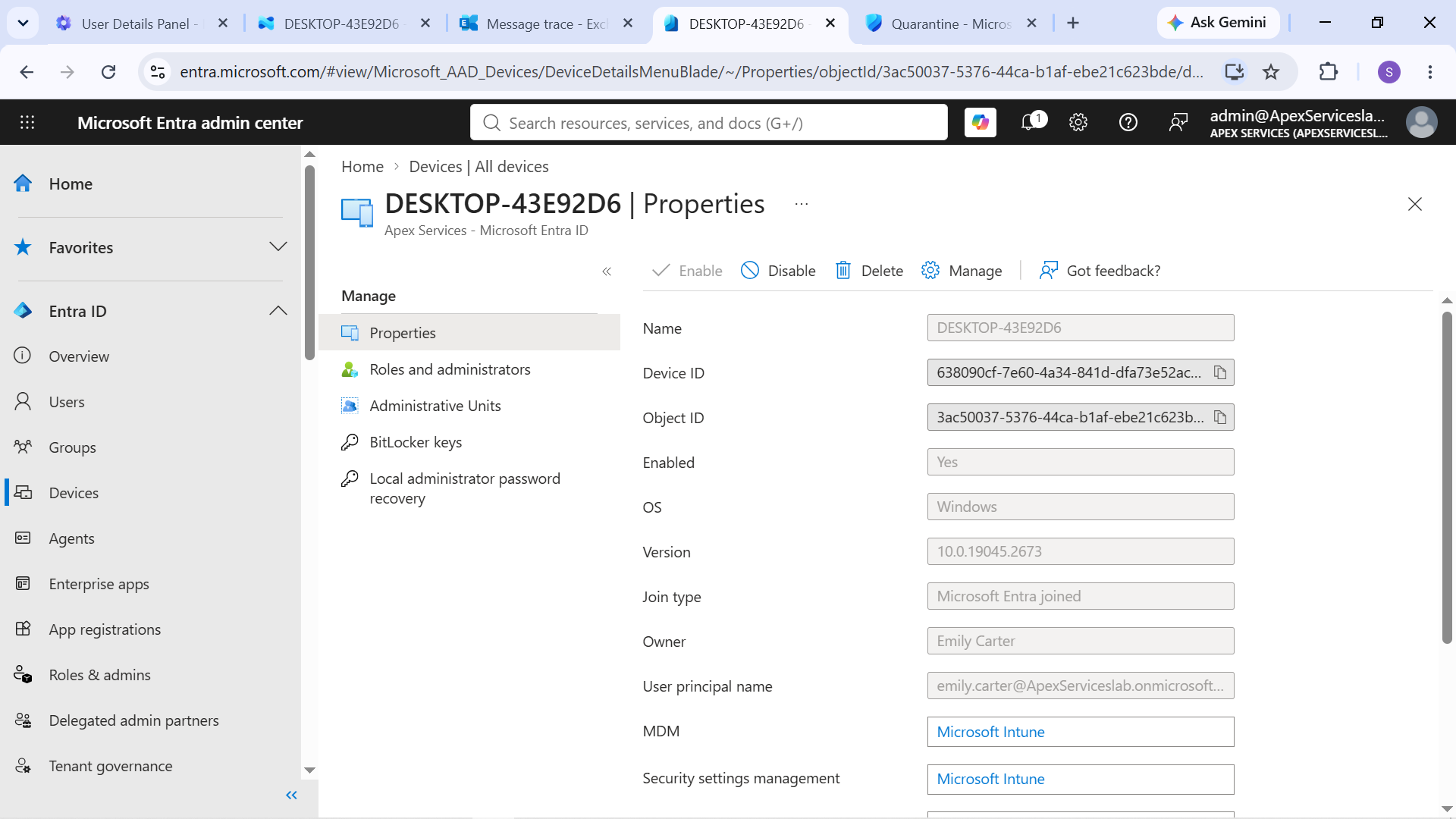
Evidence: Windows 10 device record associated with the Apex Services Entra ID environment.
Second Managed Device
A separate Windows 10 Pro virtual machine was configured for Sarah Johnson.
The device was also:
- Joined to Microsoft Entra ID
- Automatically enrolled into Intune
- Registered as a managed device
- Used for compliance testing
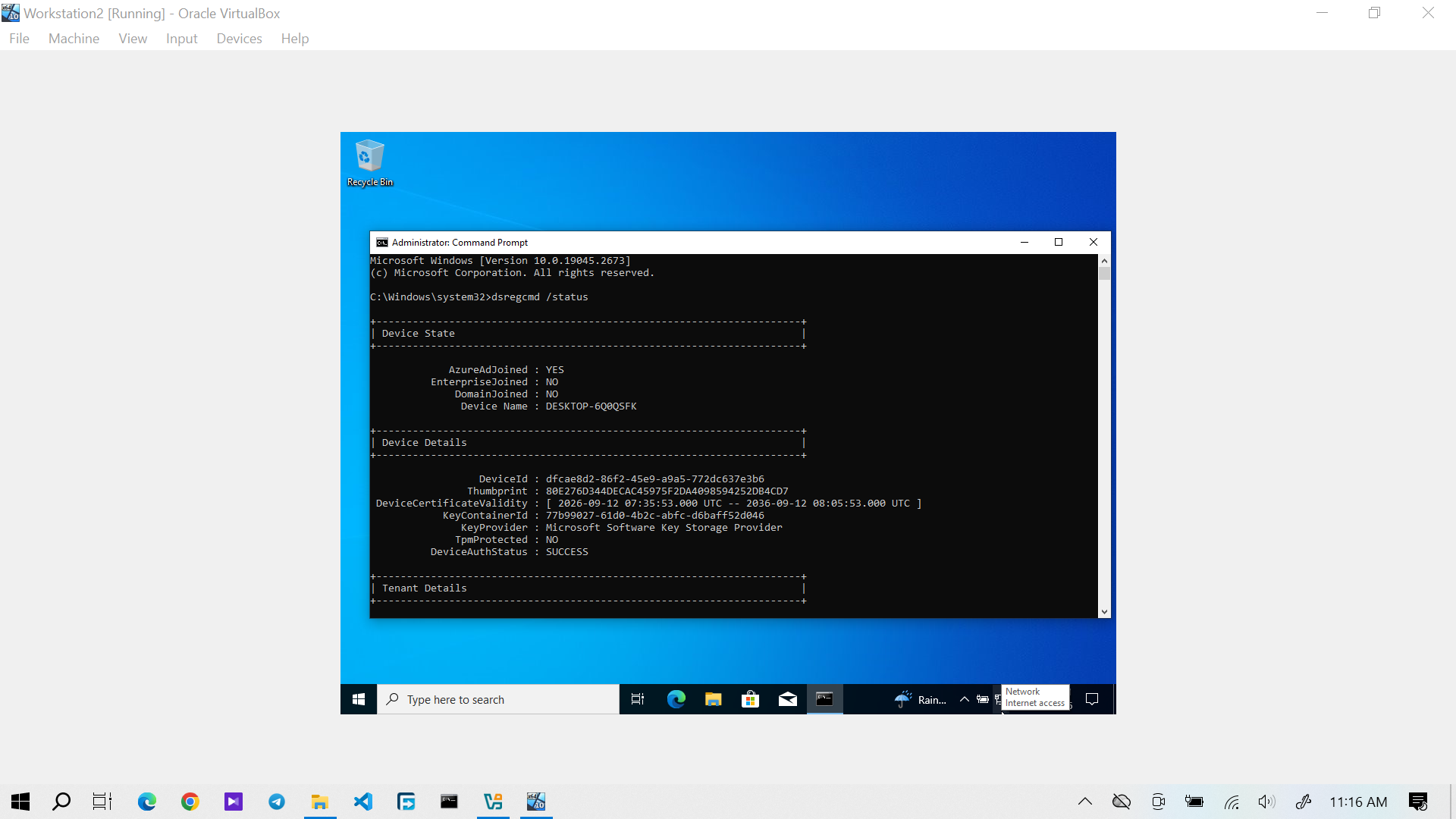
Evidence: Sarah Johnson's Windows 10 device showing the Microsoft Entra ID join and management state.
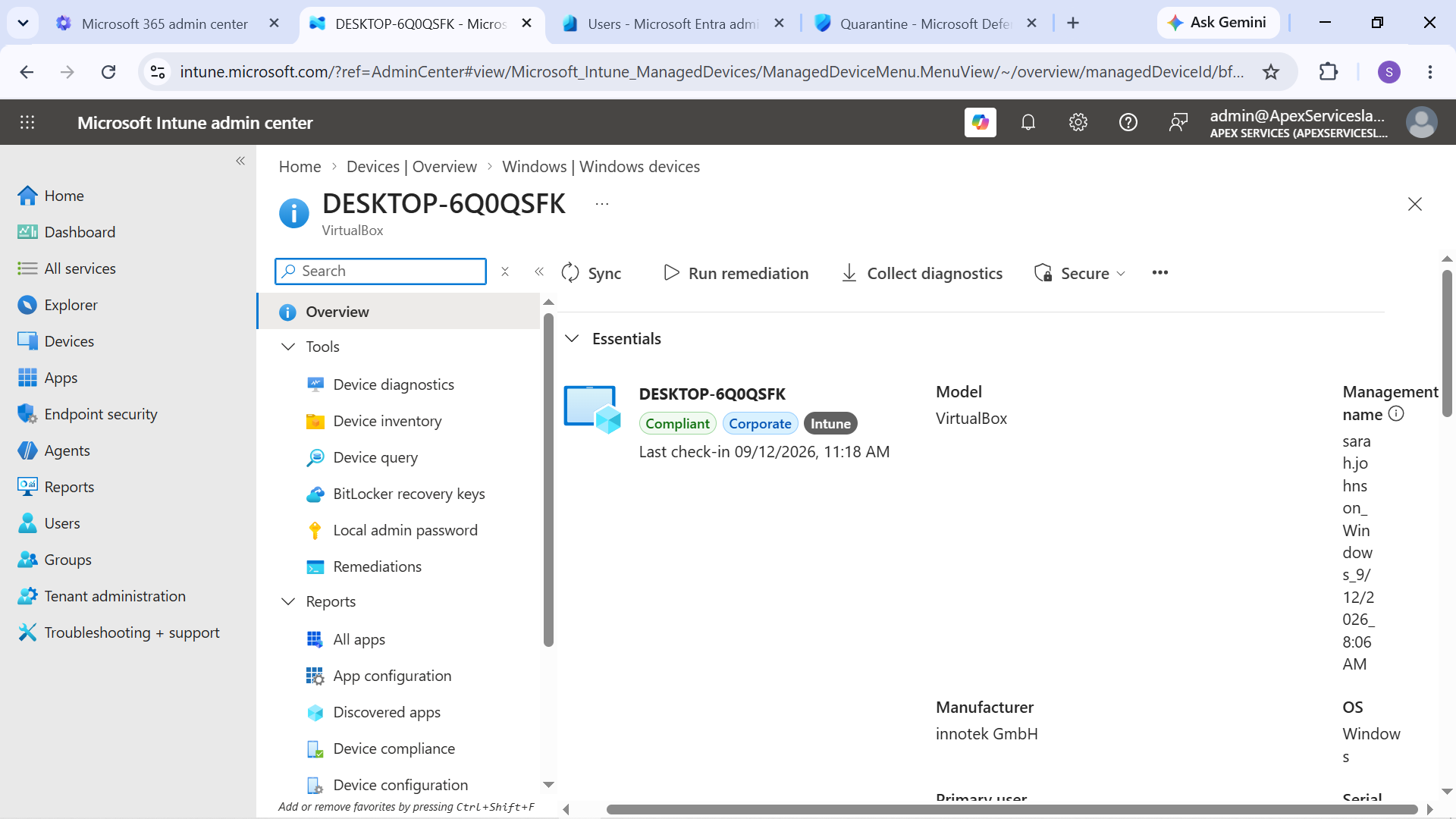
Evidence: Sarah Johnson's Windows 10 device shown as managed in Intune.
Device Identity and Management Relationship
The endpoint environment demonstrated the relationship between cloud identity and device management:
Microsoft Entra ID User
↓
Windows 10 Microsoft Entra Join
↓
Intune Enrollment
↓
Managed Device
↓
Compliance & Configuration
This relationship was important for the later compliance and endpoint-support scenarios.
Support Perspective
From an IT Support perspective, the lab provided hands-on experience with:
- Verifying a user's cloud identity
- Checking Windows Entra ID join status
- Identifying a managed device
- Checking the corresponding Entra ID device record
- Understanding the relationship between Entra ID and Intune
These checks provide a foundation for diagnosing Windows device-management and access problems.
Verification Workflow
The endpoint identity workflow was:
User Identity → Device Join → Enrollment → Device Registration → Management Verification
The completed enrollment, compliance, configuration, and application-management processes are documented in the following Intune sections.