Email Configuration
The lab included several Exchange Online email configurations used to simulate common organizational communication and IT Support requirements.
The configurations were tested through actual mail flow and user-facing scenarios where applicable.
Email Aliases
Email aliases were configured for selected users to provide additional addresses associated with their primary Microsoft 365 accounts.
Emily Carter
Emily Carter was assigned:
ITSupport@apexserviceslab.onmicrosoft.com
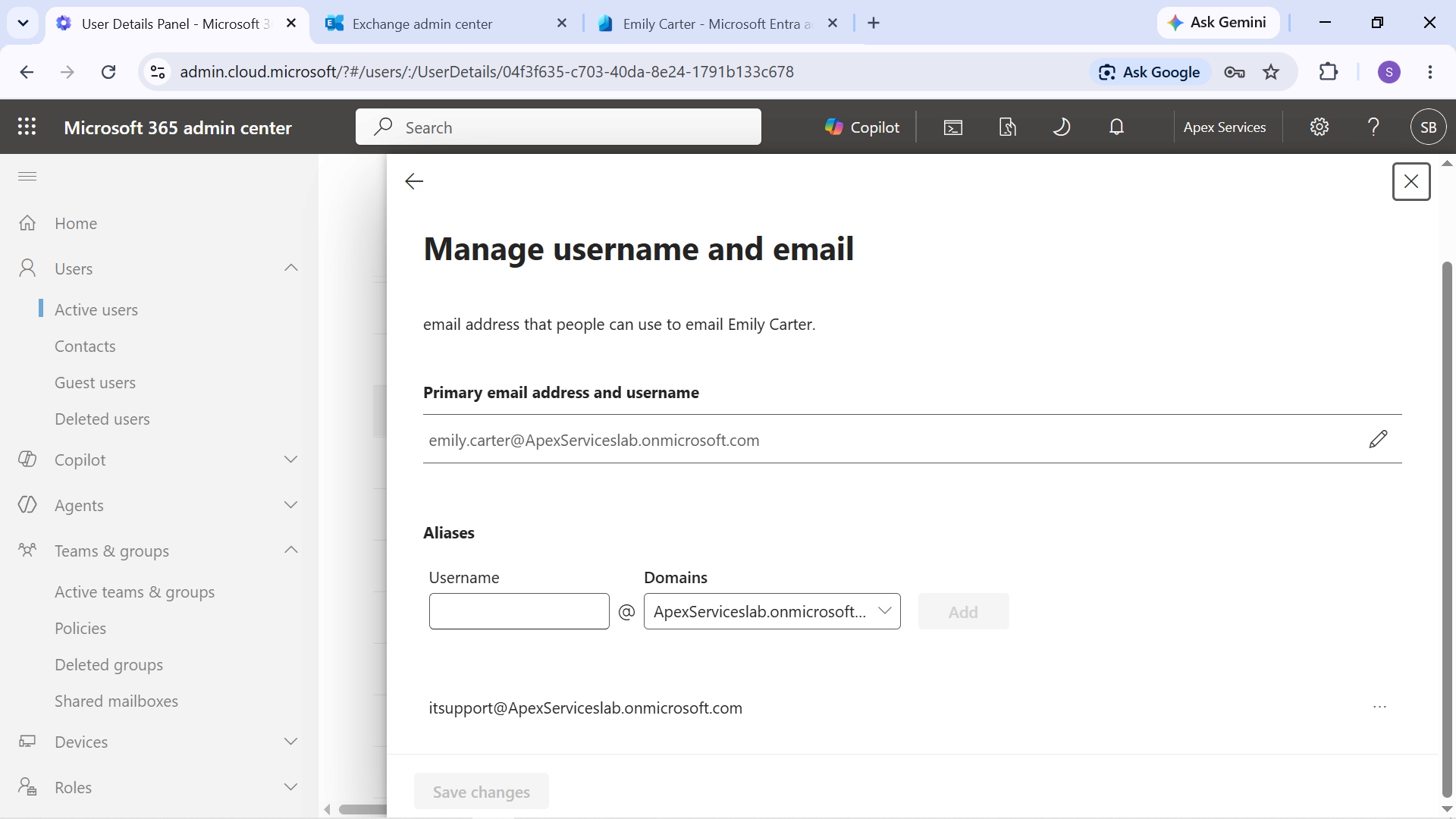
Evidence: Emily Carter's additional email alias.
Sarah Johnson
Sarah Johnson was assigned:
HR@apexserviceslab.onmicrosoft.com
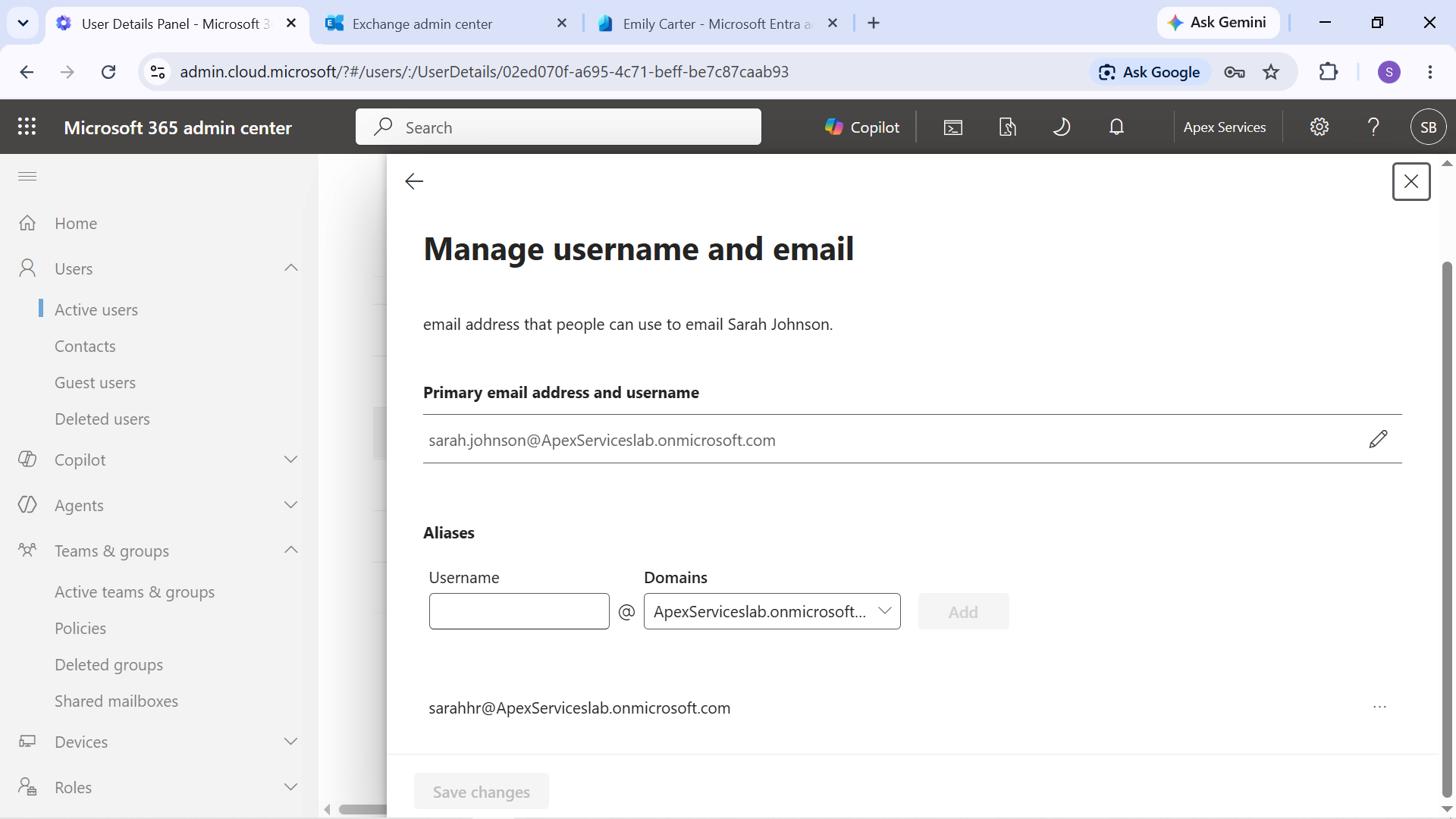
Evidence: Sarah Johnson's additional email alias.
Email aliases were later used in a controlled troubleshooting scenario. Sarah's HR@ alias was temporarily removed, the resulting delivery failure was investigated, and the alias was restored and tested successfully.
External Mail Contact
An external mail contact named Apex Services Vendor was configured as a placeholder external contact for the lab.
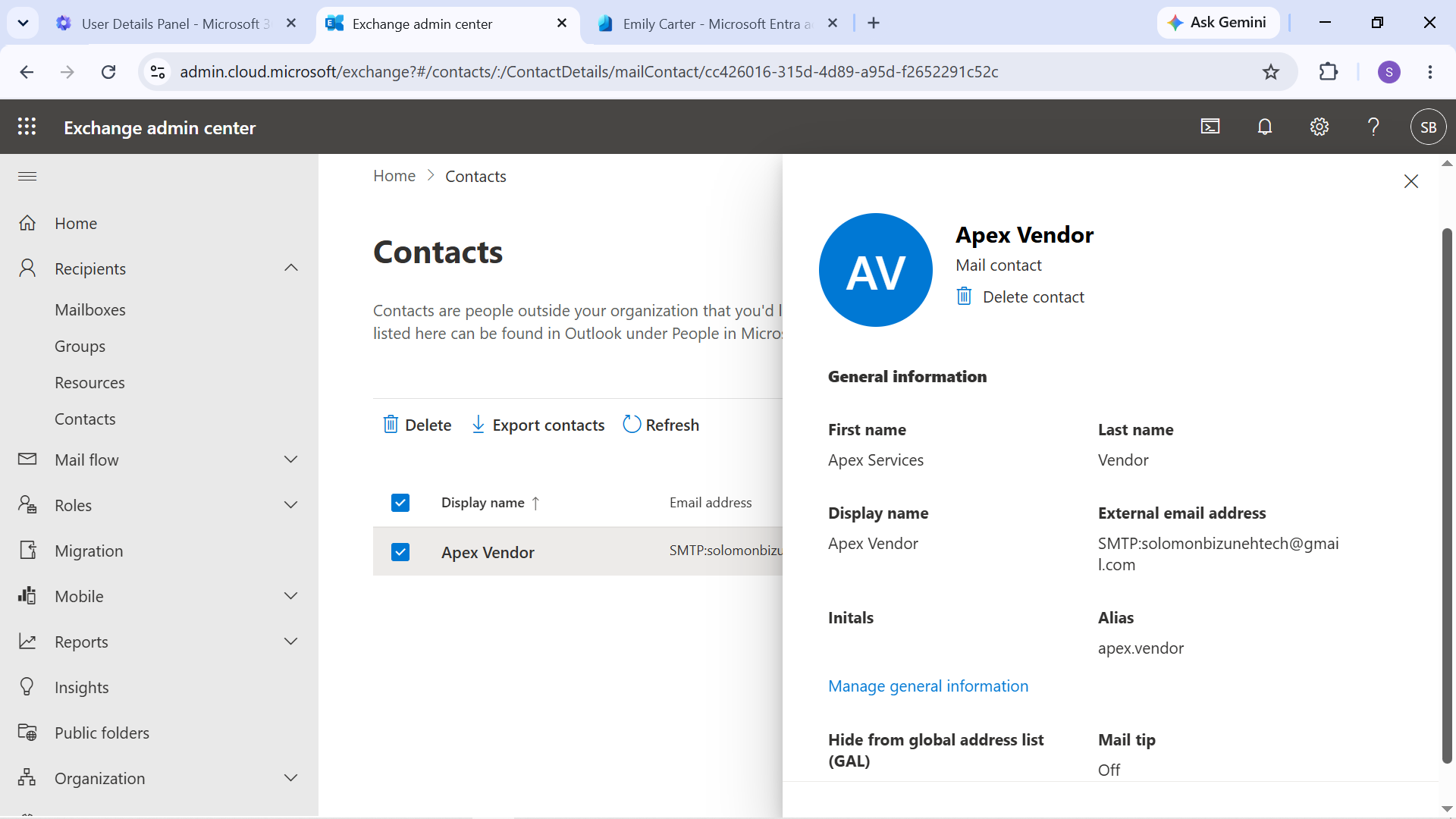
Evidence: External mail contact configured in Exchange Online.
The contact was created for administrative practice and was not used to represent a production vendor relationship.
Calendar Delegation
Calendar delegation was configured for the management workflow:
- David Wilson — General Manager
- Jennifer Thomas — Operations Manager
Jennifer was given delegated calendar-management access.
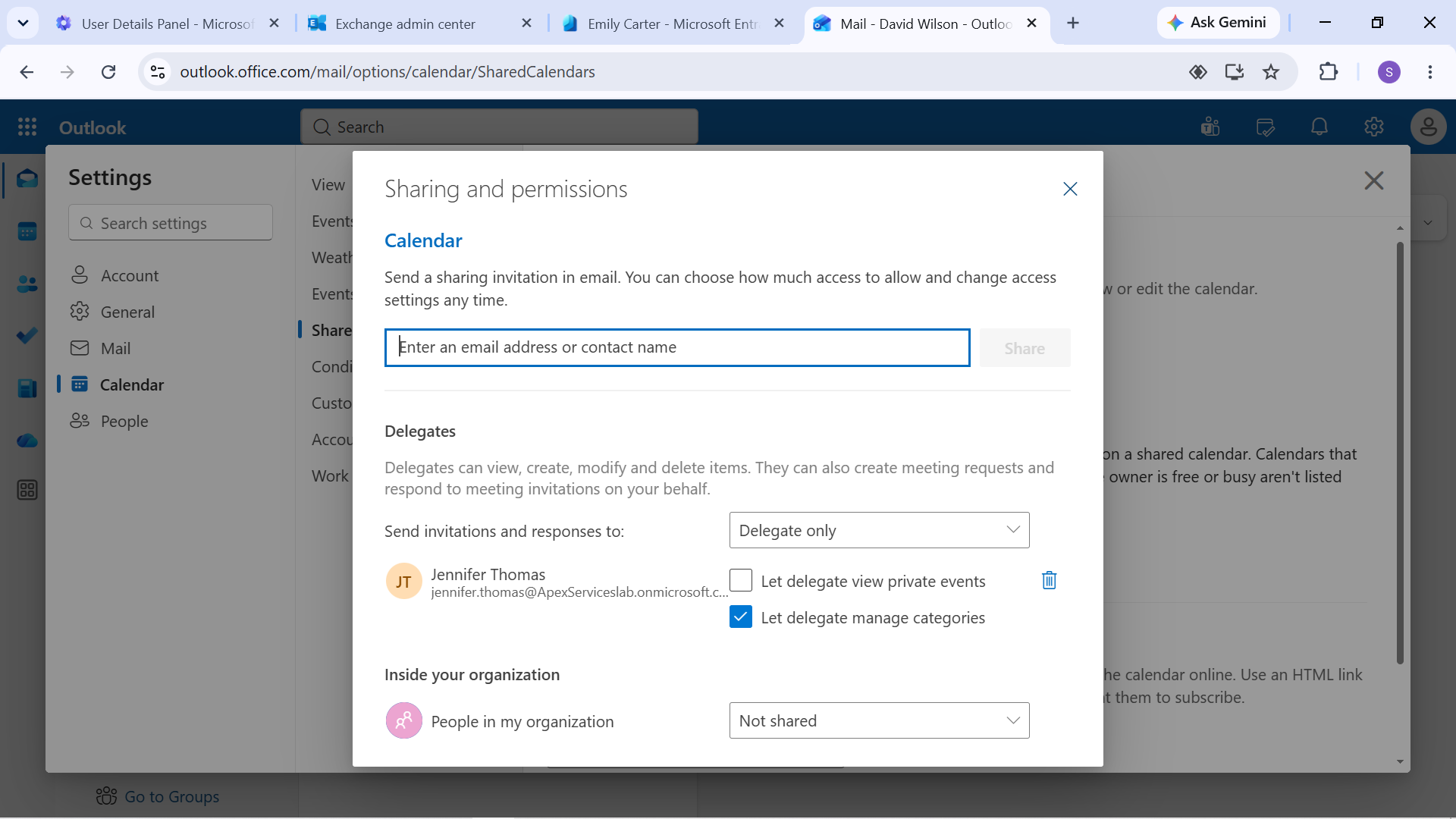
Evidence: Calendar delegation configuration between David Wilson and Jennifer Thomas.
The configuration was later verified through an actual calendar test.
Send As
Send As permissions were configured for authorized users of the HR shared mailbox.
A test message was sent using the HR shared mailbox identity to verify that the configured permission worked as expected.
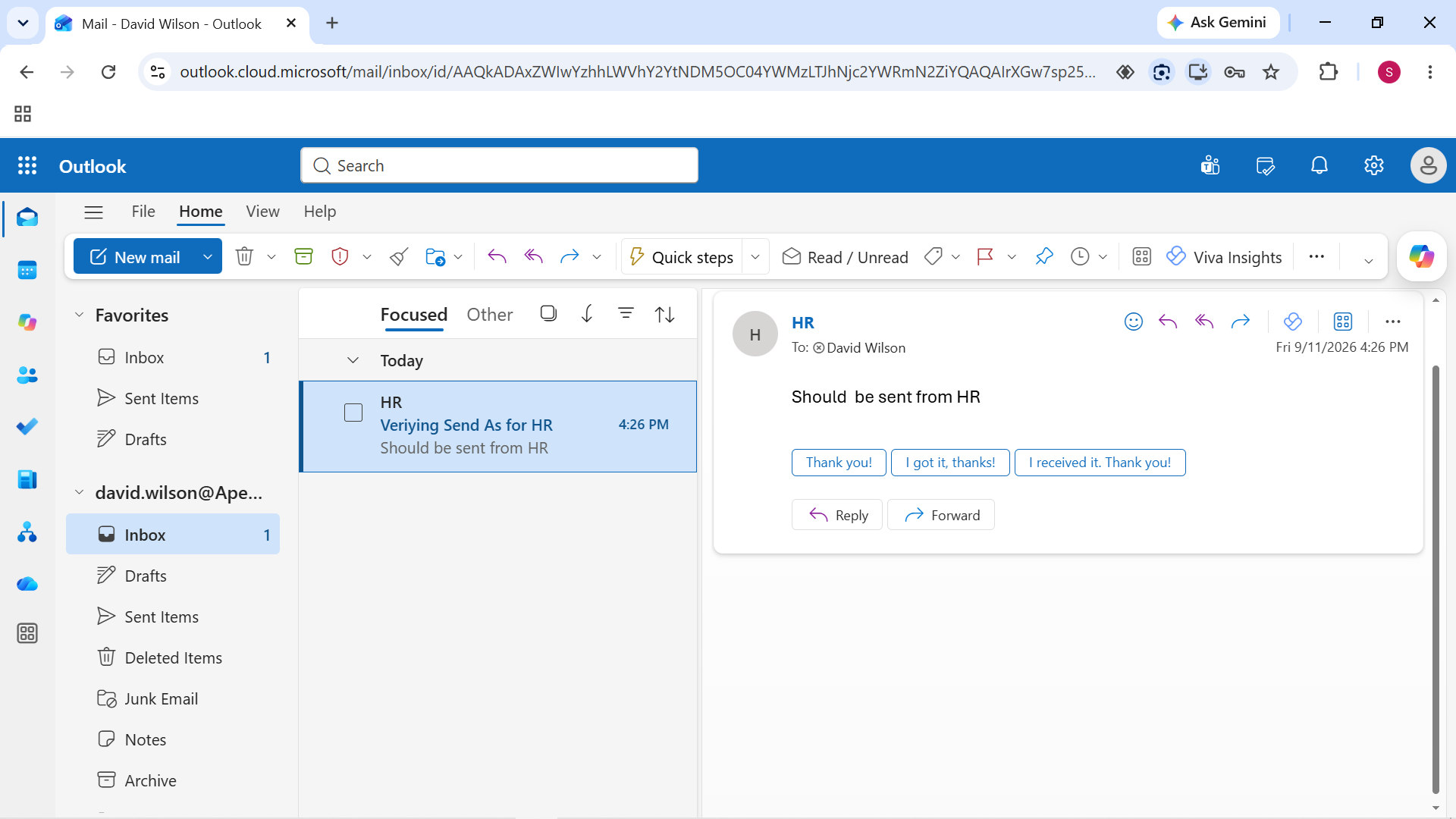
Evidence: Send As functionality verified using the HR shared mailbox.
Message Trace
Exchange Online message trace was used to investigate and verify email delivery.
A known-good message sent using the HR shared mailbox Send As configuration was used for the trace test.
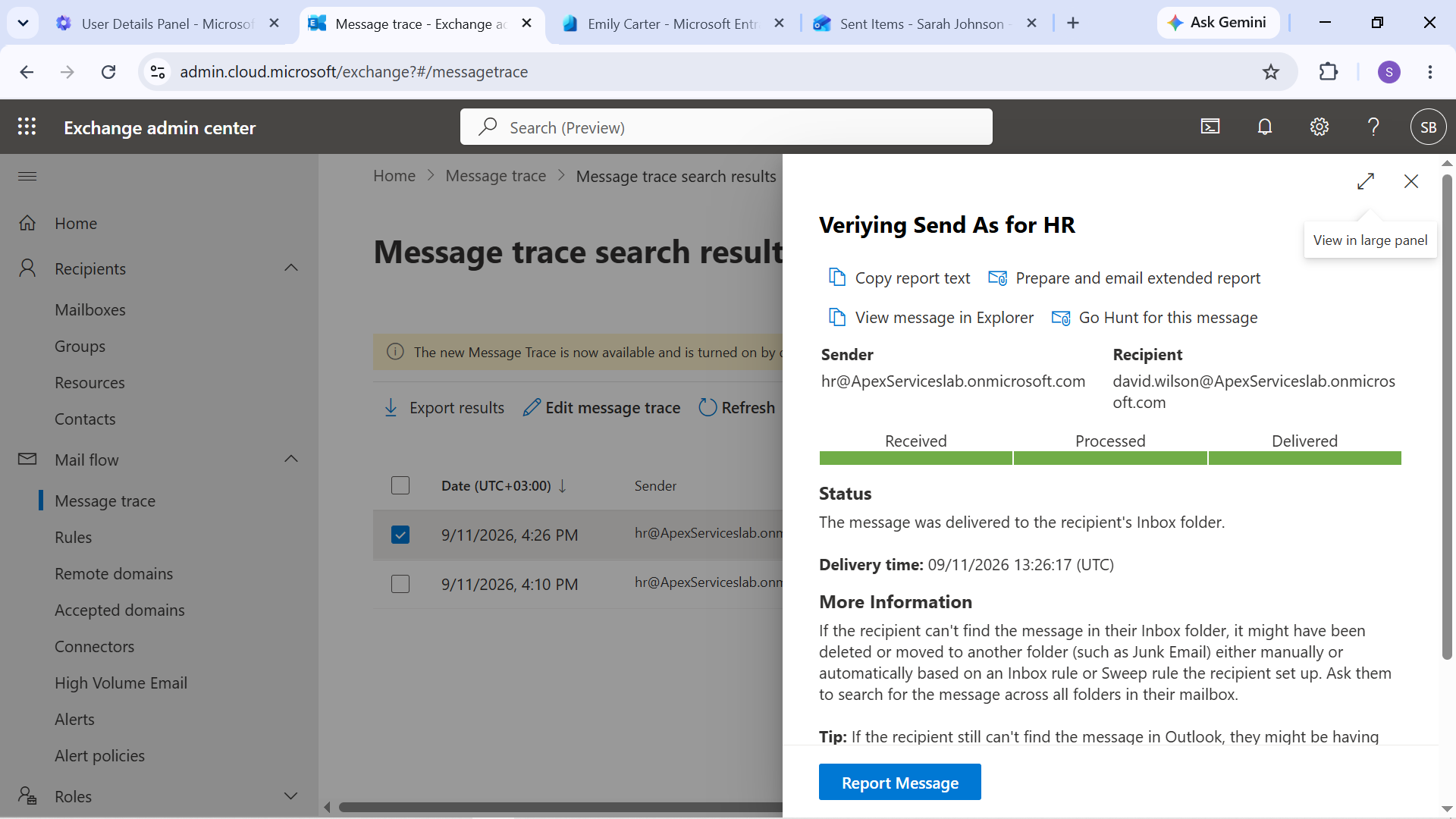
Evidence: Exchange Online message trace used to verify the test message.
Message trace provided an administrative method for checking the processing and delivery of the test message.
Quarantine Review
The Microsoft 365 quarantine area was also reviewed as part of the email-administration practice.
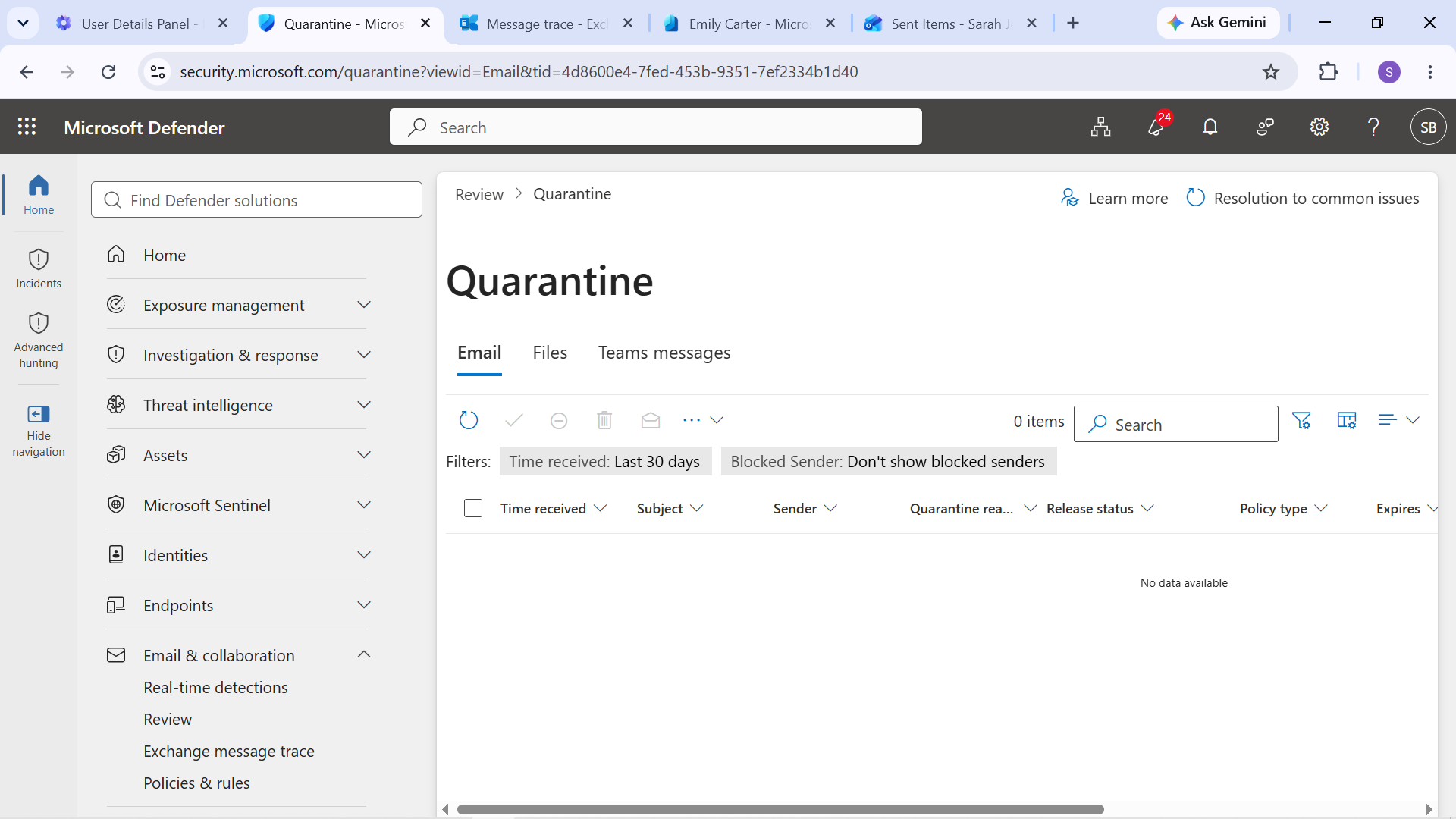
Evidence: Microsoft 365 quarantine review showing no messages present at the time of the check.
Email Testing
Email functionality was tested from the user perspective using Outlook.
Testing included:
- User-to-user email
- Shared mailbox email
- Send As
- Email alias delivery
- Message delivery verification
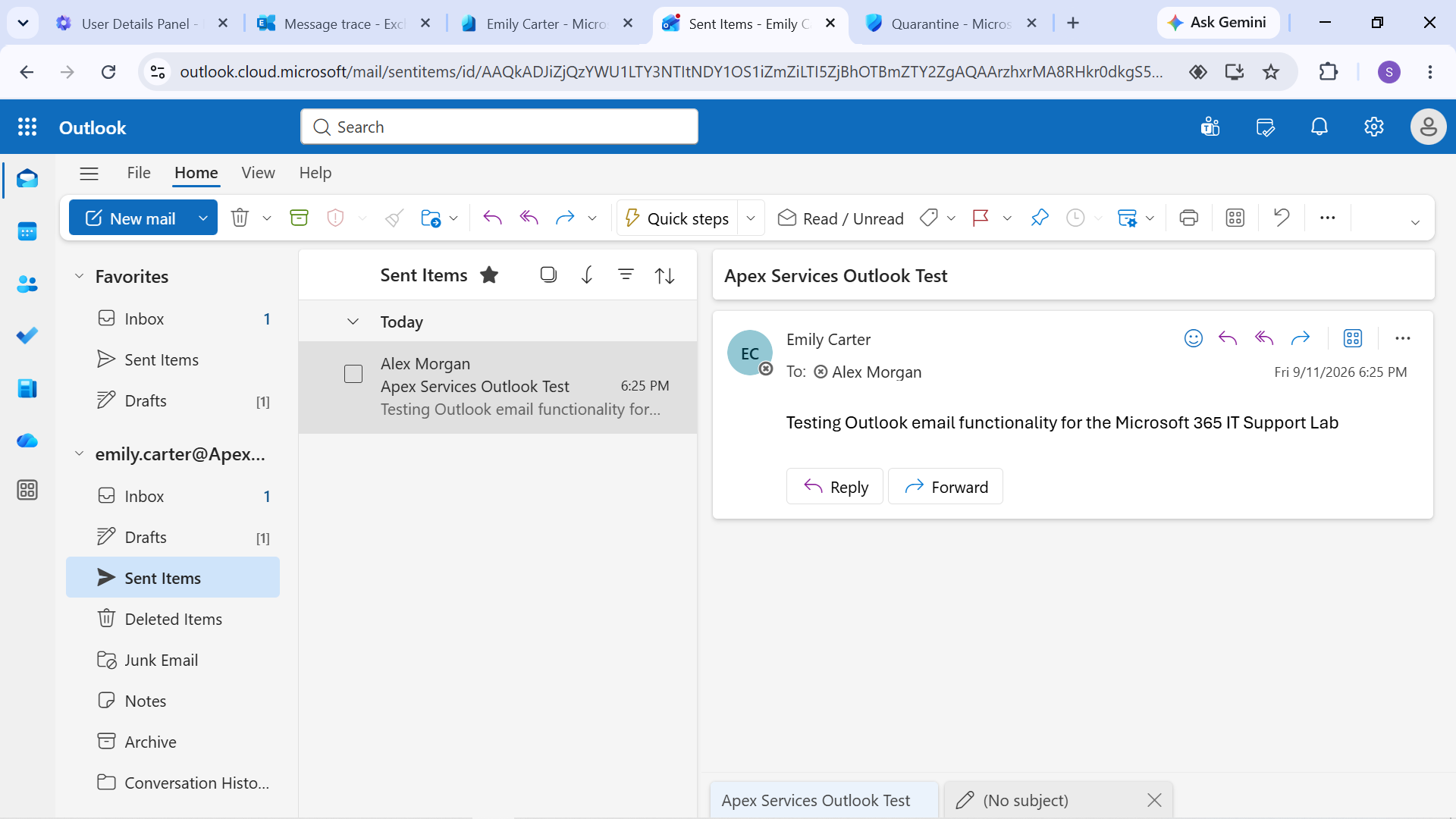
Evidence: Outlook email test performed using Emily Carter's account.
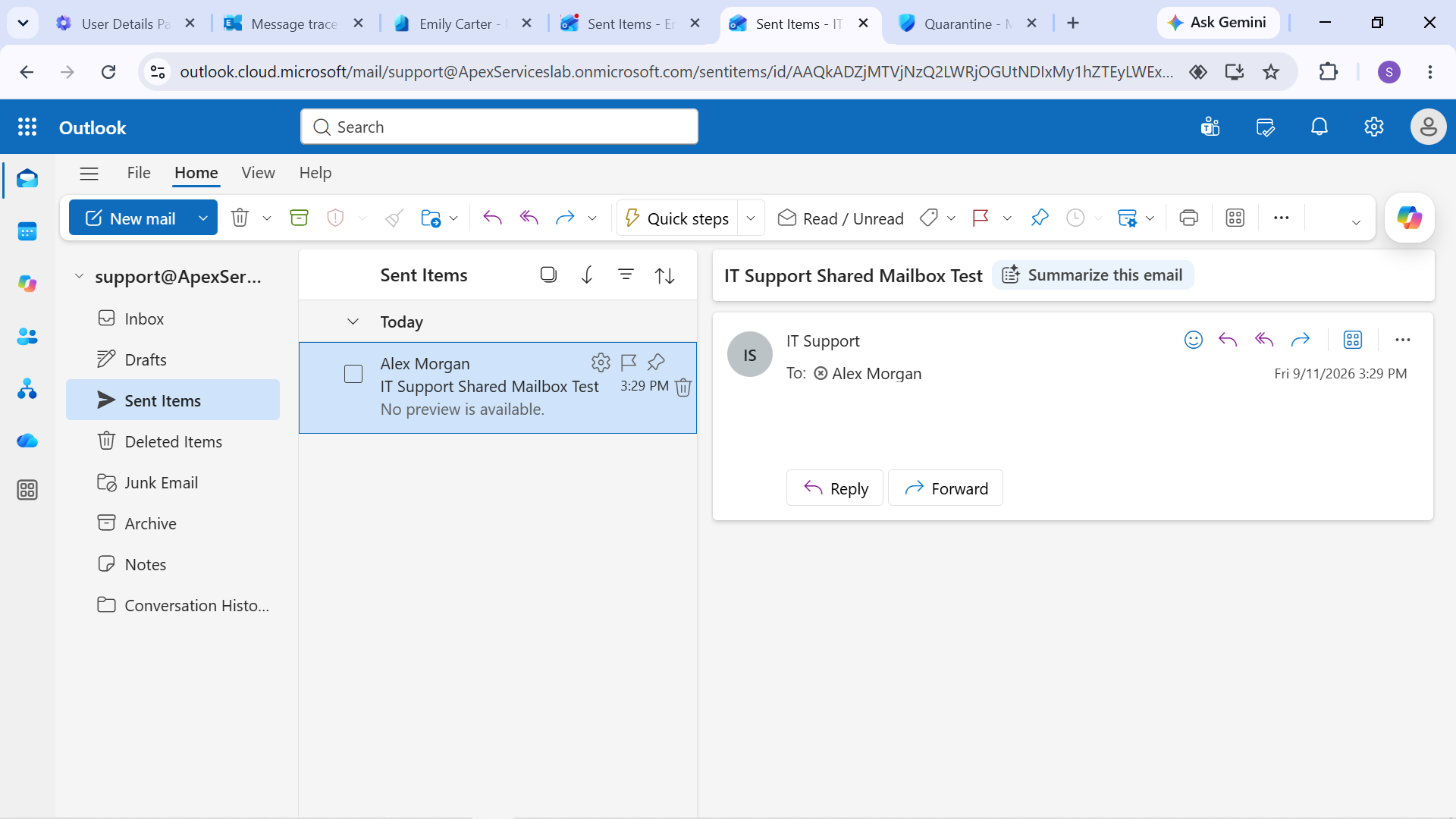
Evidence: IT Support shared mailbox email test.
Calendar Testing
Calendar functionality was also verified through an actual delegation test.
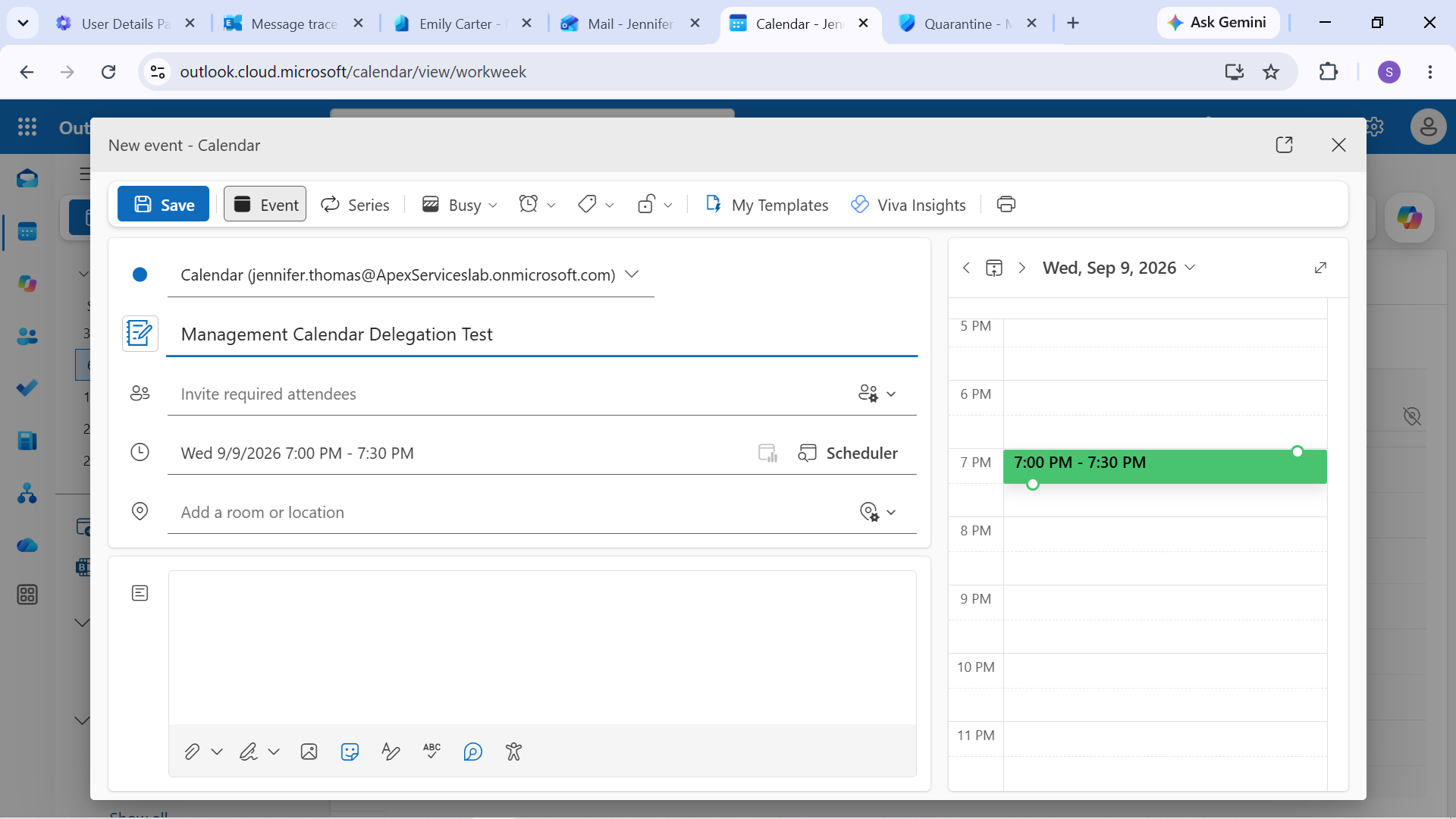
Evidence: Calendar delegation test involving Jennifer Thomas.
Email Troubleshooting Approach
The email environment was used for both normal configuration testing and controlled troubleshooting scenarios.
Examples included: - Removing and restoring shared mailbox access - Removing and restoring a distribution-group membership - Removing and restoring an email alias - Testing Send As permissions - Reviewing message trace - Testing mailbox and calendar functionality
The general troubleshooting process was:
User Report → Configuration Review → Mail Flow / Permission Investigation → Corrective Action → Test → Verify
This provided practical experience with investigating Microsoft 365 email issues from both the administrative and end-user perspectives.